Visual Examples Gallery
This gallery showcases xlsxrb DSL usage side-by-side with the visual rendering in LibreOffice Calc.
Capability Overview
| Feature | Visual Preview | Link to Detail |
|---|---|---|
| Align Horizontal | 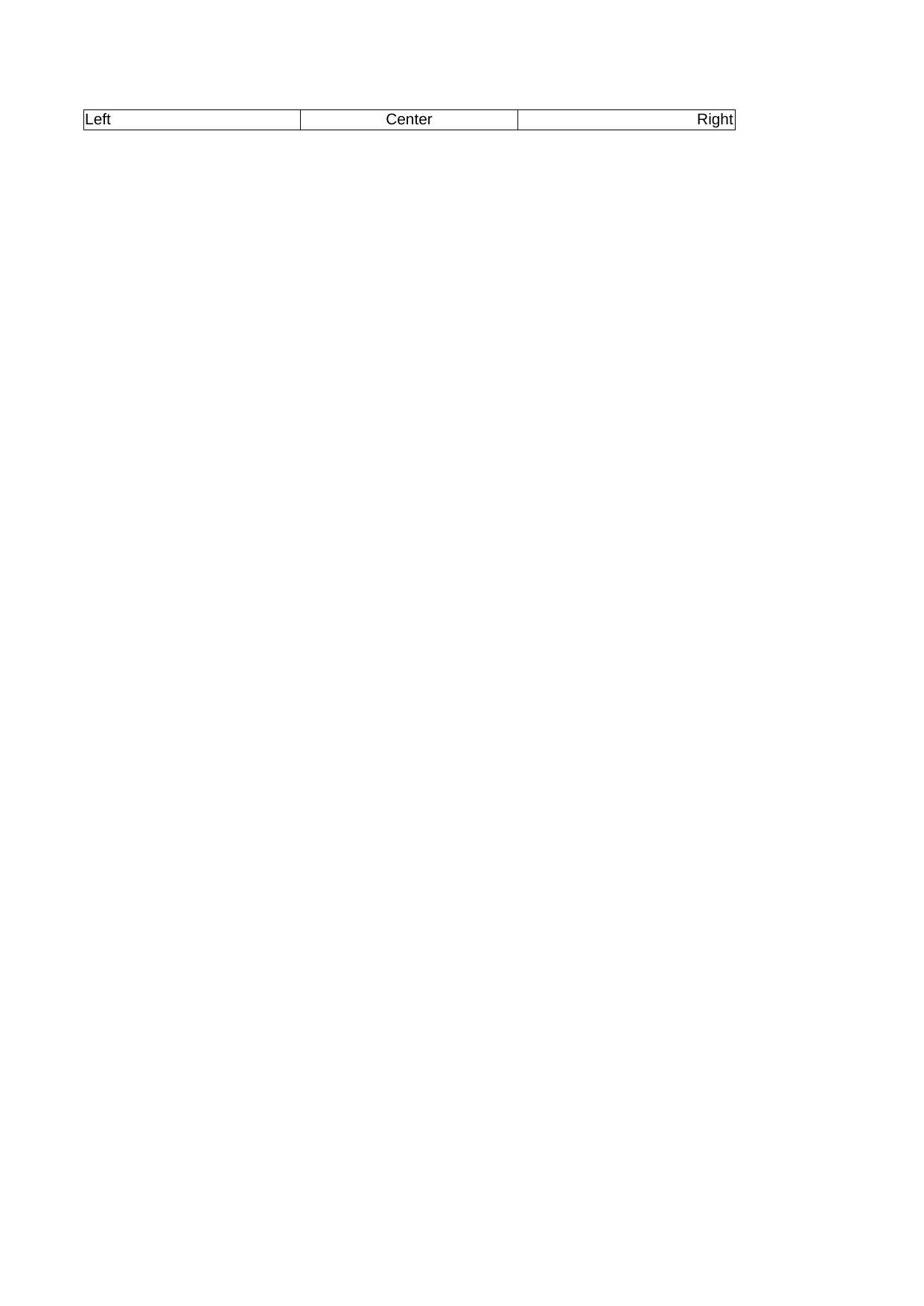 |
View Code & Detail |
| Align Horizontal Fill |  |
View Code & Detail |
| Align Horizontal Justify | 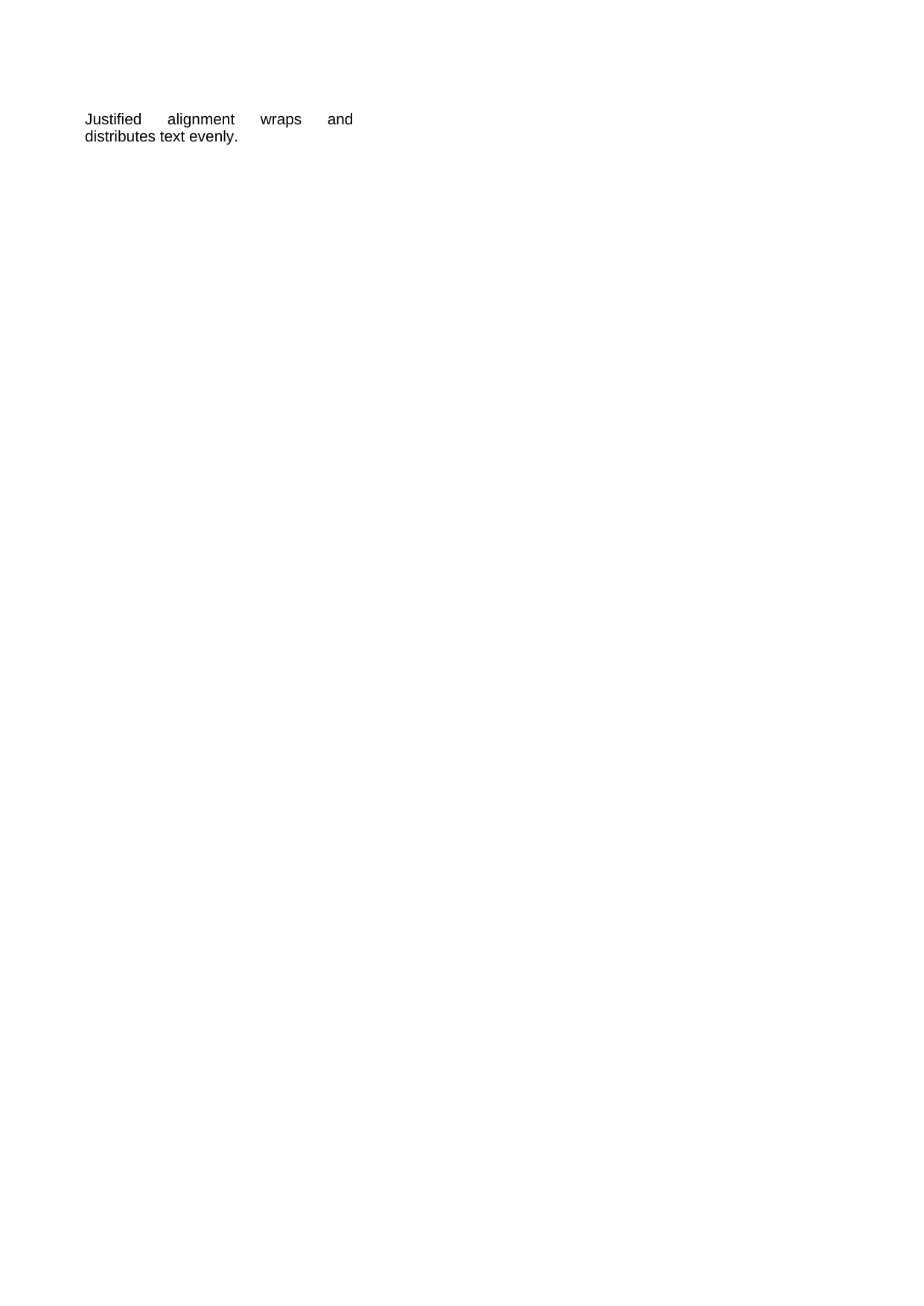 |
View Code & Detail |
| Align Indent | 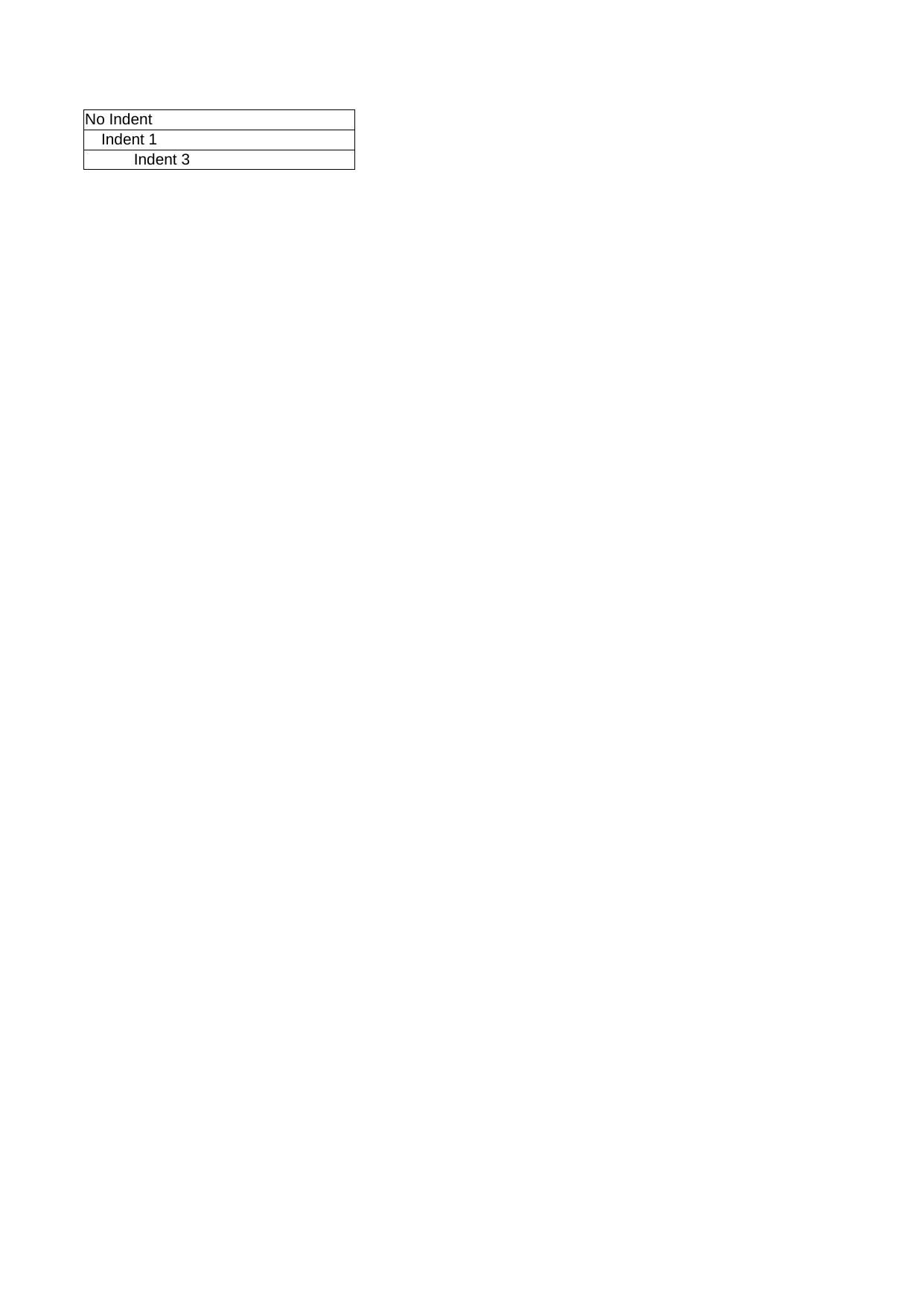 |
View Code & Detail |
| Align Text Rotation | 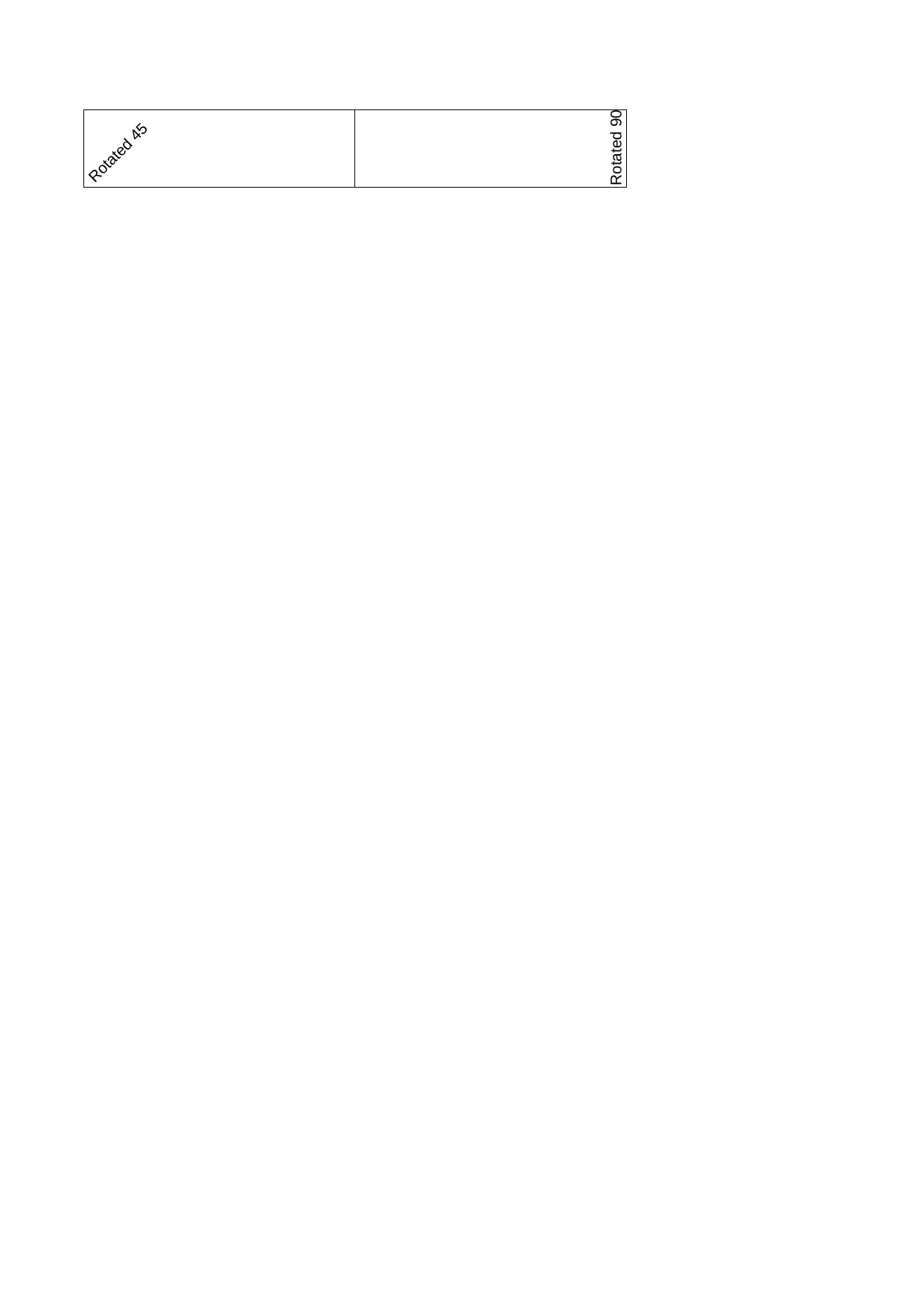 |
View Code & Detail |
| Align Text Wrap |  |
View Code & Detail |
| Align Vertical | 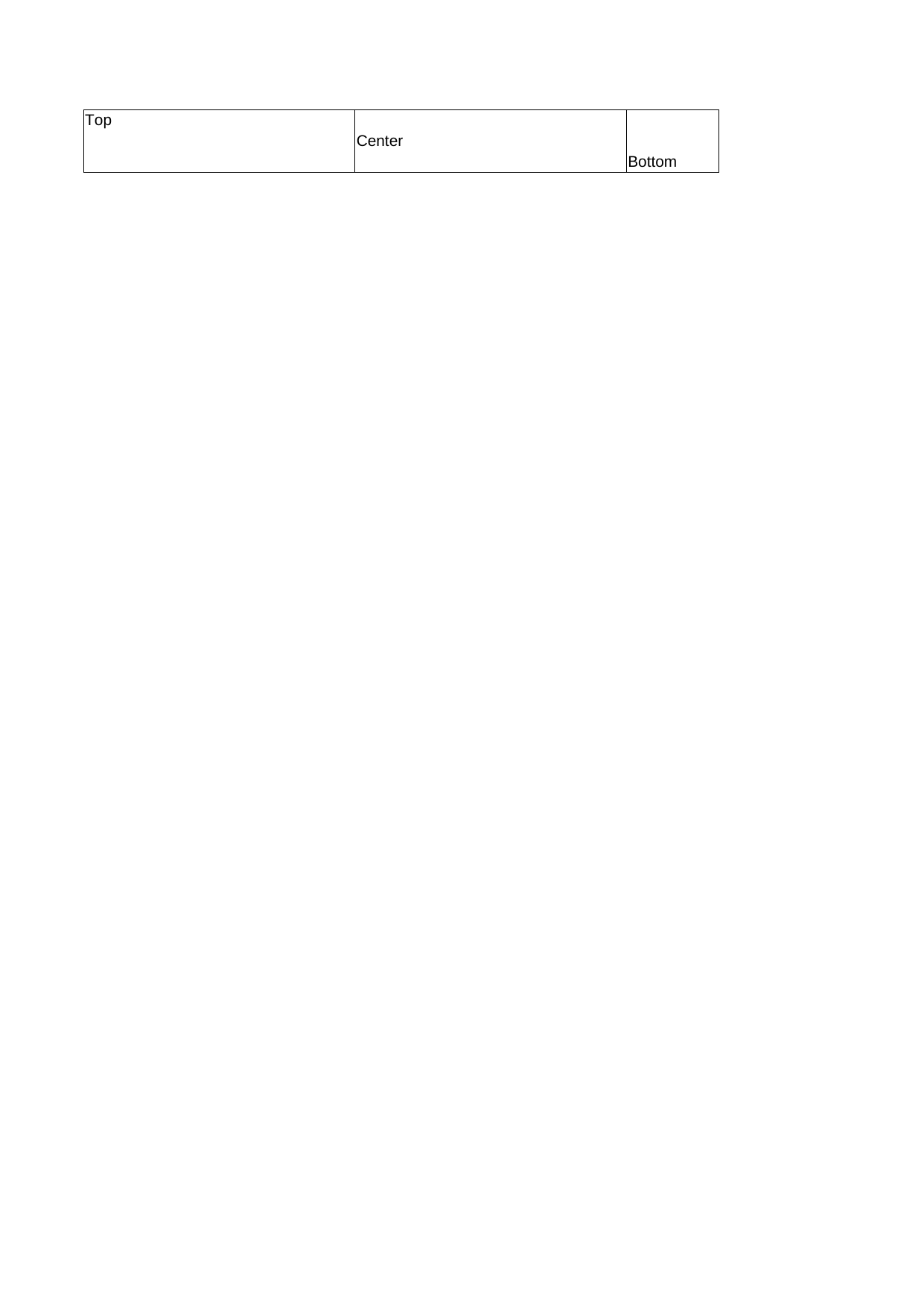 |
View Code & Detail |
| Basic Data | 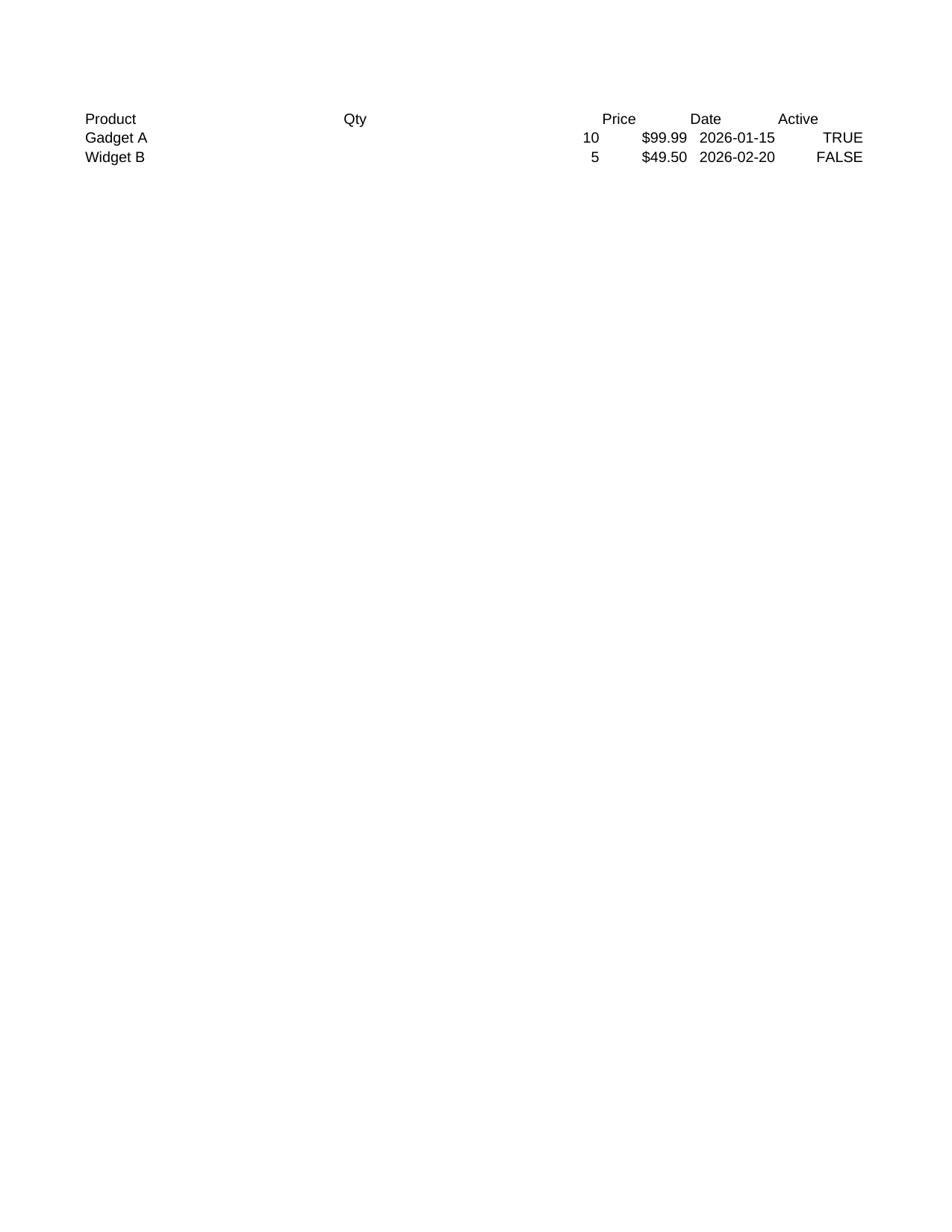 |
View Code & Detail |
| Borders | 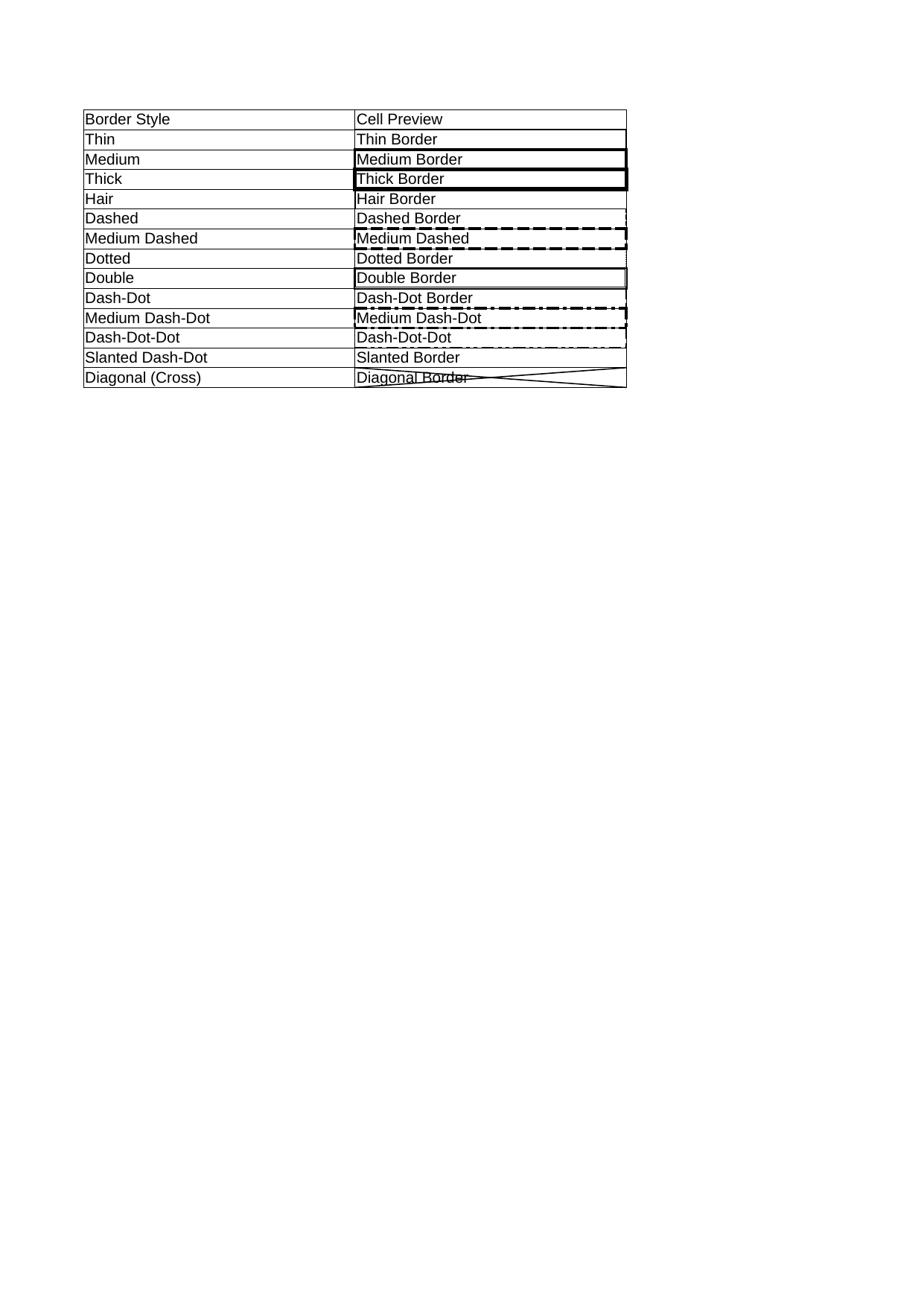 |
View Code & Detail |
| Cell Booleans | 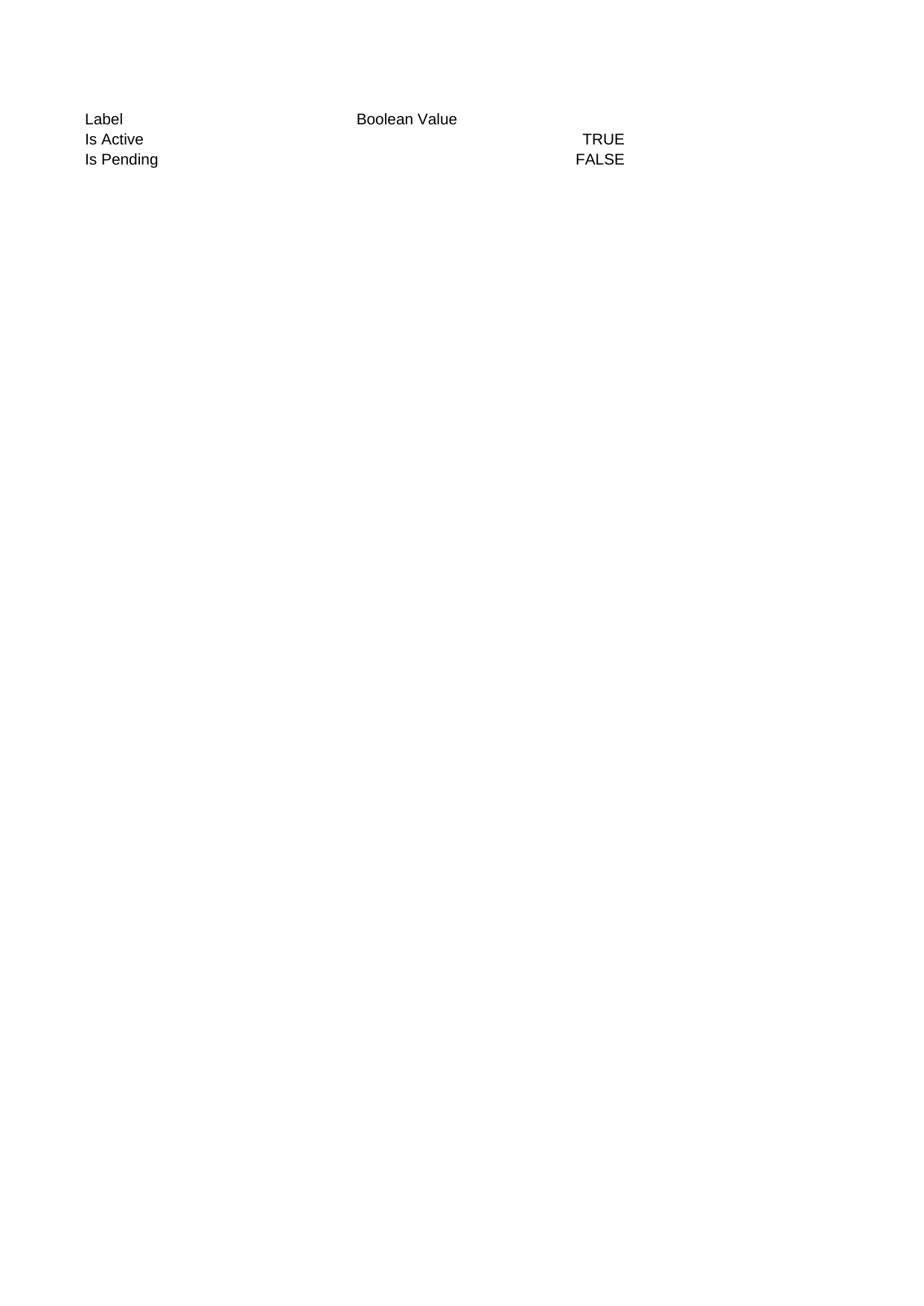 |
View Code & Detail |
| Cell Dates | 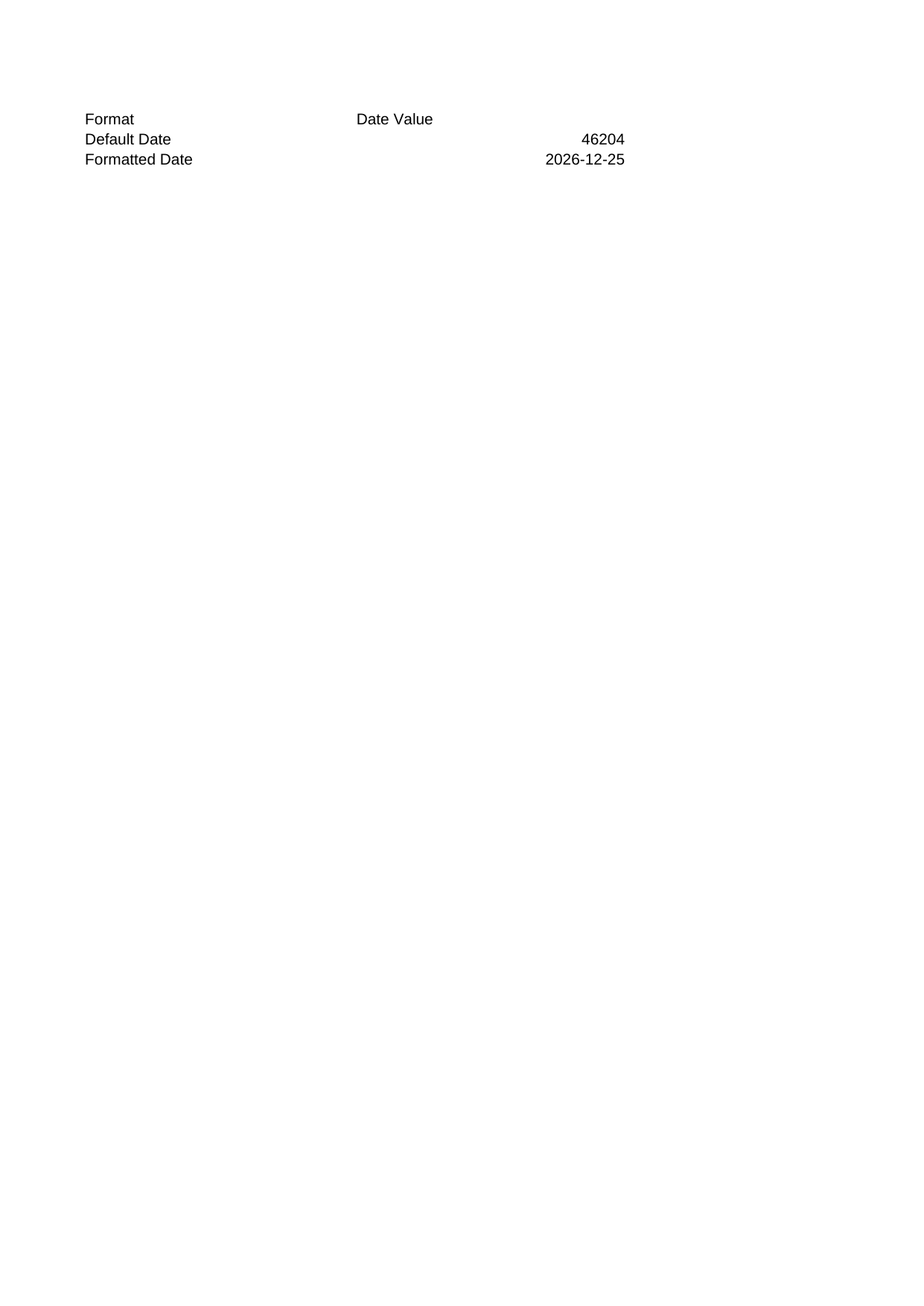 |
View Code & Detail |
| Cell Formulas | 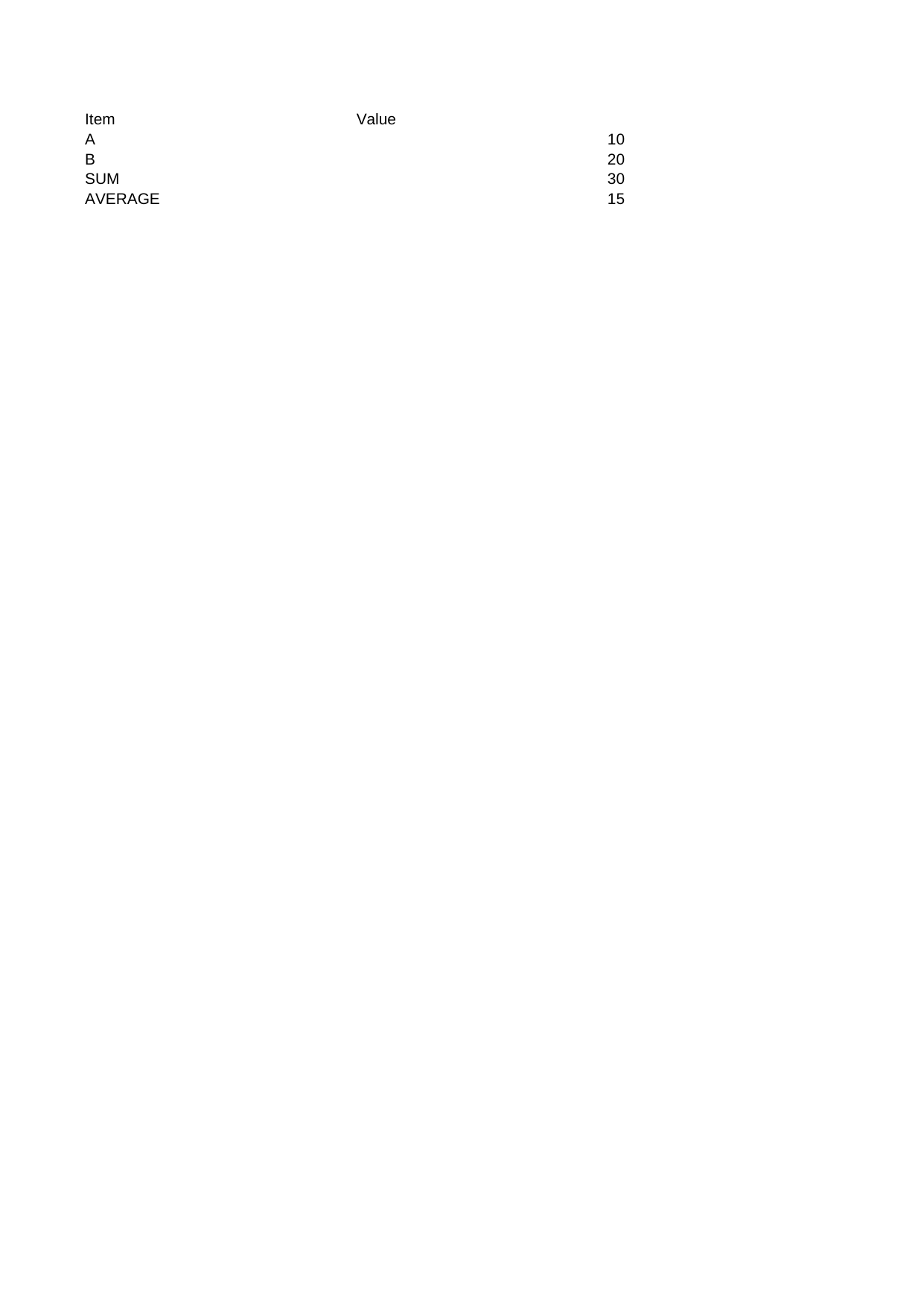 |
View Code & Detail |
| Cell Num Currency Jpy | 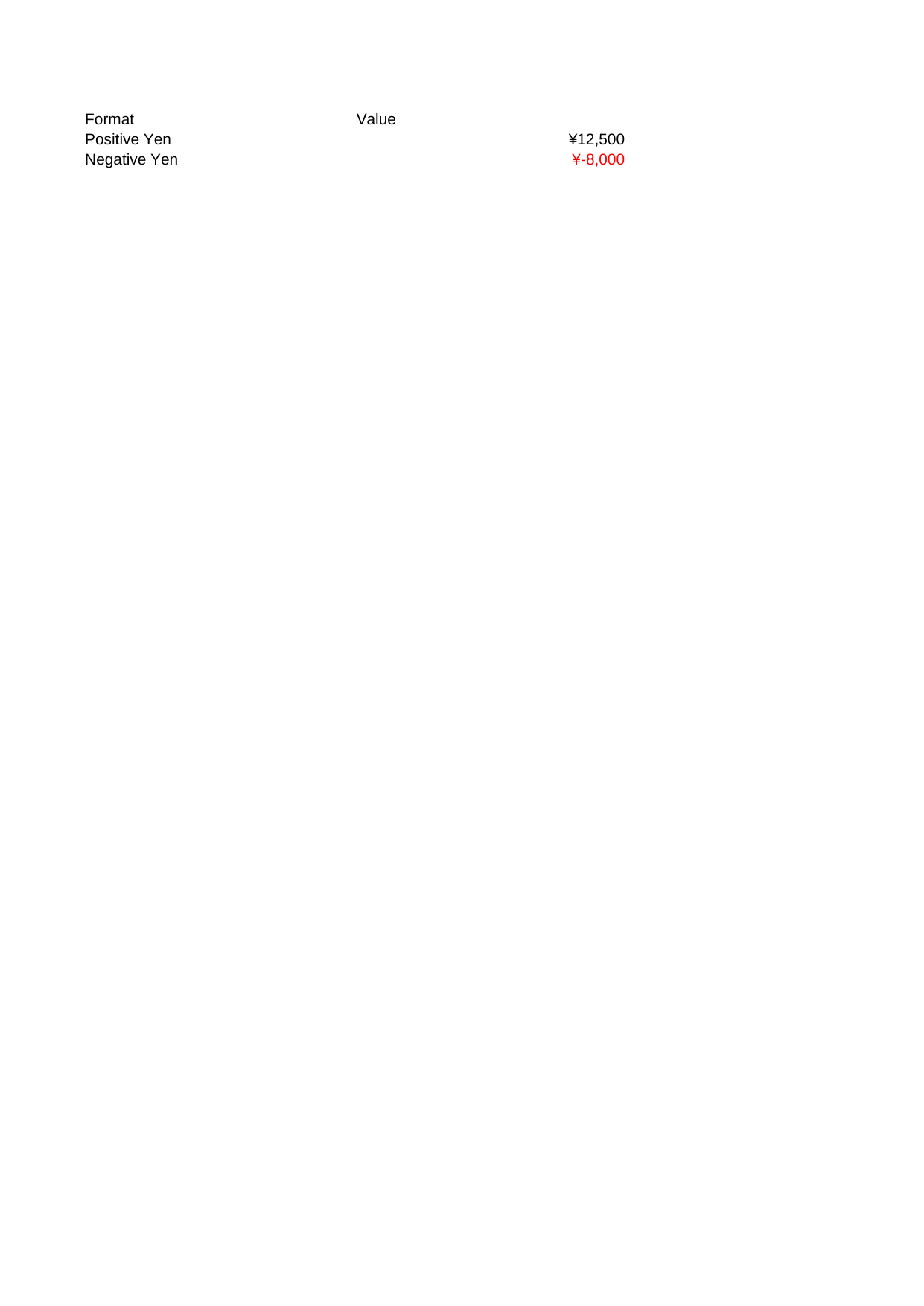 |
View Code & Detail |
| Cell Num Custom Colors | 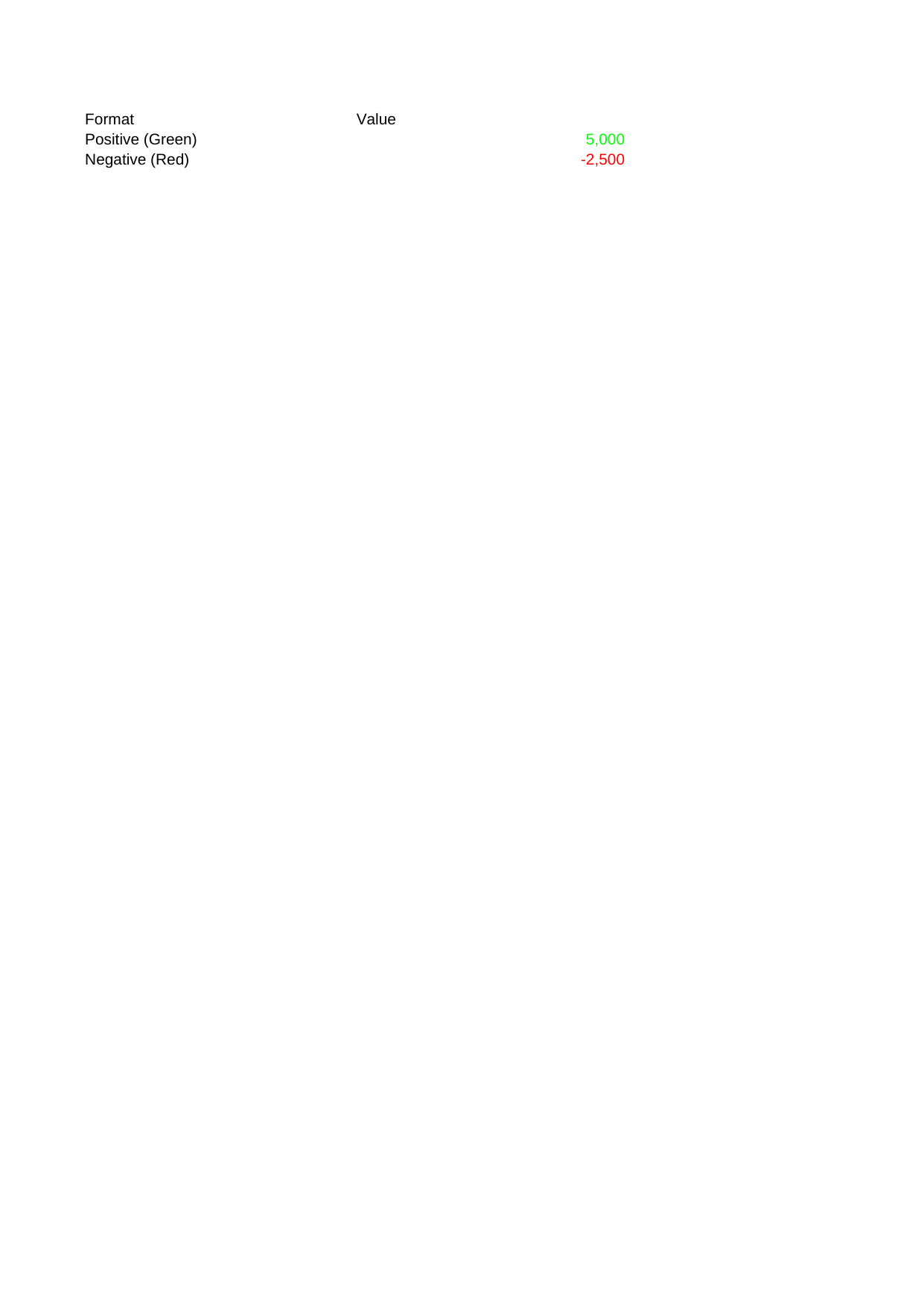 |
View Code & Detail |
| Cell Num Fractions | 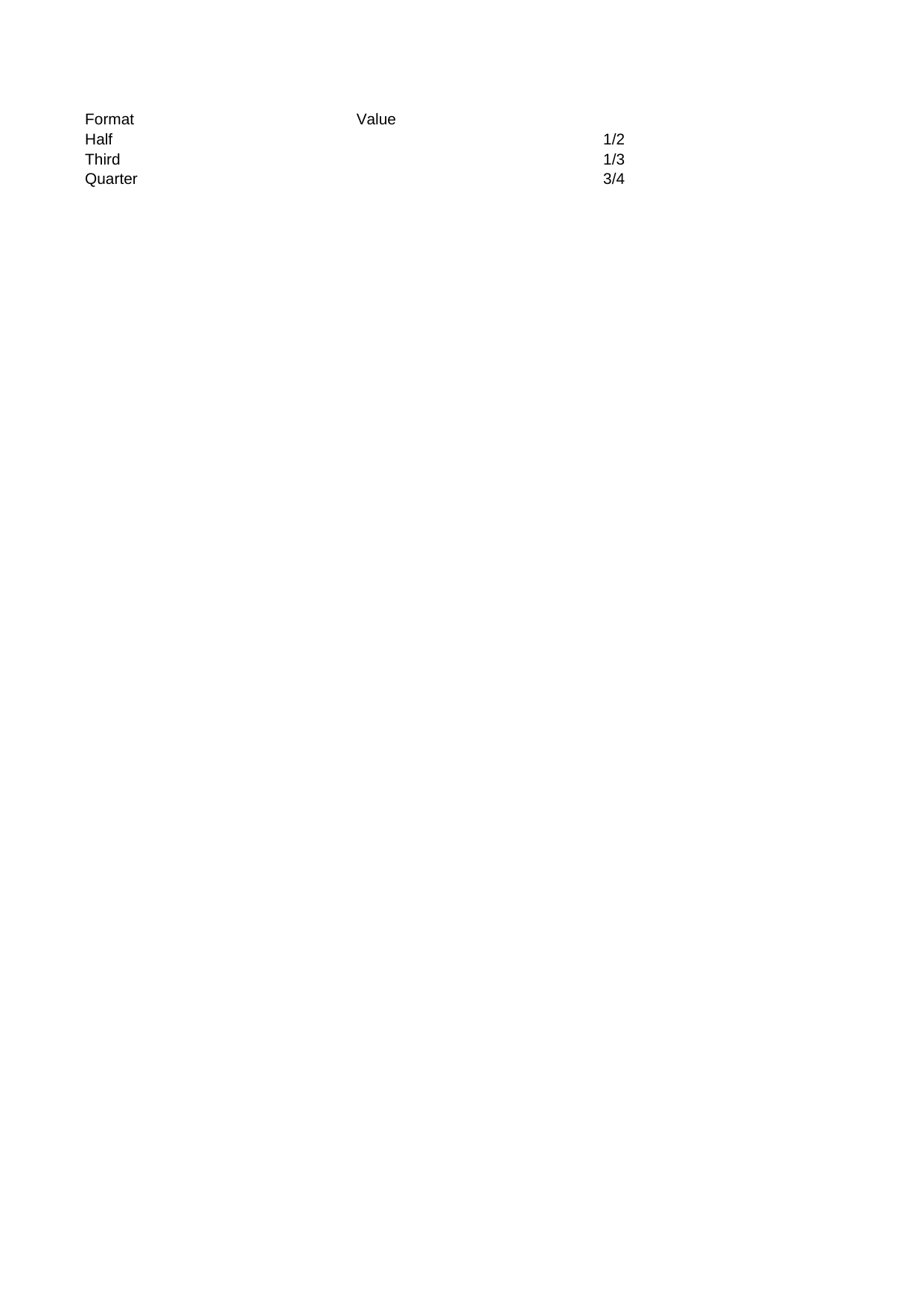 |
View Code & Detail |
| Cell Num Percent Decimals | 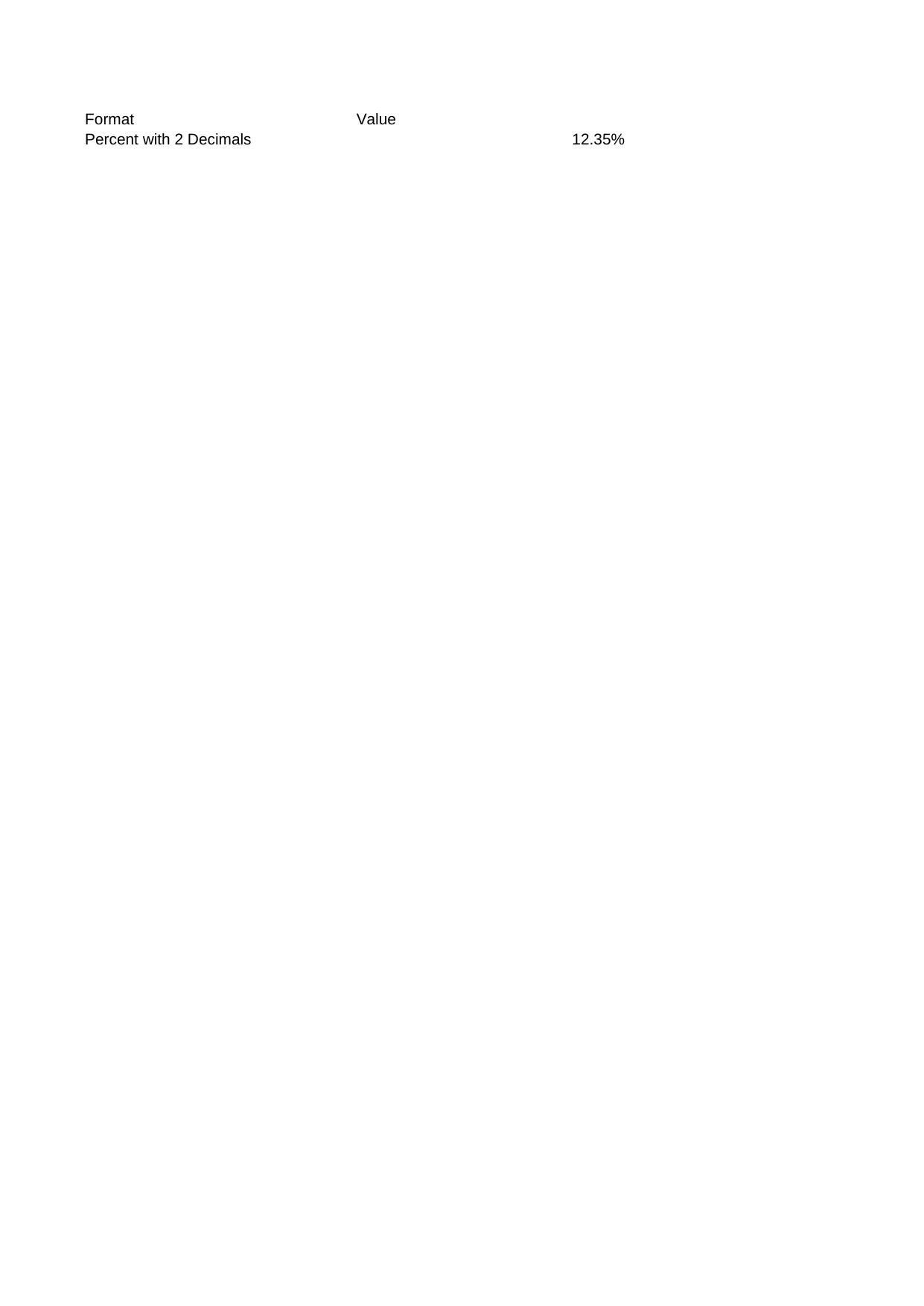 |
View Code & Detail |
| Cell Num Scientific | 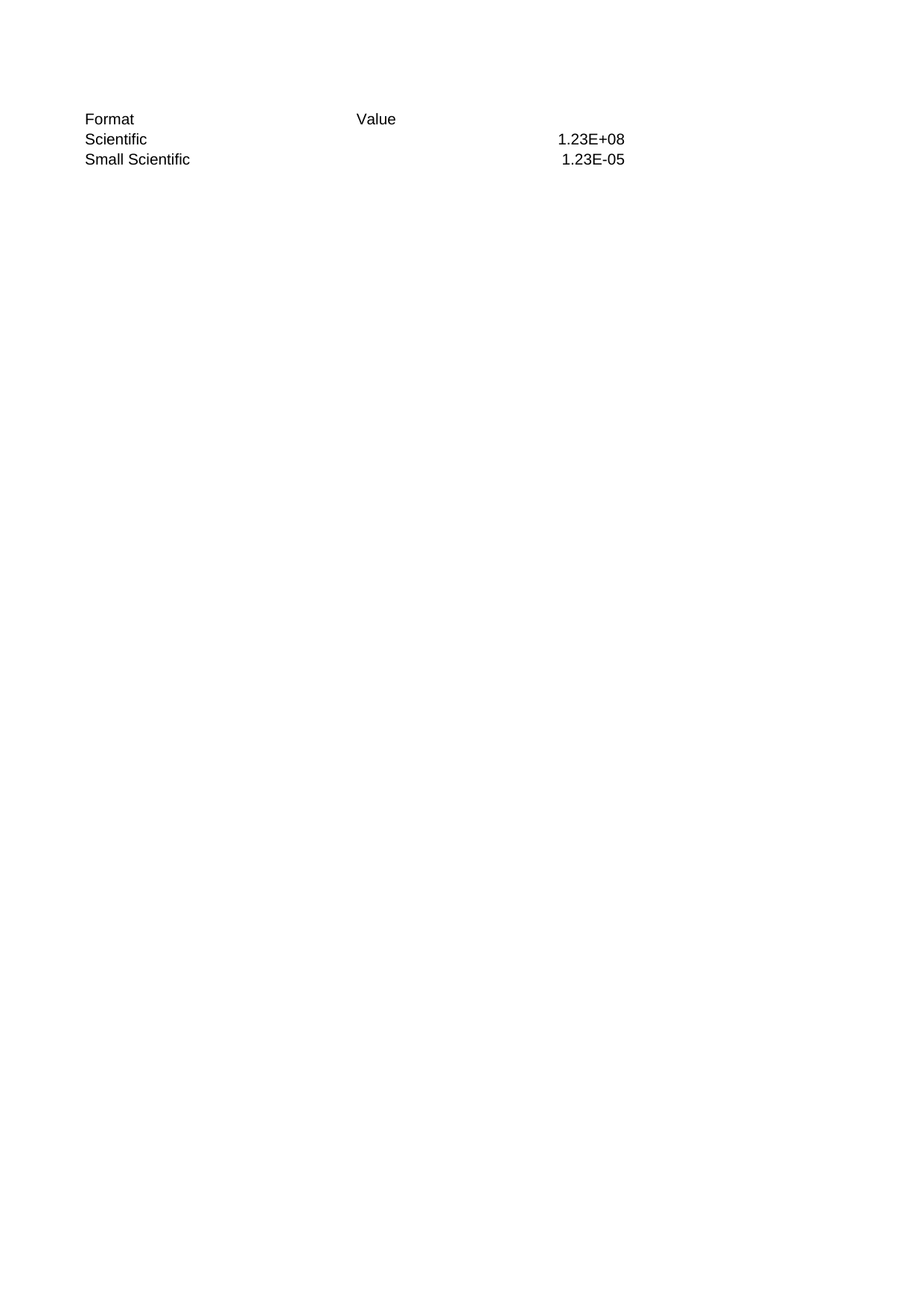 |
View Code & Detail |
| Cell Numbers | 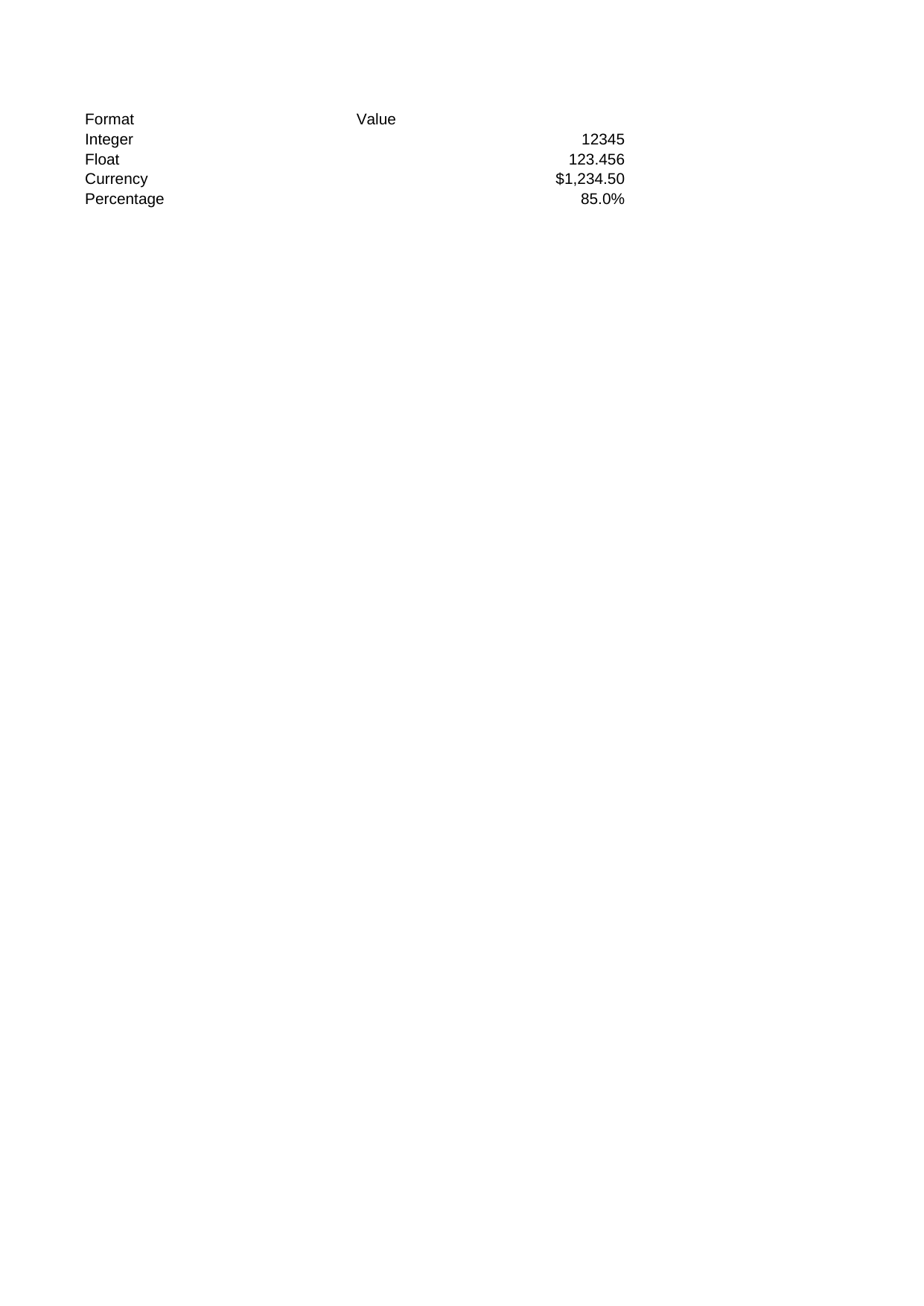 |
View Code & Detail |
| Cell Rich Text | 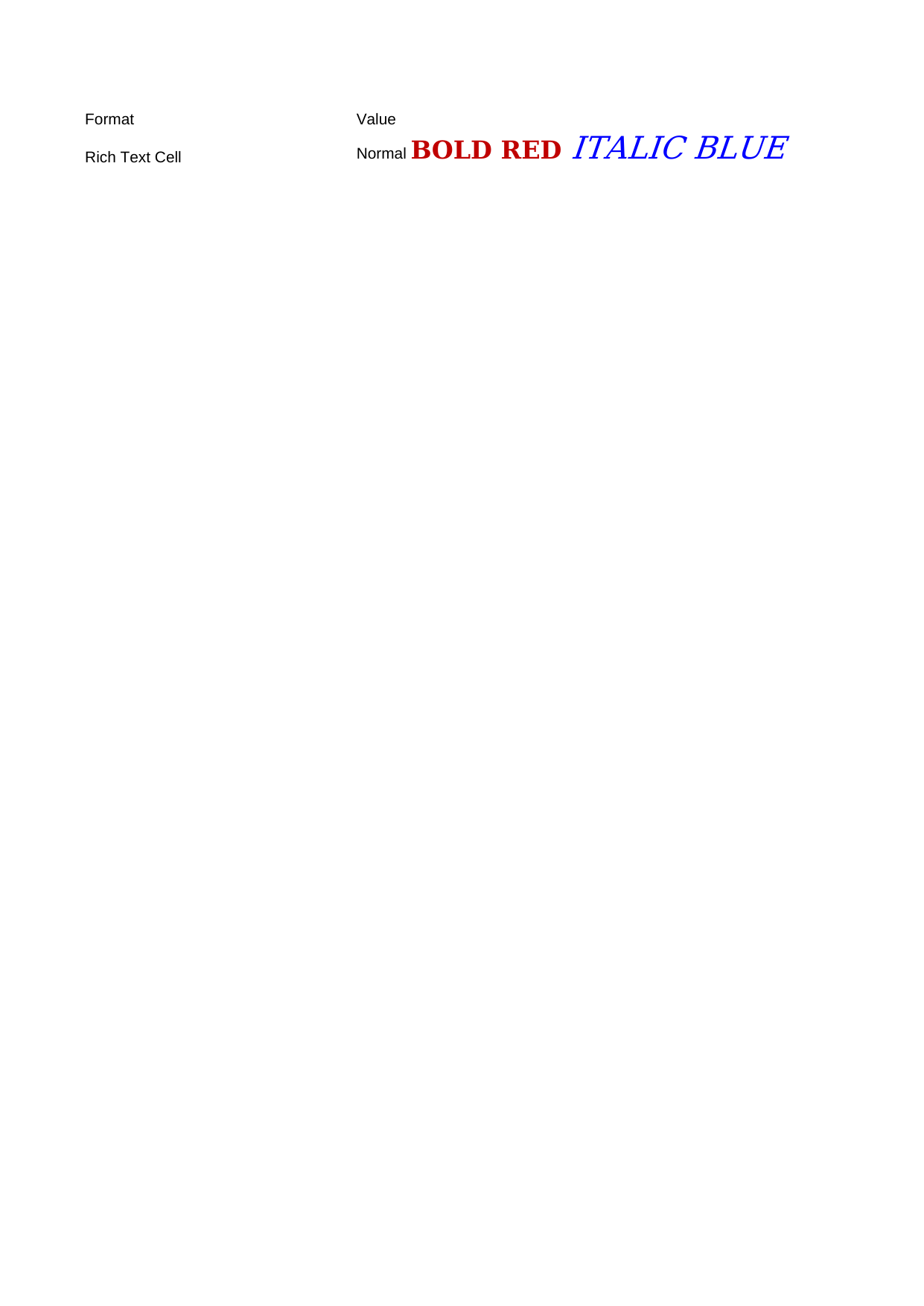 |
View Code & Detail |
| Cell Times | 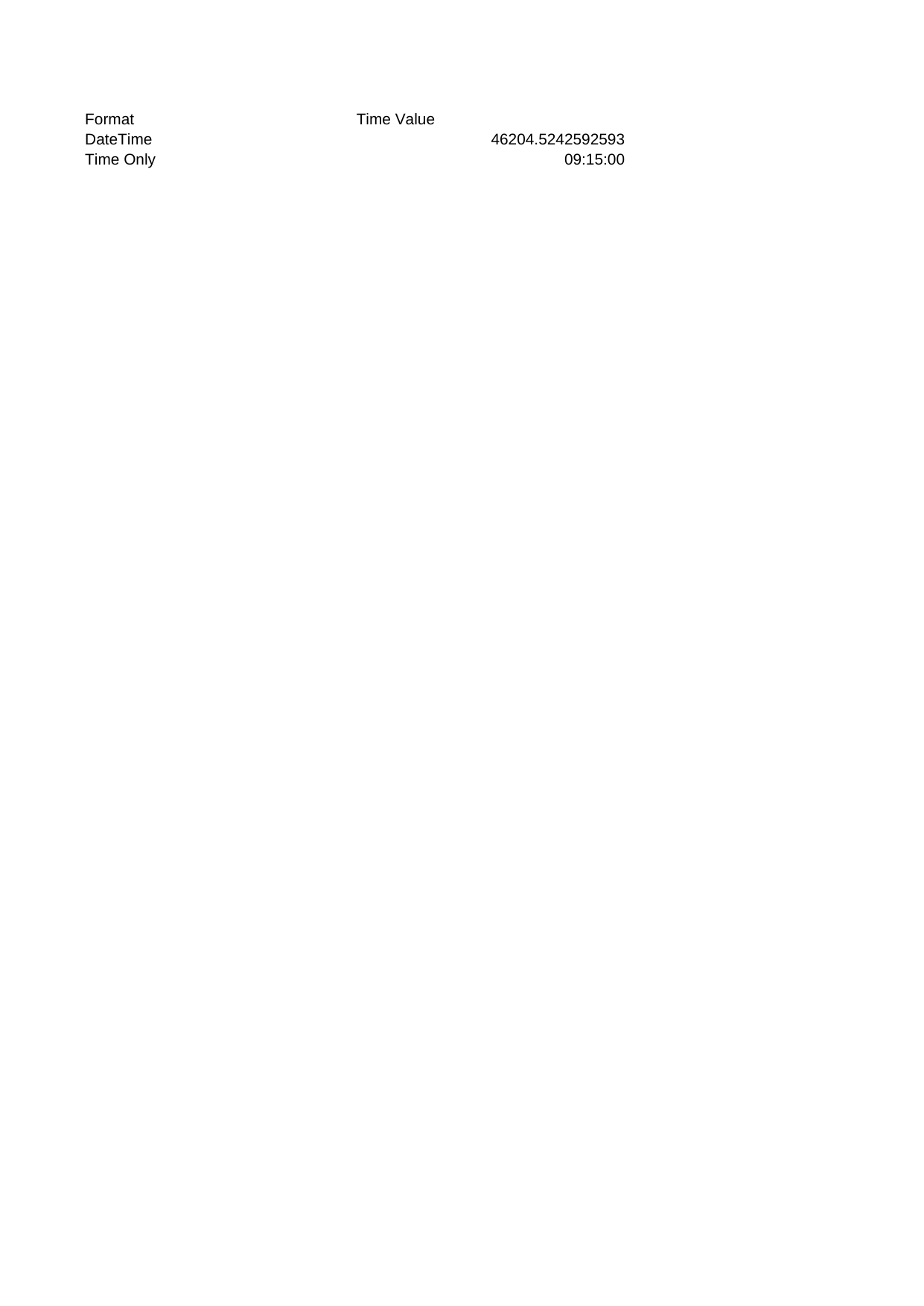 |
View Code & Detail |
| Cf Begins With | 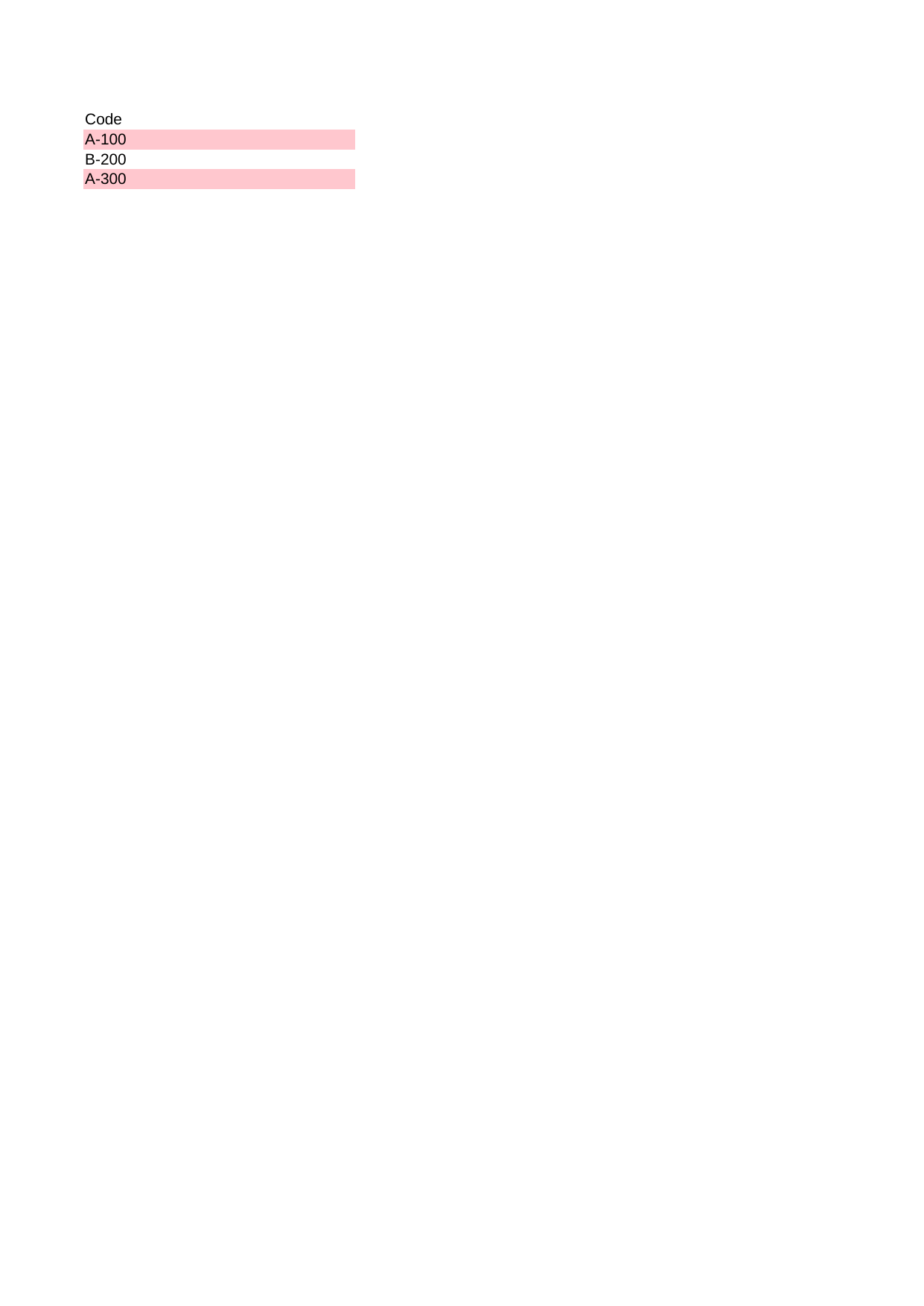 |
View Code & Detail |
| Cf Cell Between | 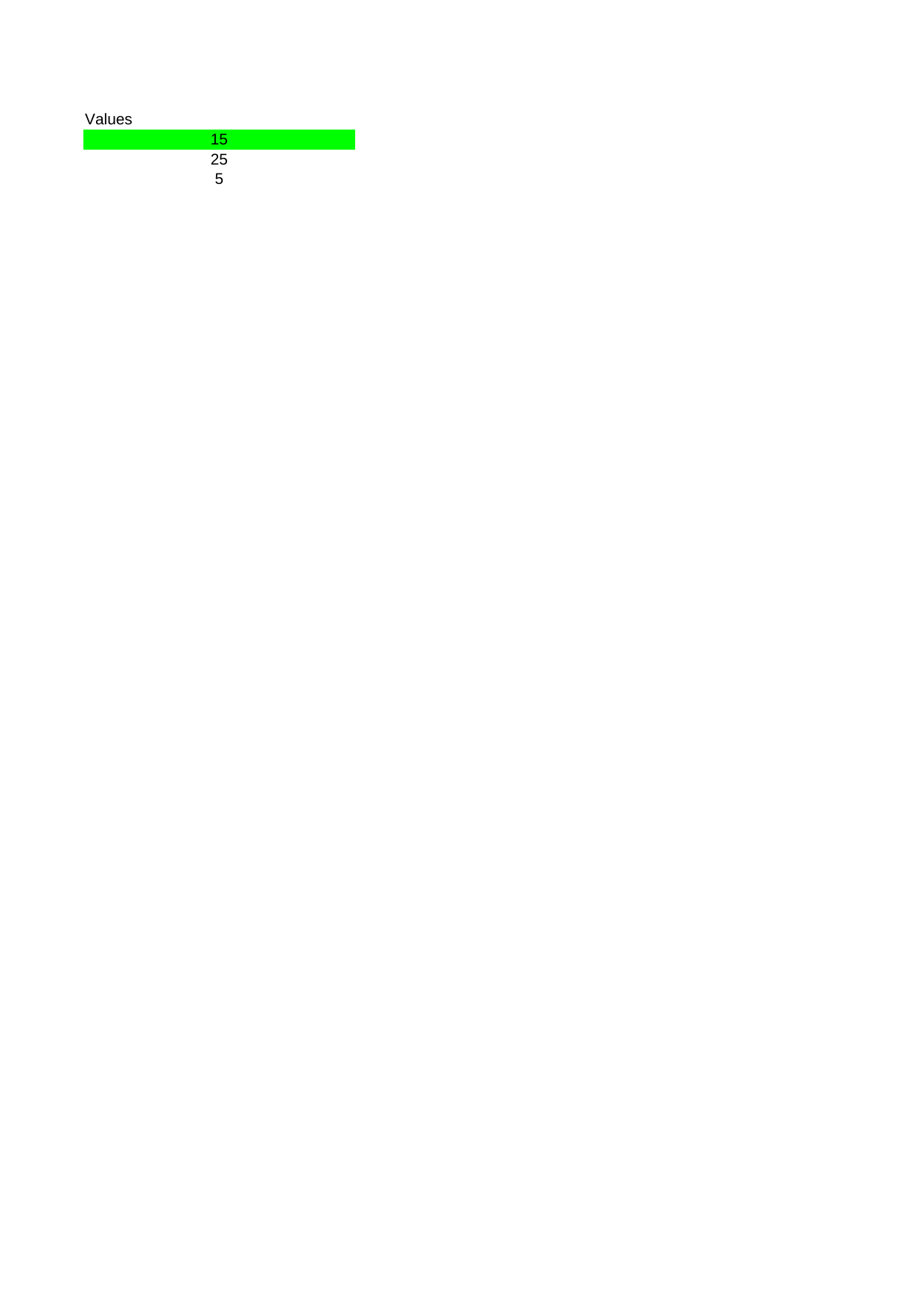 |
View Code & Detail |
| Cf Cell Equal To | 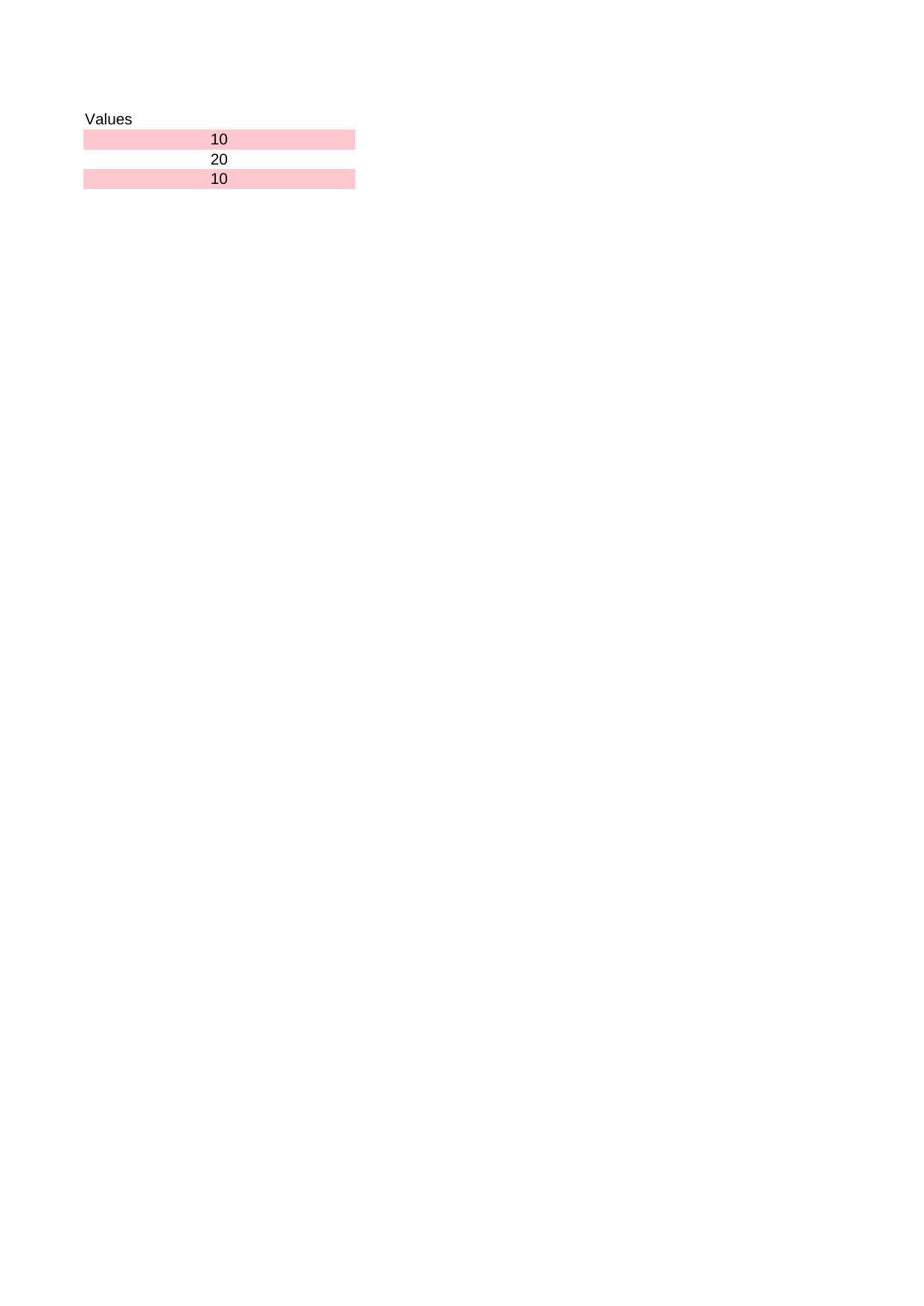 |
View Code & Detail |
| Cf Cell Greater Equal | 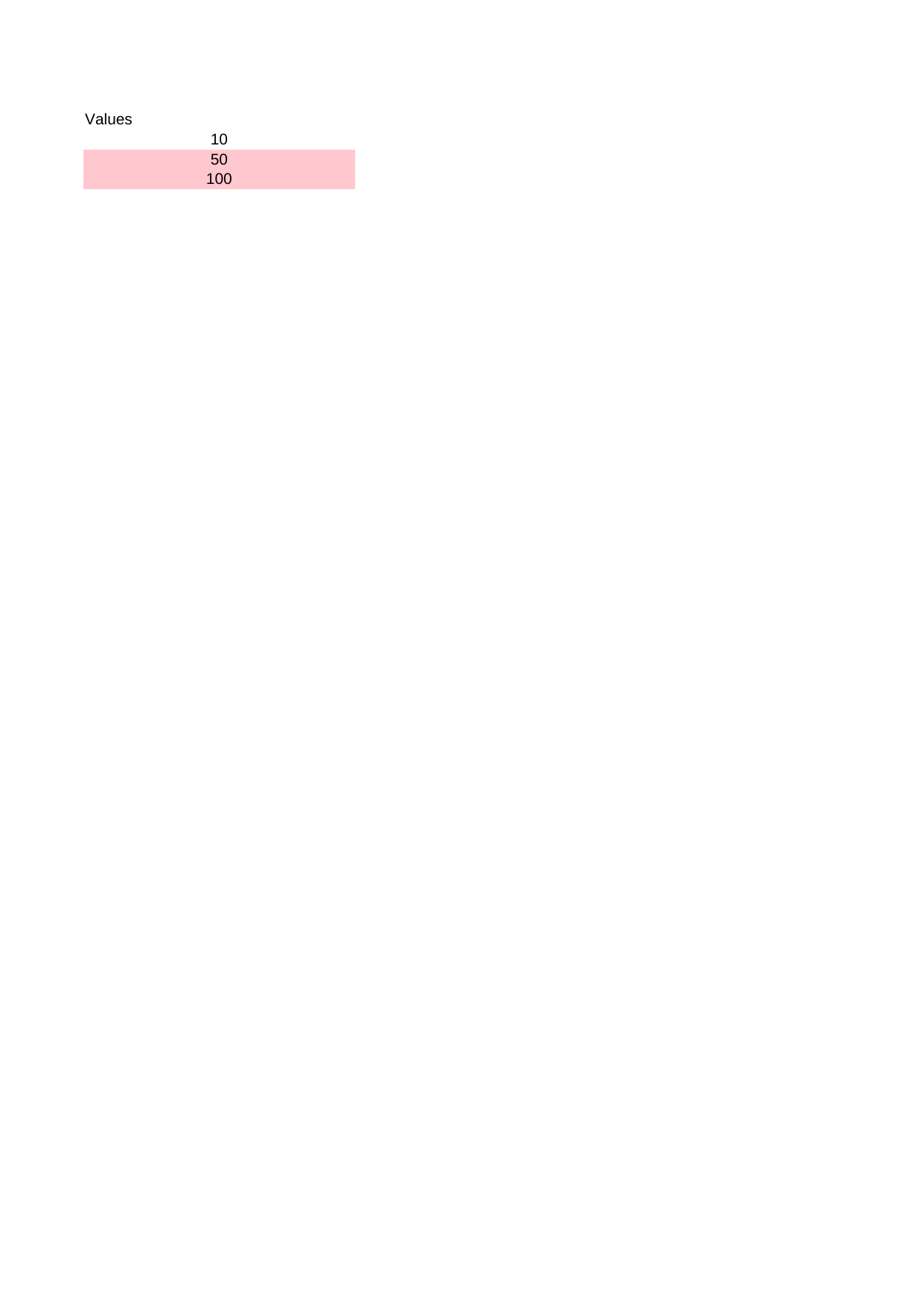 |
View Code & Detail |
| Cf Cell Greater Than | 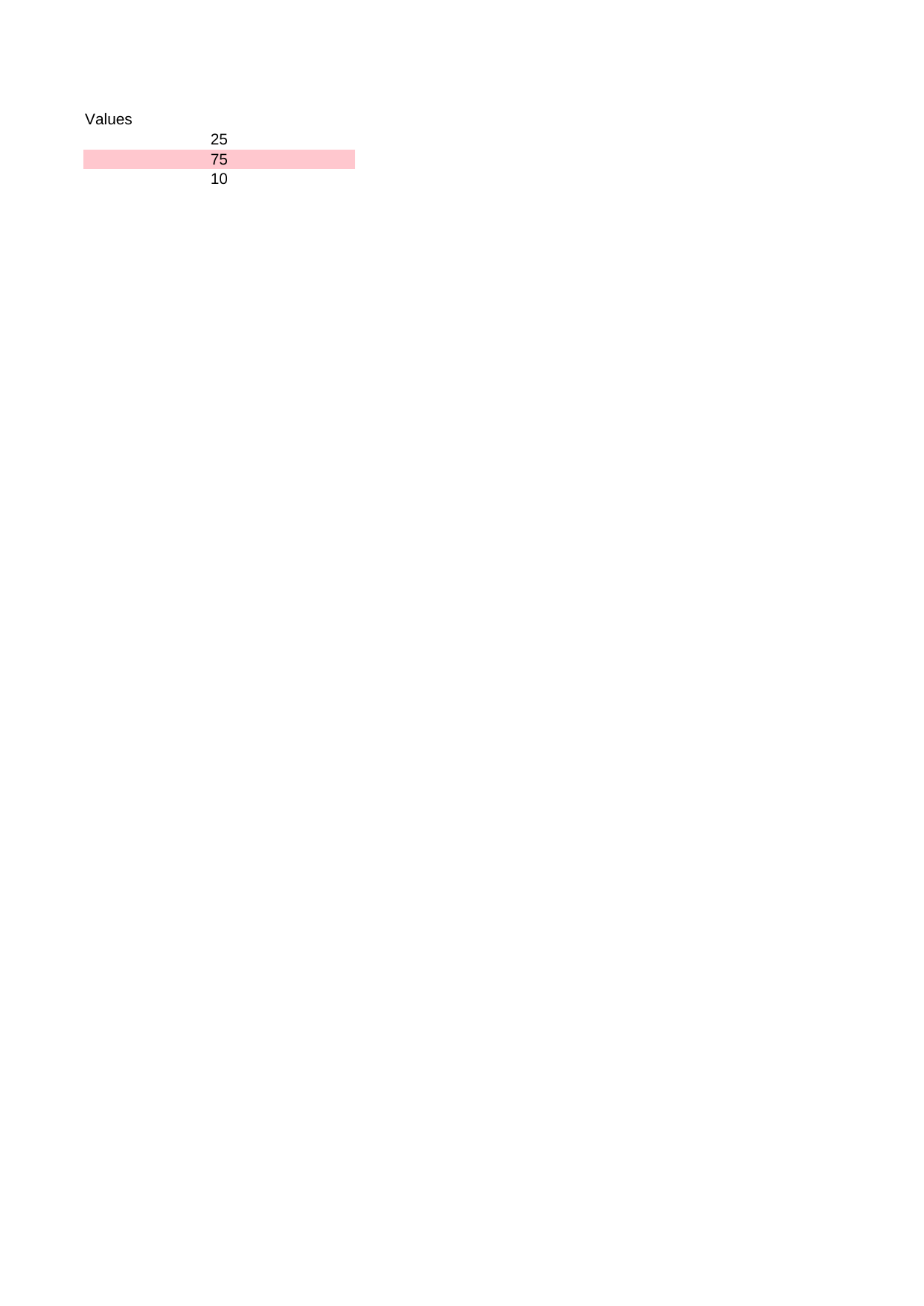 |
View Code & Detail |
| Cf Cell Less Than | 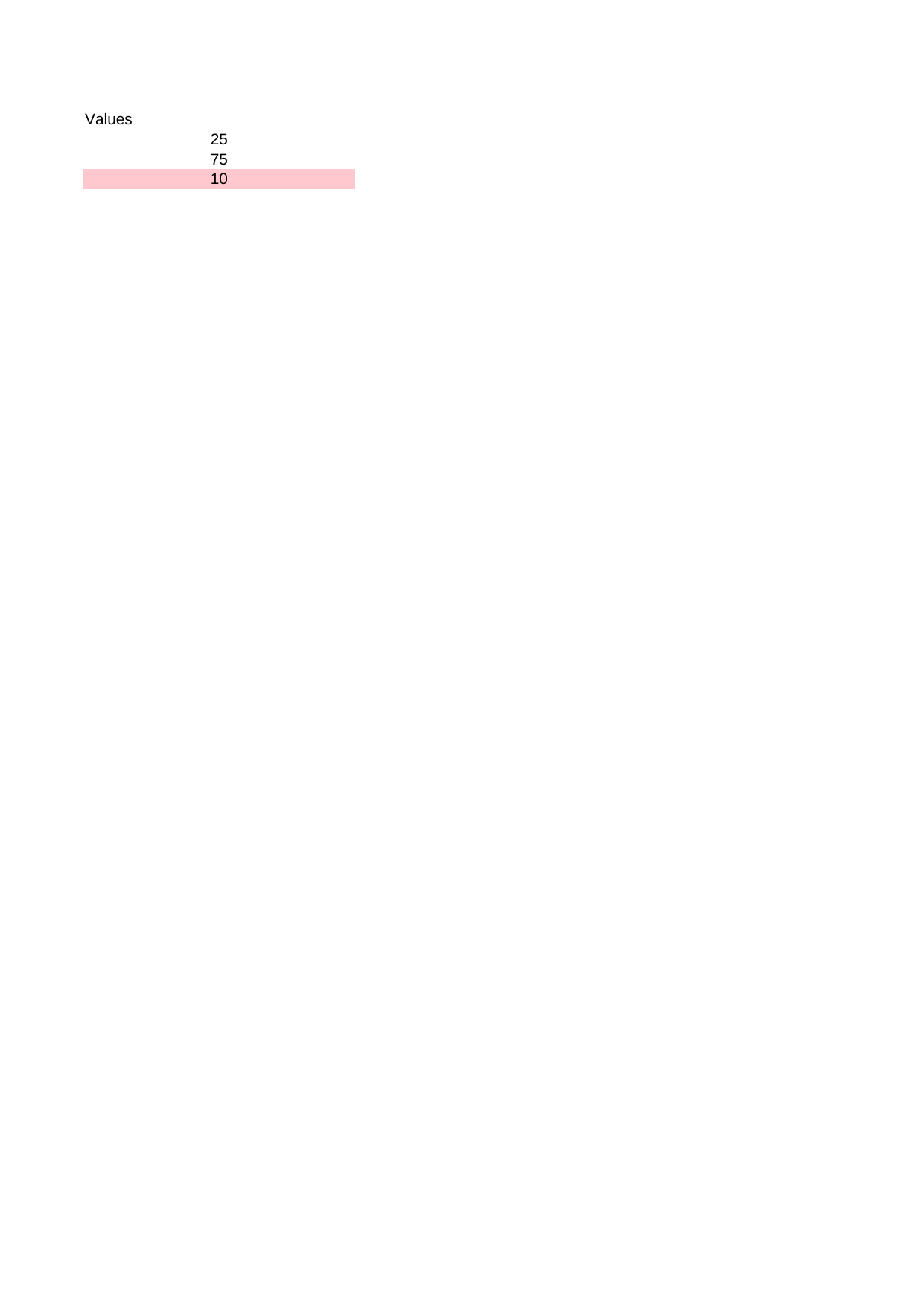 |
View Code & Detail |
| Cf Color Scale |  |
View Code & Detail |
| Cf Contains Text |  |
View Code & Detail |
| Cf Data Bar |  |
View Code & Detail |
| Cf Ends With | 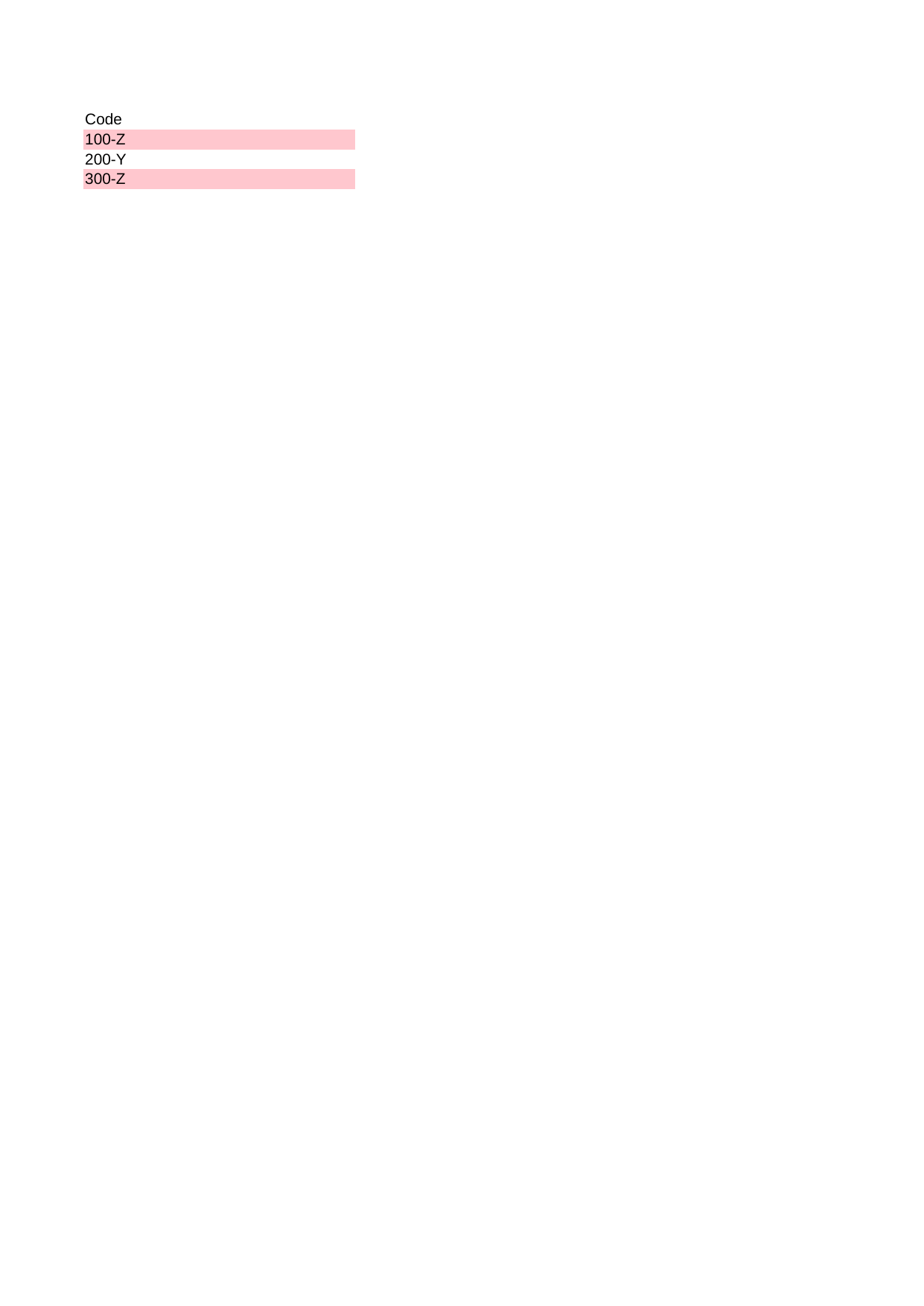 |
View Code & Detail |
| Cf Expression Formula | 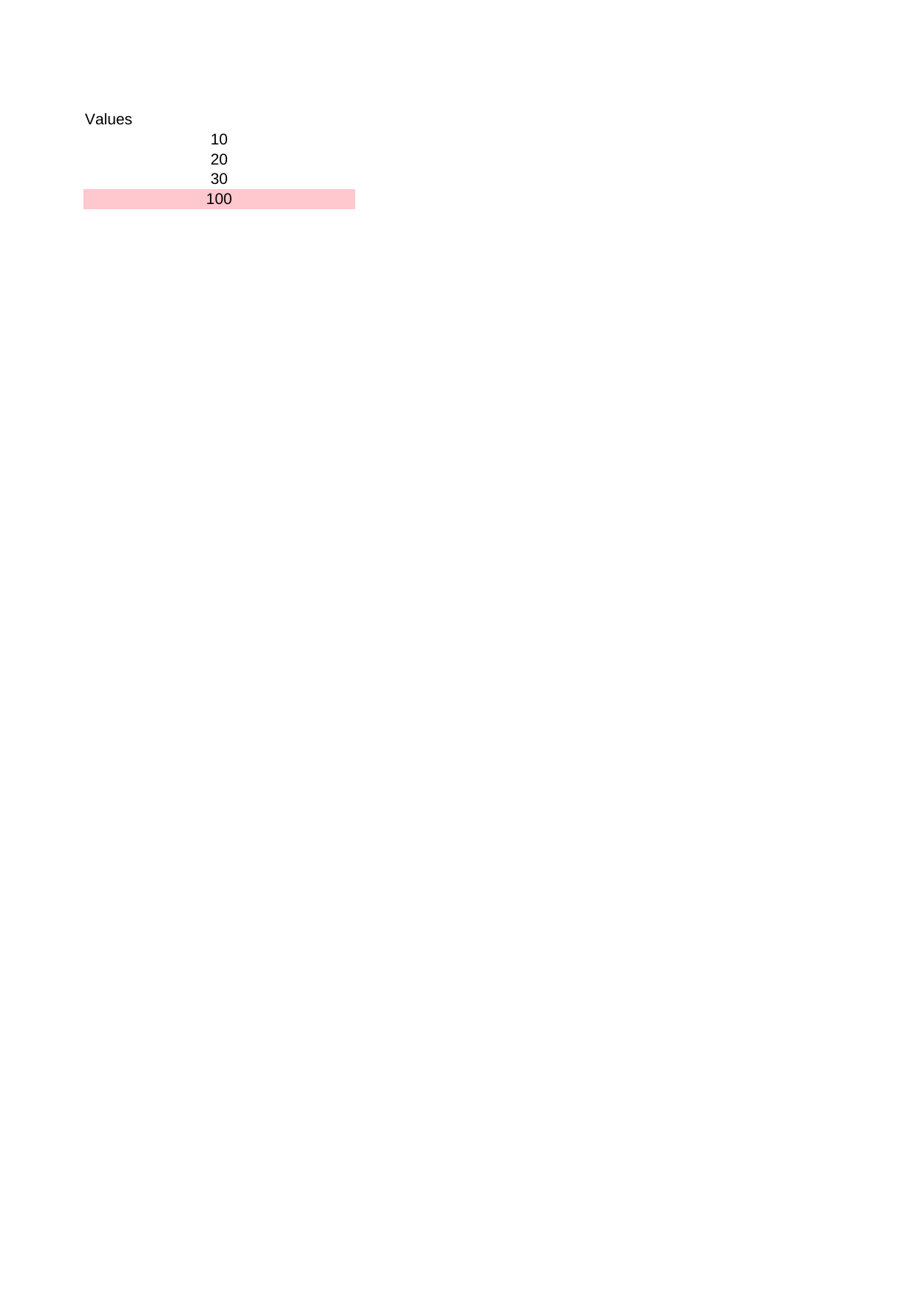 |
View Code & Detail |
| Cf Icon Set |  |
View Code & Detail |
| Chart Area | 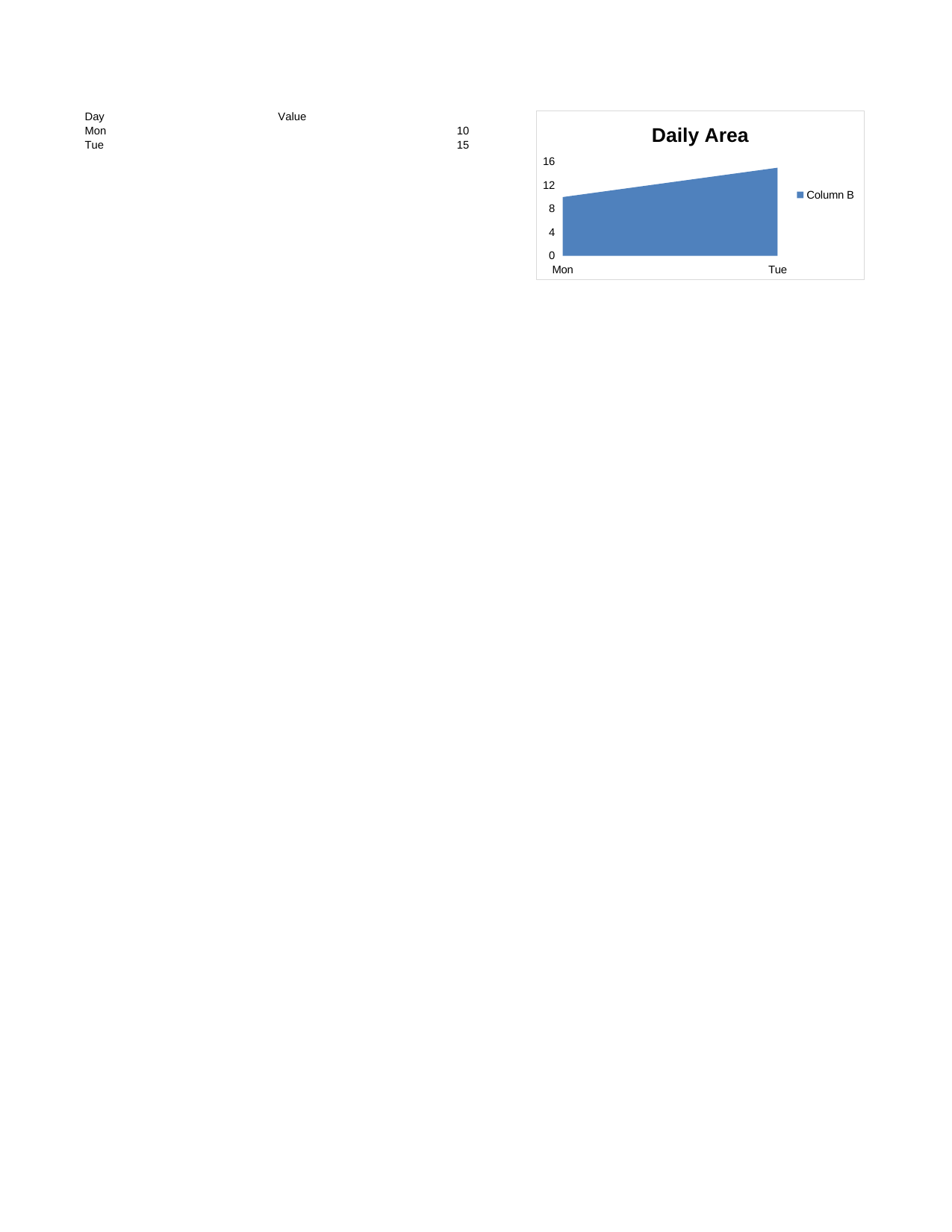 |
View Code & Detail |
| Chart Area Stacked | 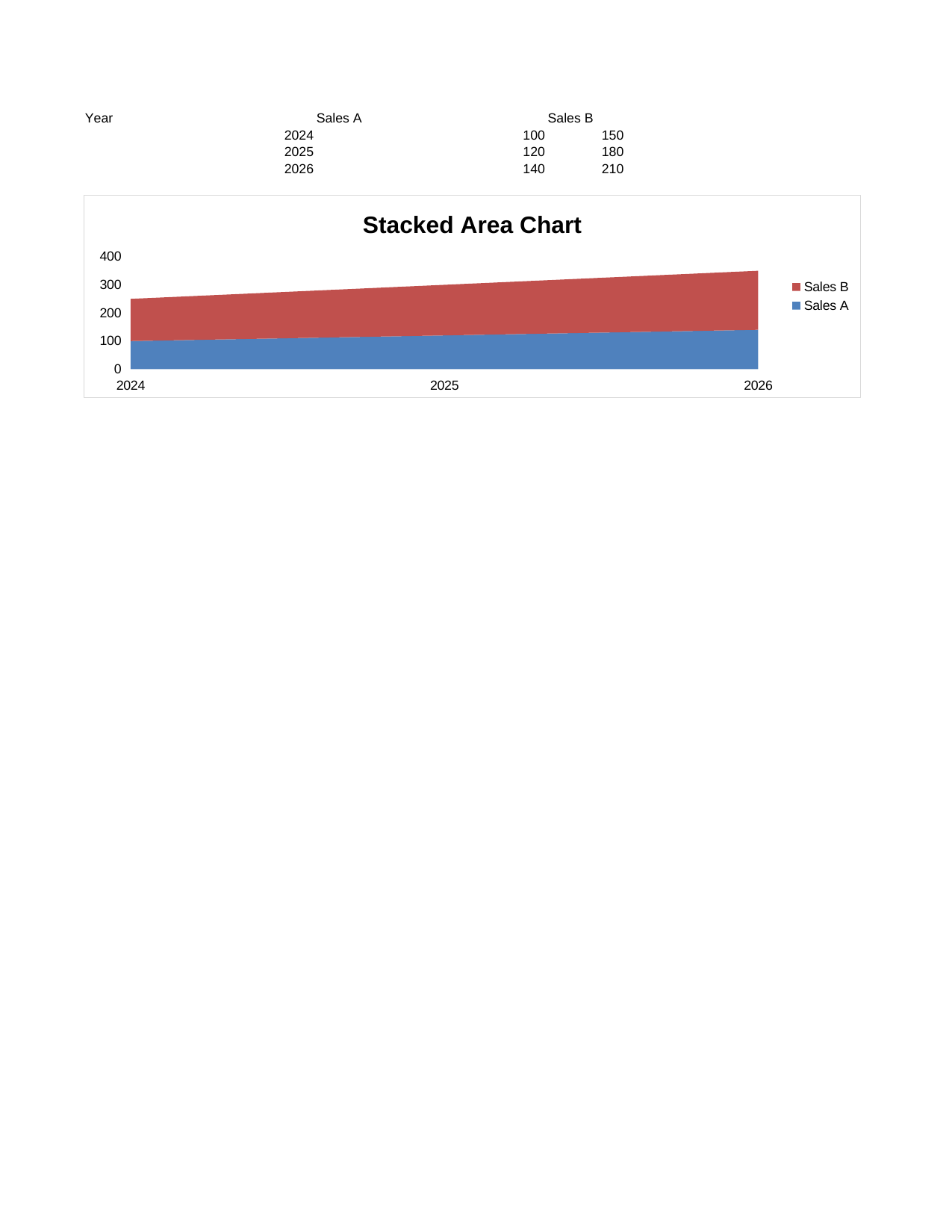 |
View Code & Detail |
| Chart Bar | 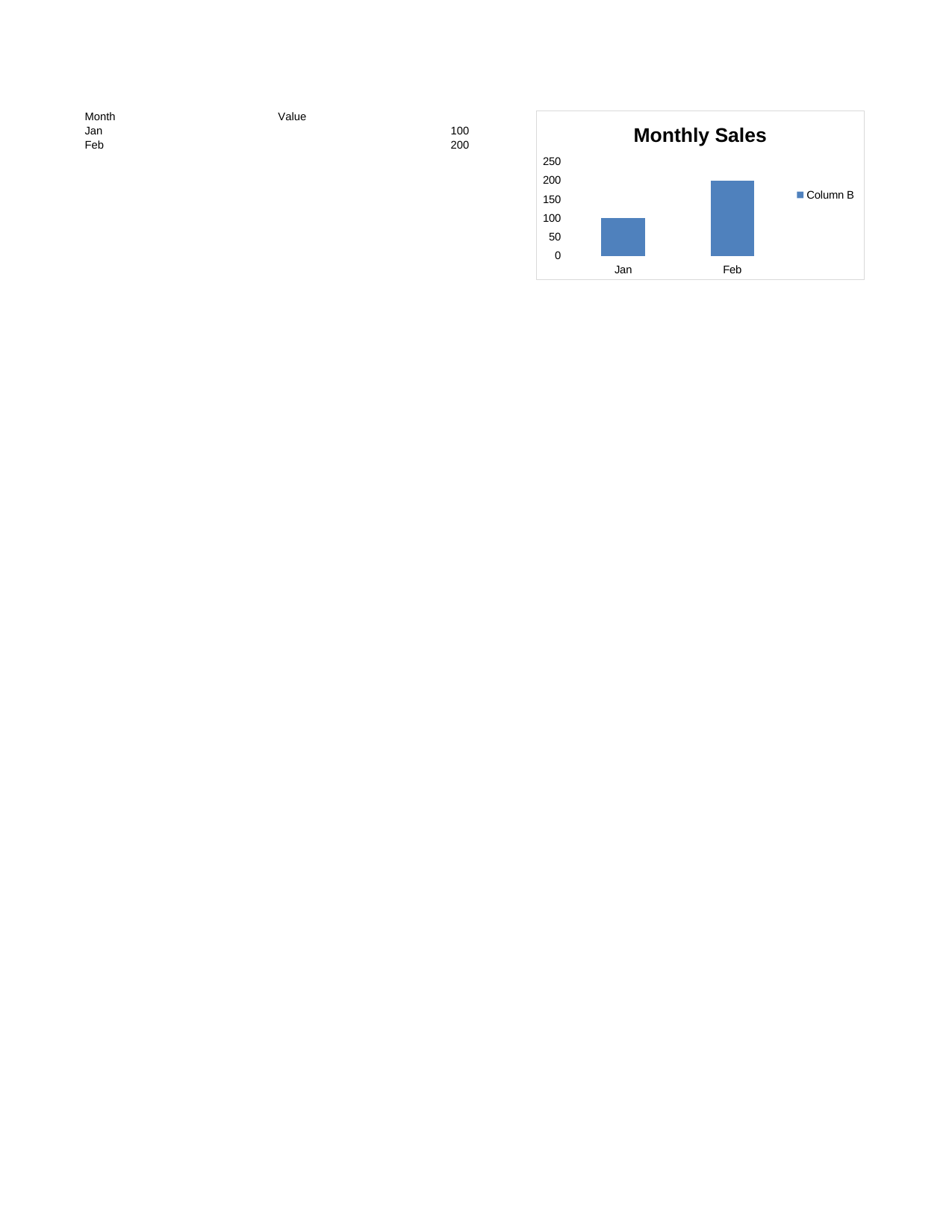 |
View Code & Detail |
| Chart Bar Percent Stacked | 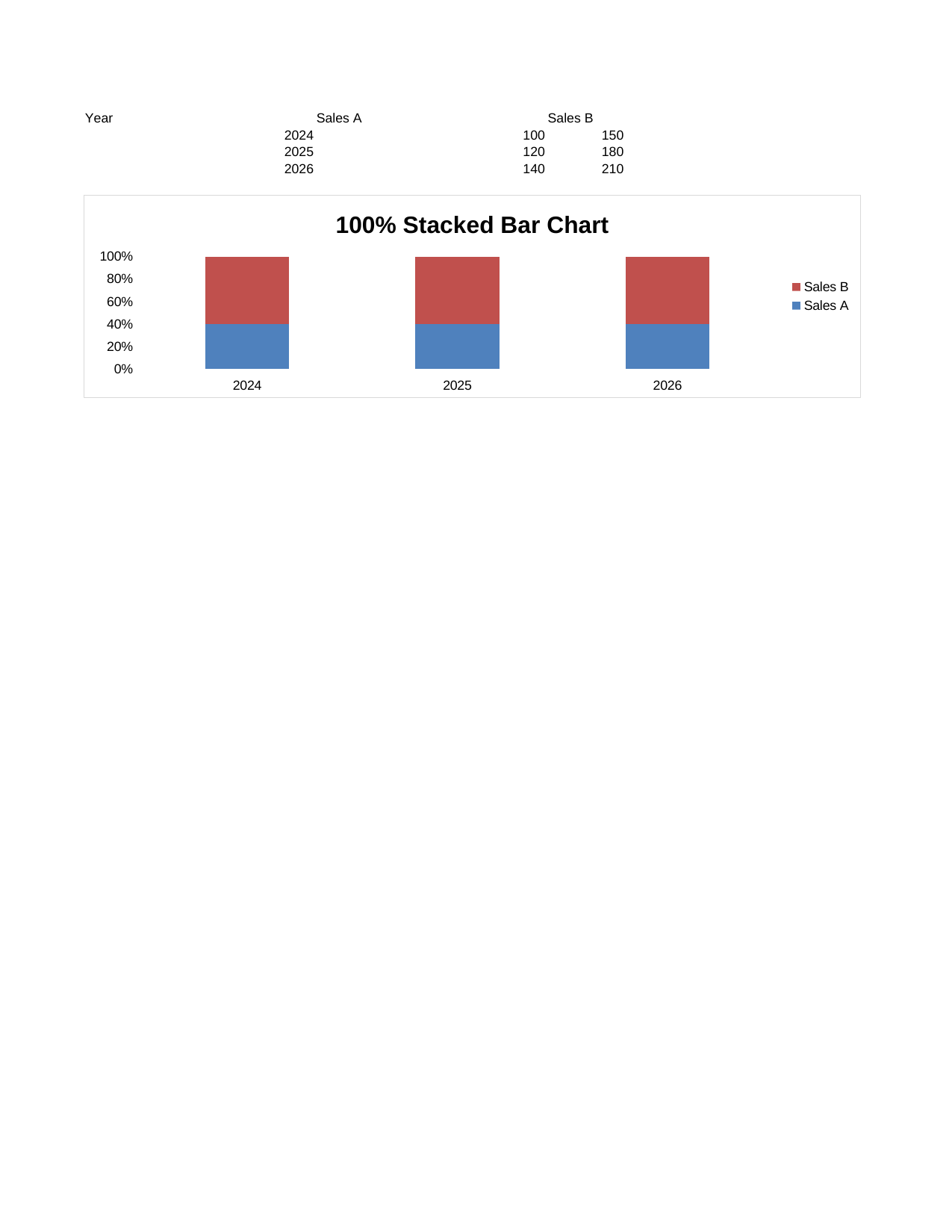 |
View Code & Detail |
| Chart Bar Stacked | 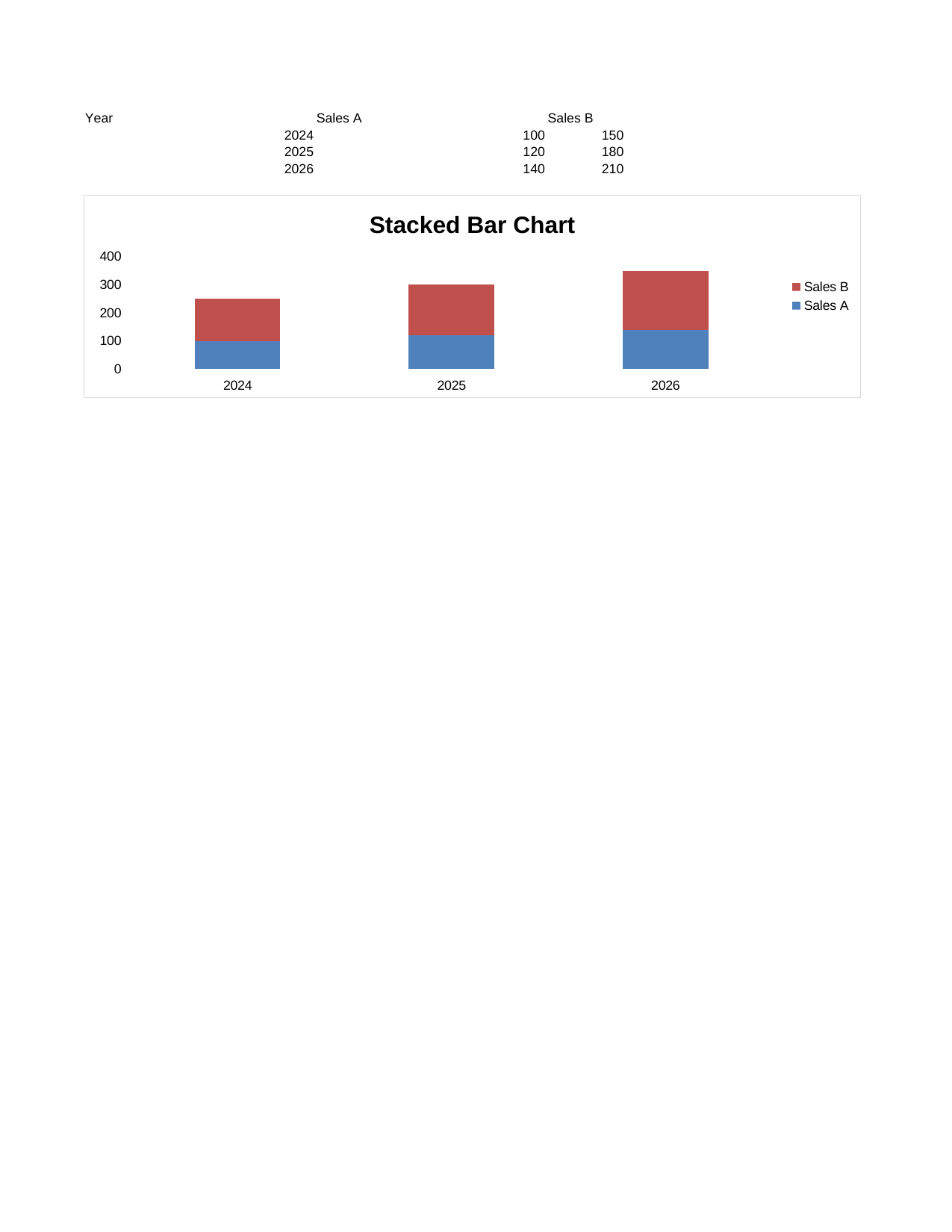 |
View Code & Detail |
| Chart Doughnut | 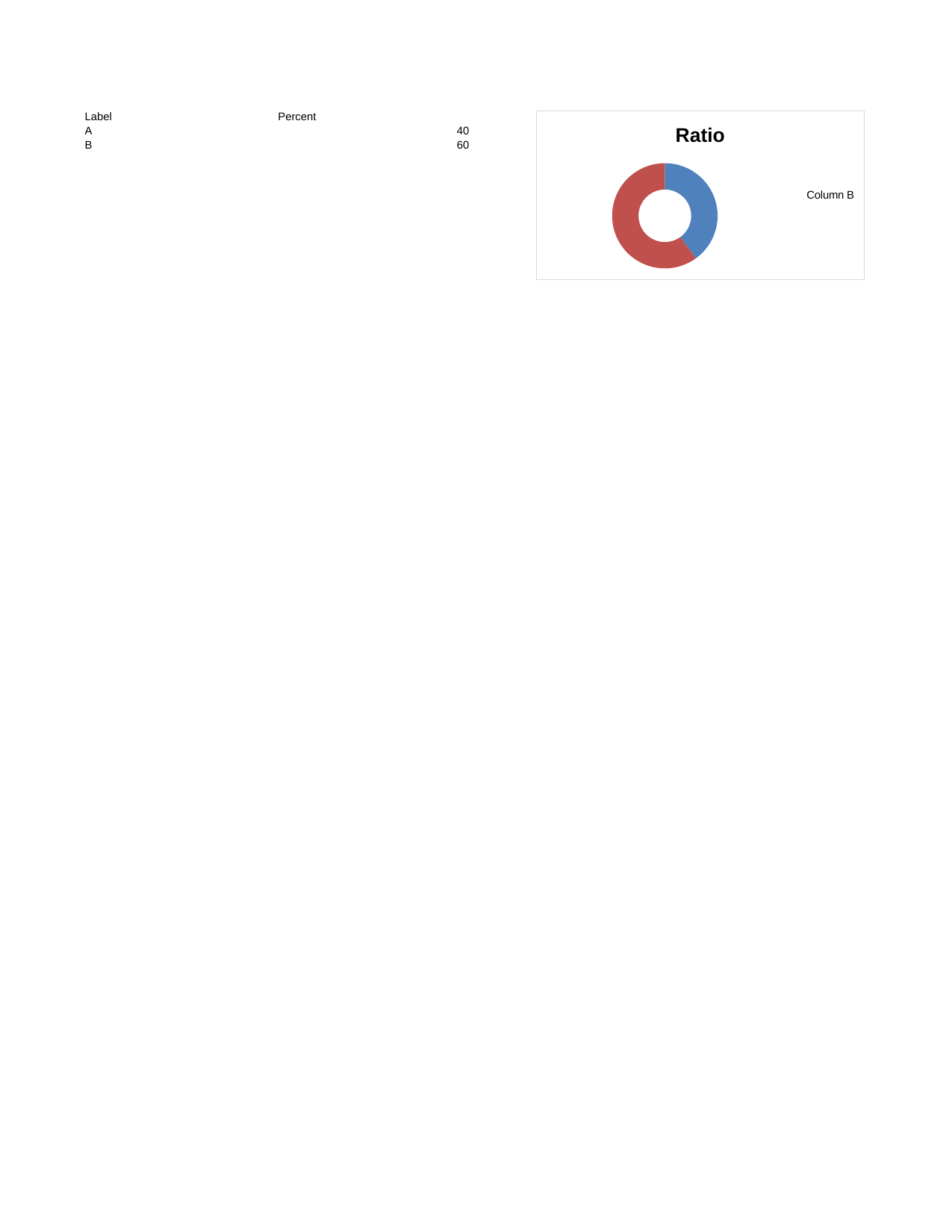 |
View Code & Detail |
| Chart Line | 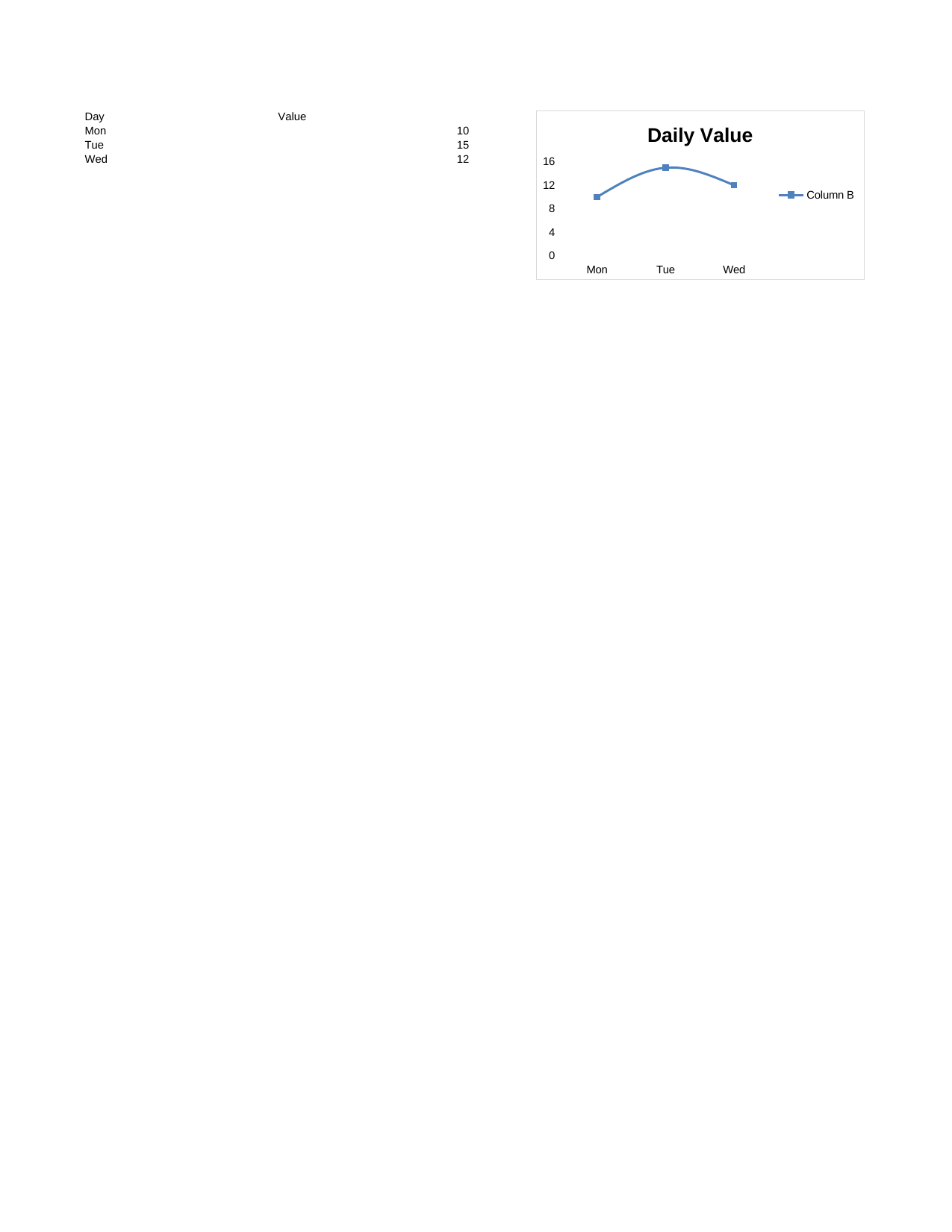 |
View Code & Detail |
| Chart Line Stacked | 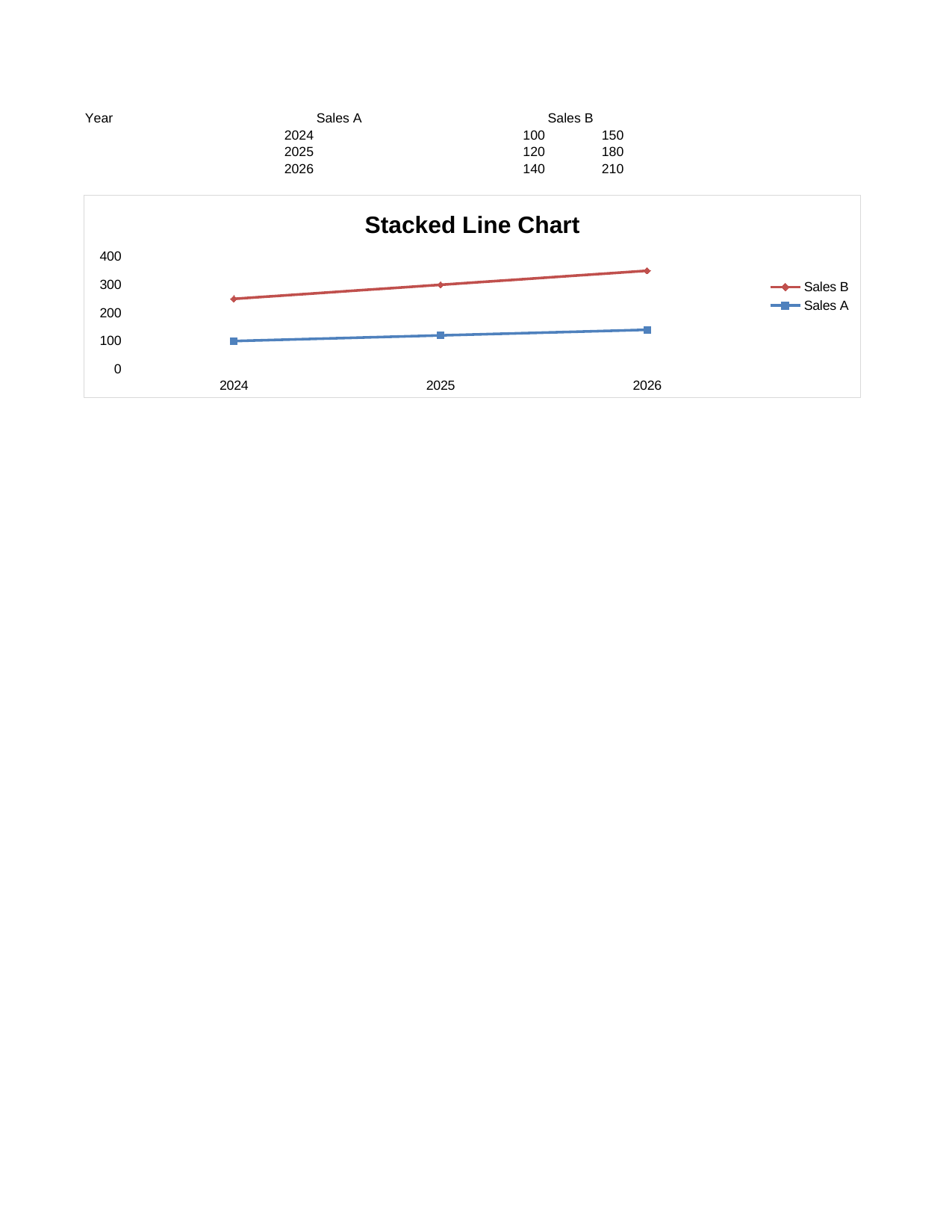 |
View Code & Detail |
| Chart Pie | 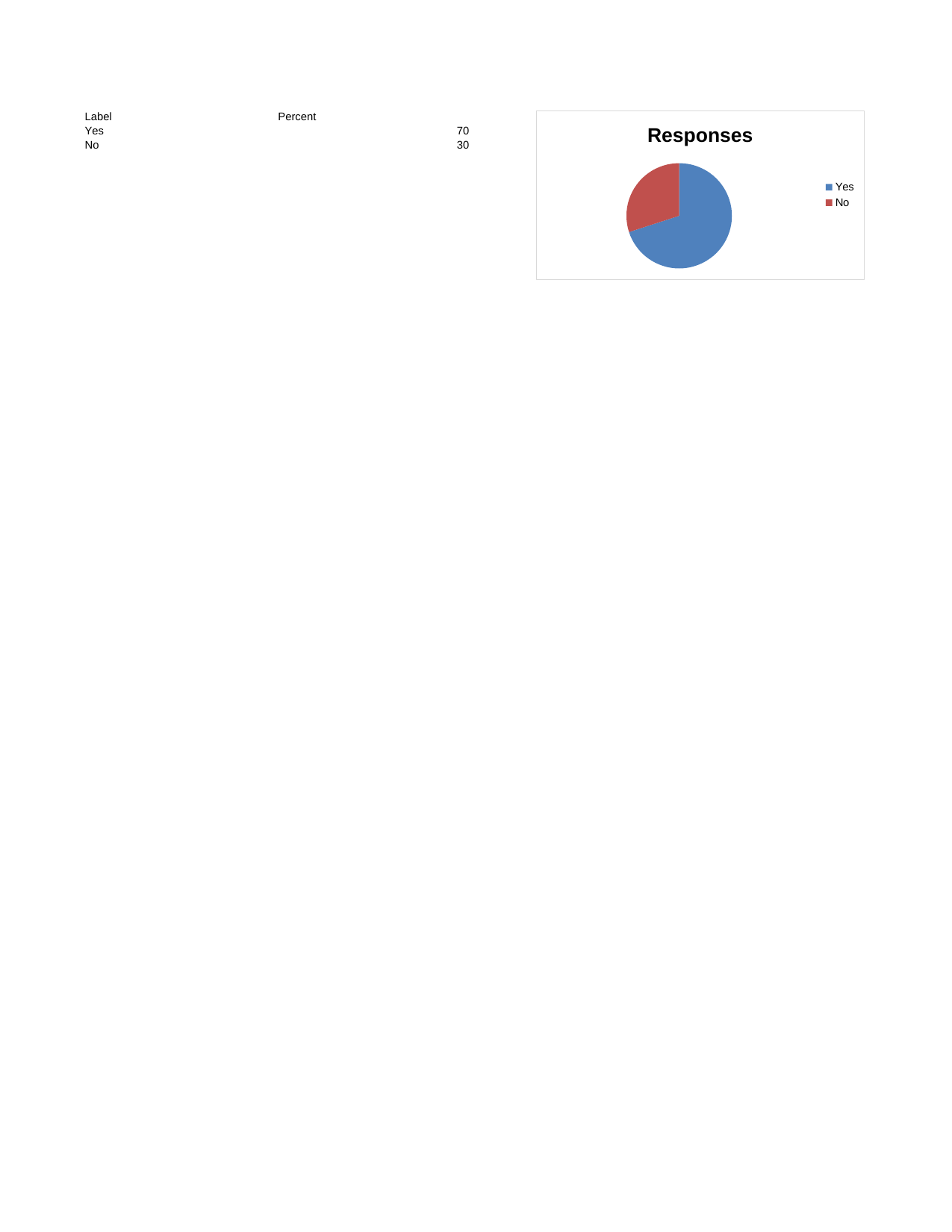 |
View Code & Detail |
| Chart Radar | 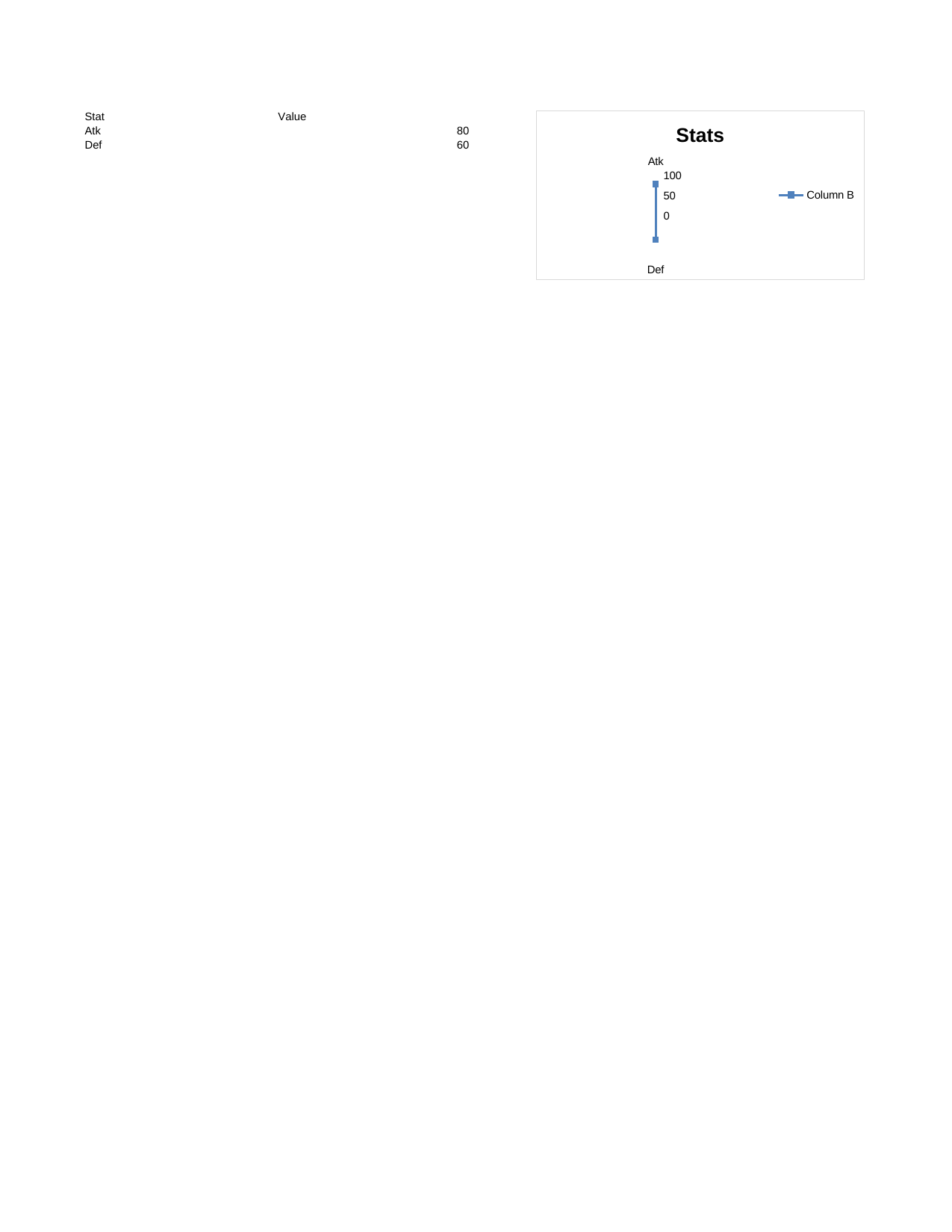 |
View Code & Detail |
| Chart Scatter | 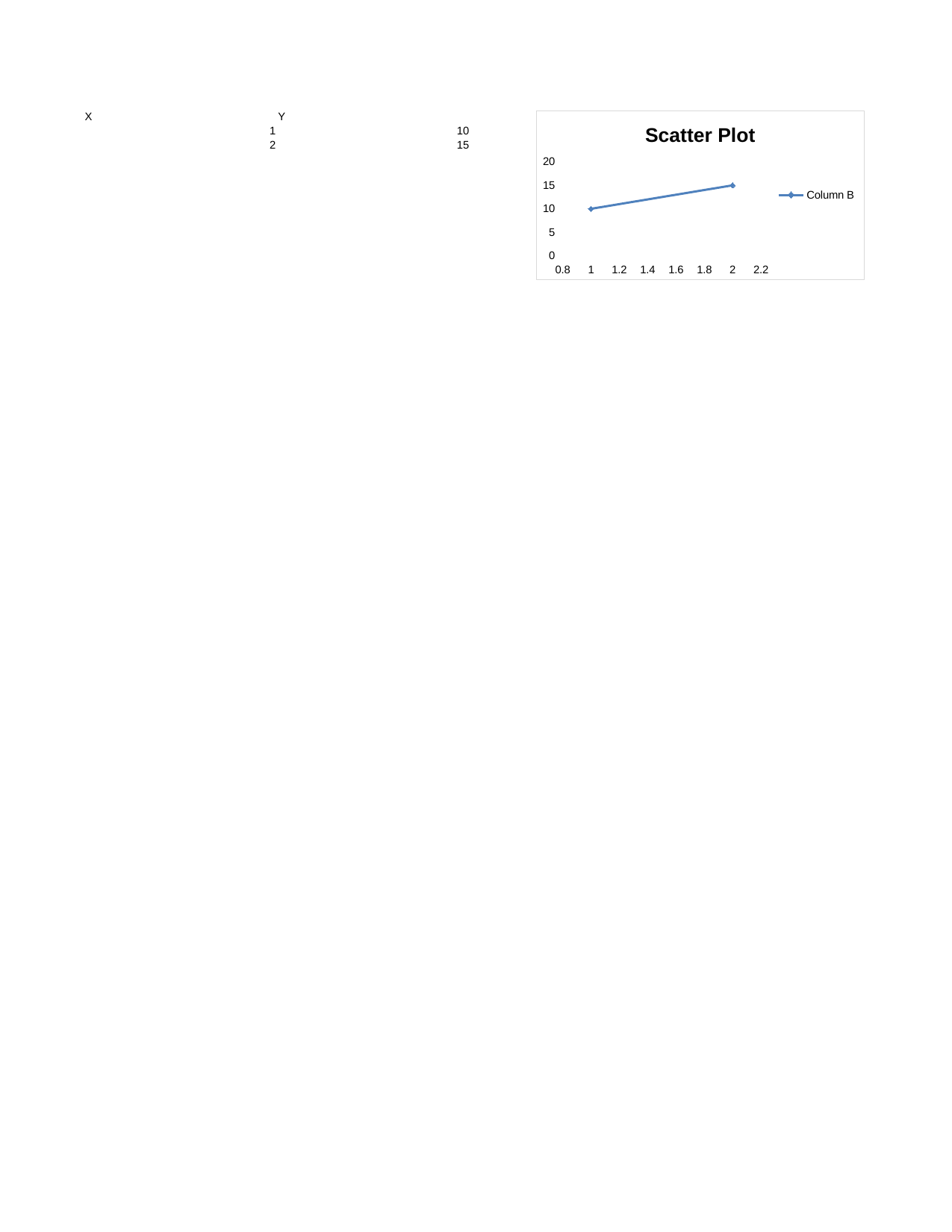 |
View Code & Detail |
| Col Grouping | 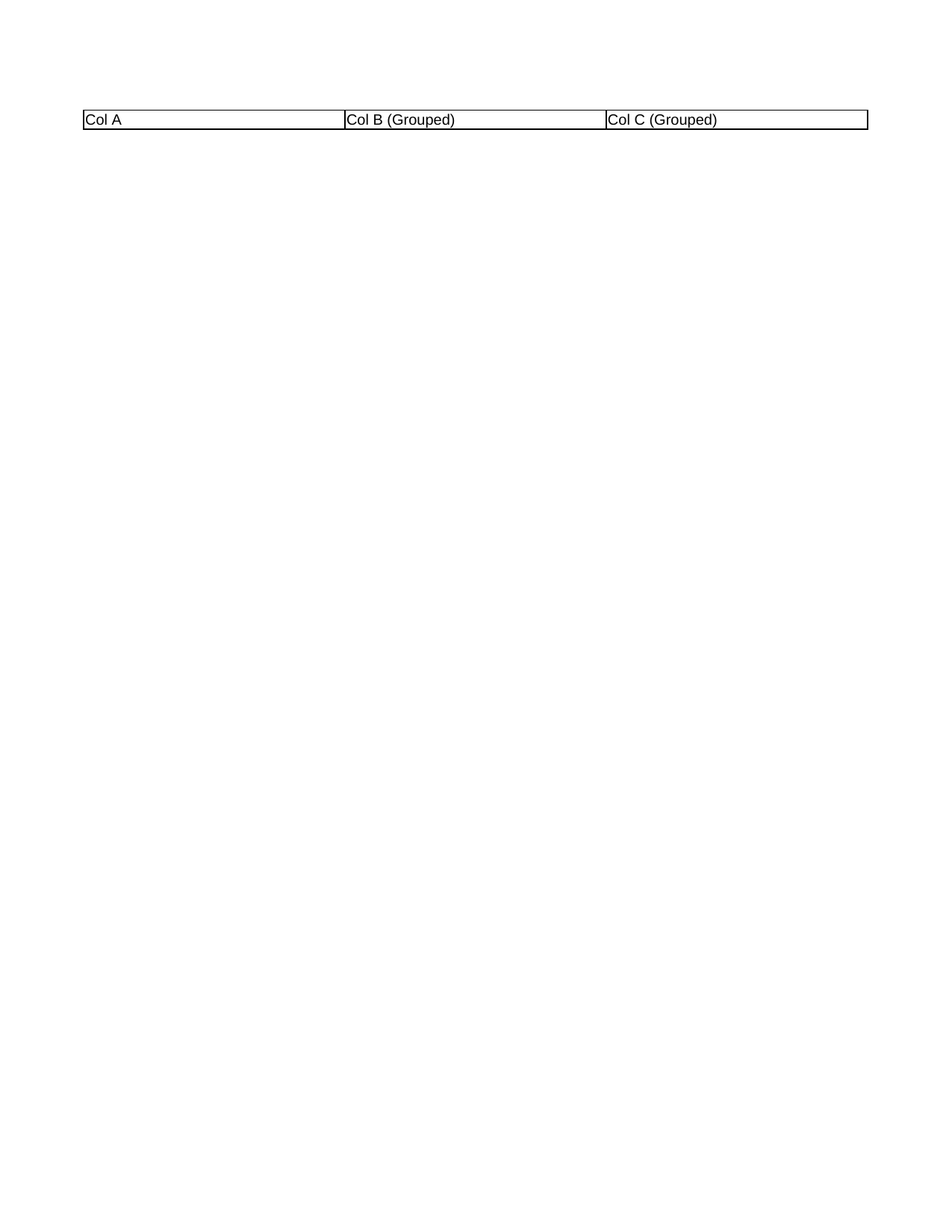 |
View Code & Detail |
| Col Width Tall | 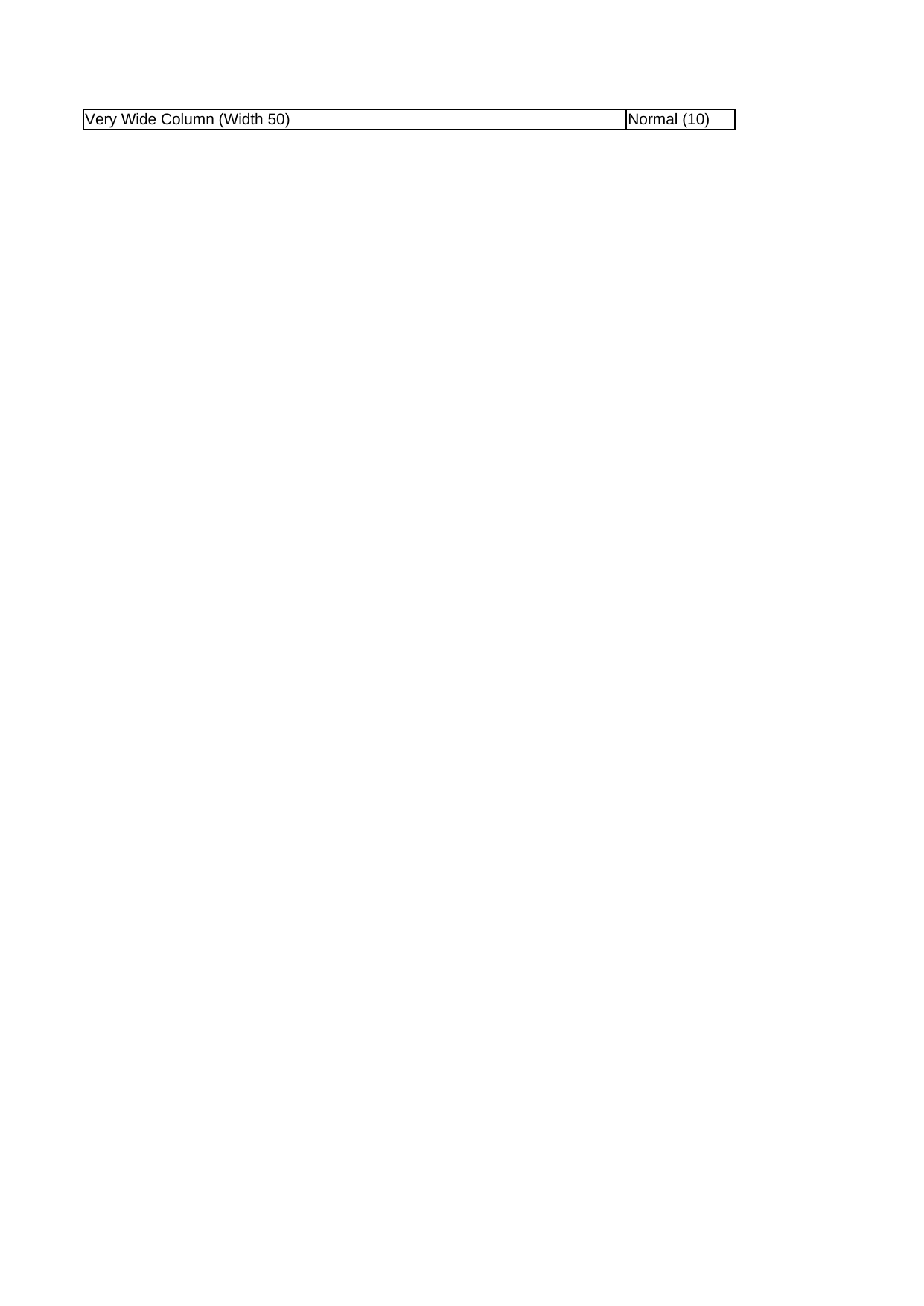 |
View Code & Detail |
| Col Widths | 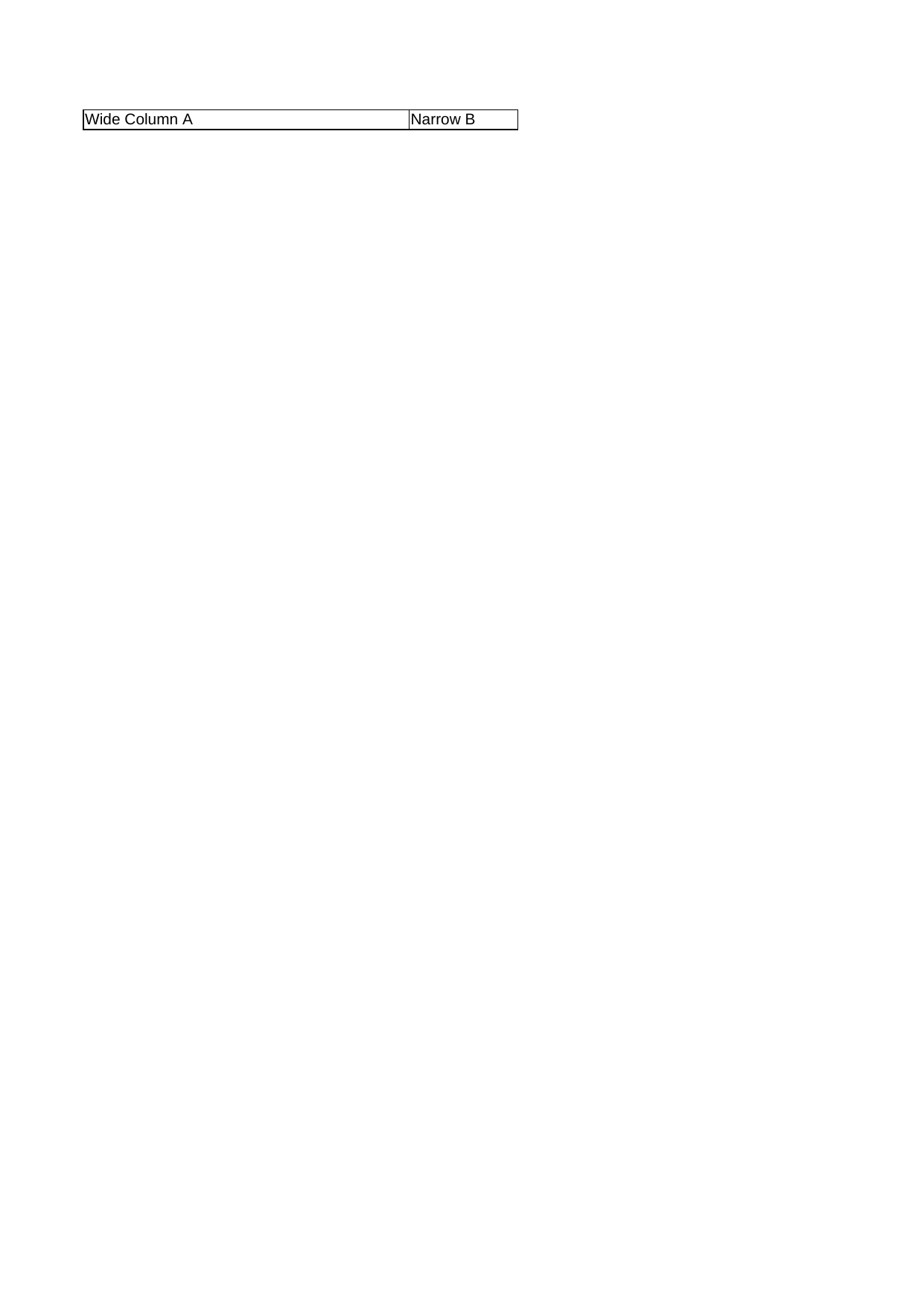 |
View Code & Detail |
| Conditional Formatting | 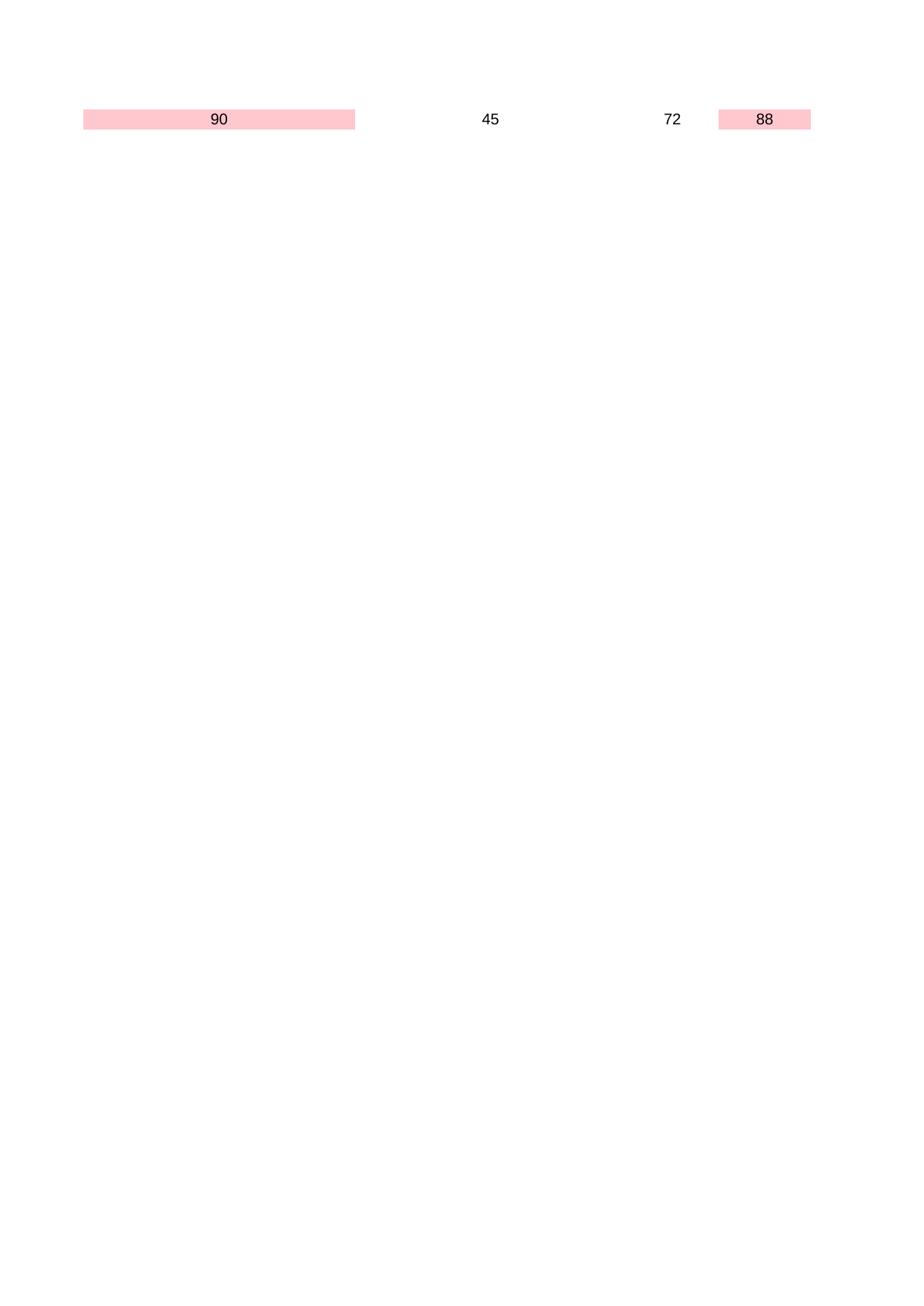 |
View Code & Detail |
| Drawing Shapes | 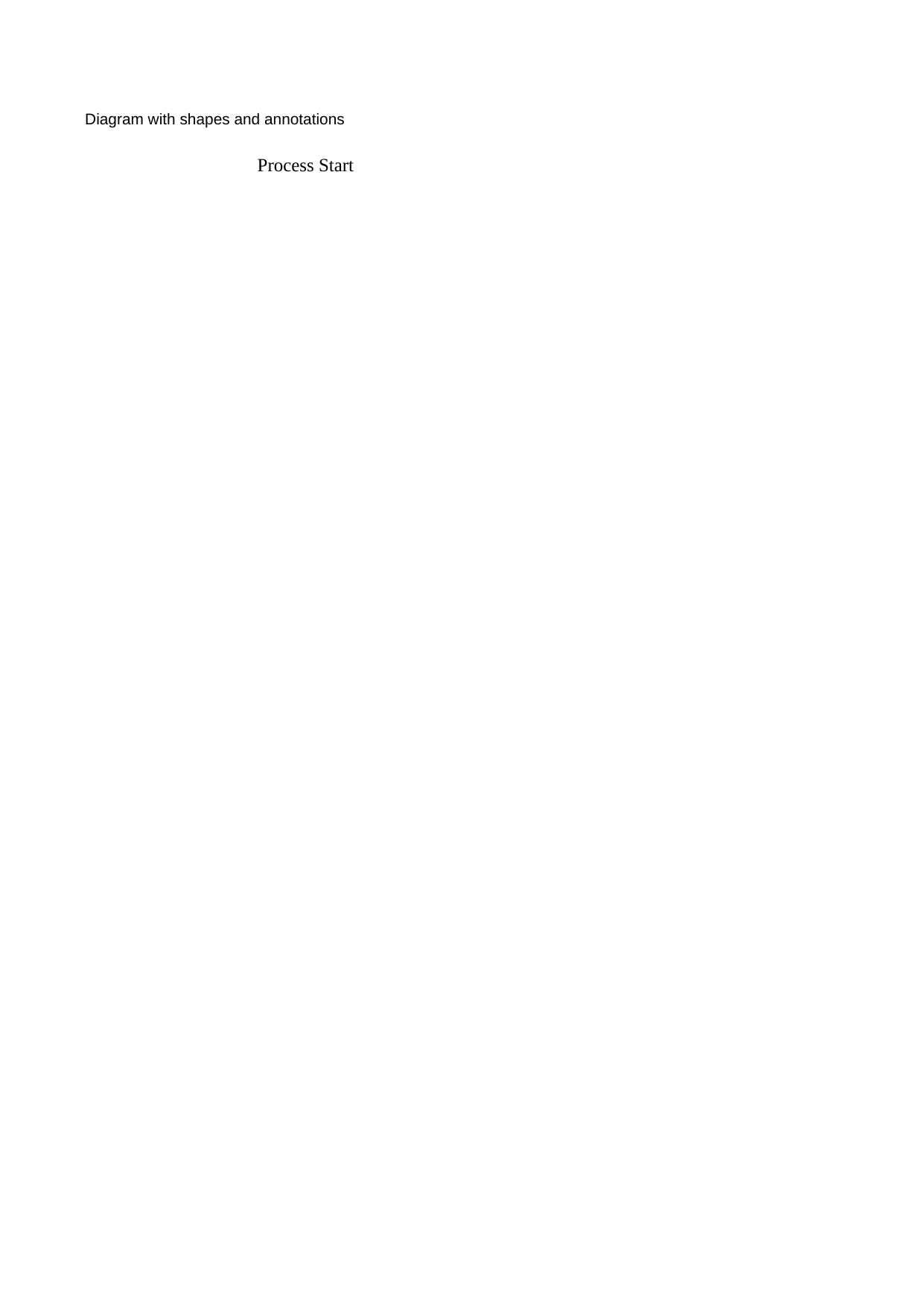 |
View Code & Detail |
| Embedded Images | 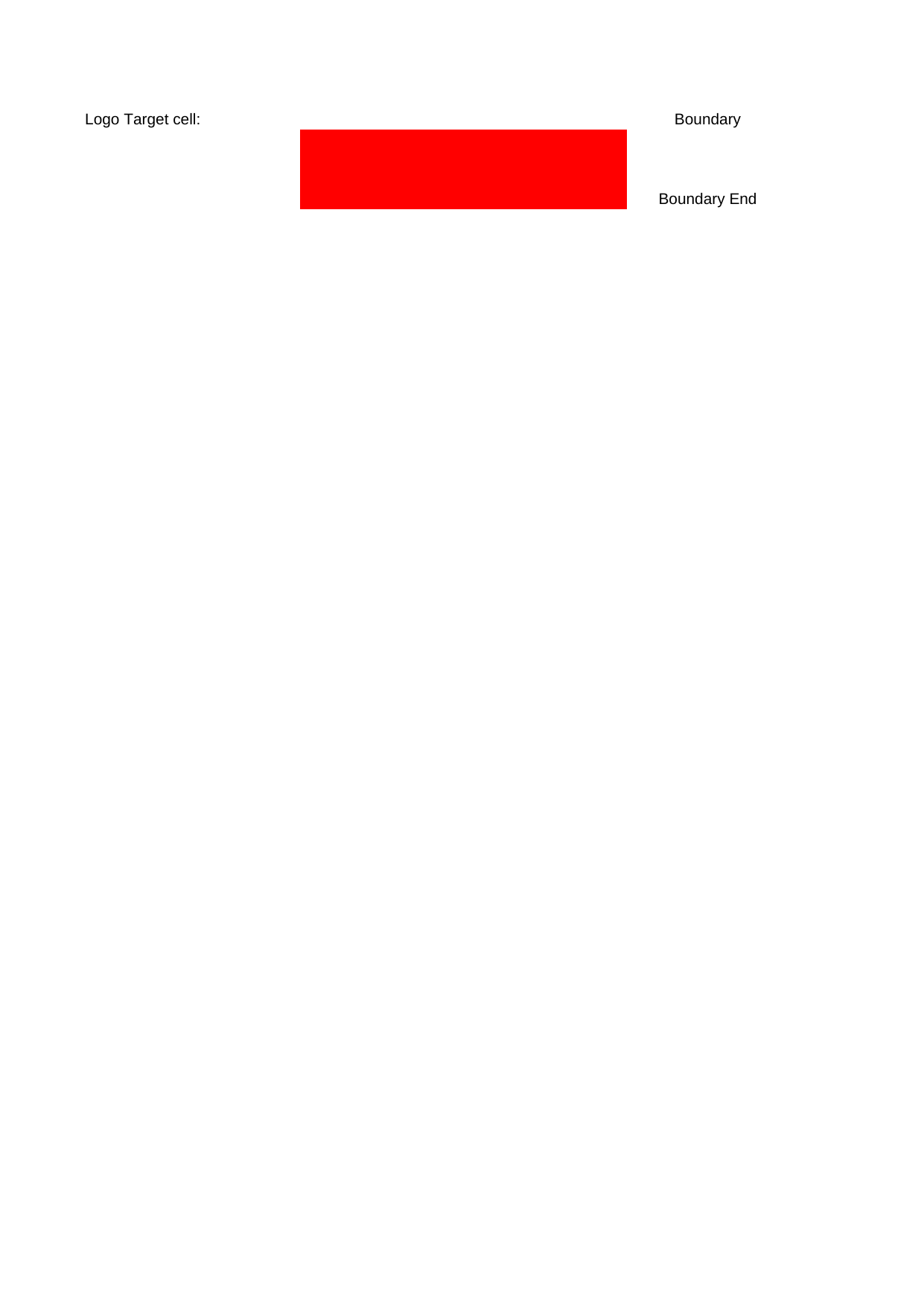 |
View Code & Detail |
| Fill Gradients | 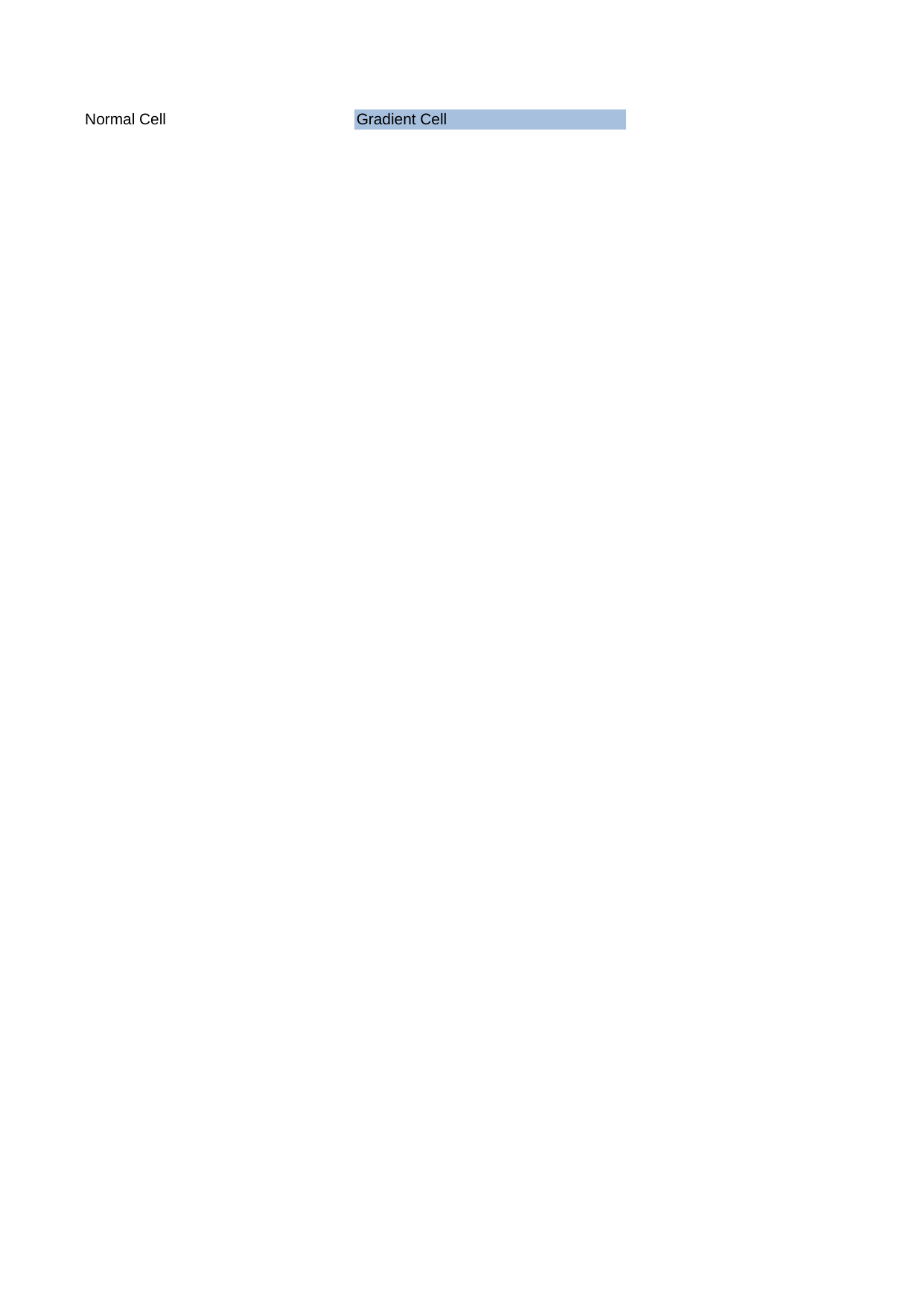 |
View Code & Detail |
| Fill Patterns | 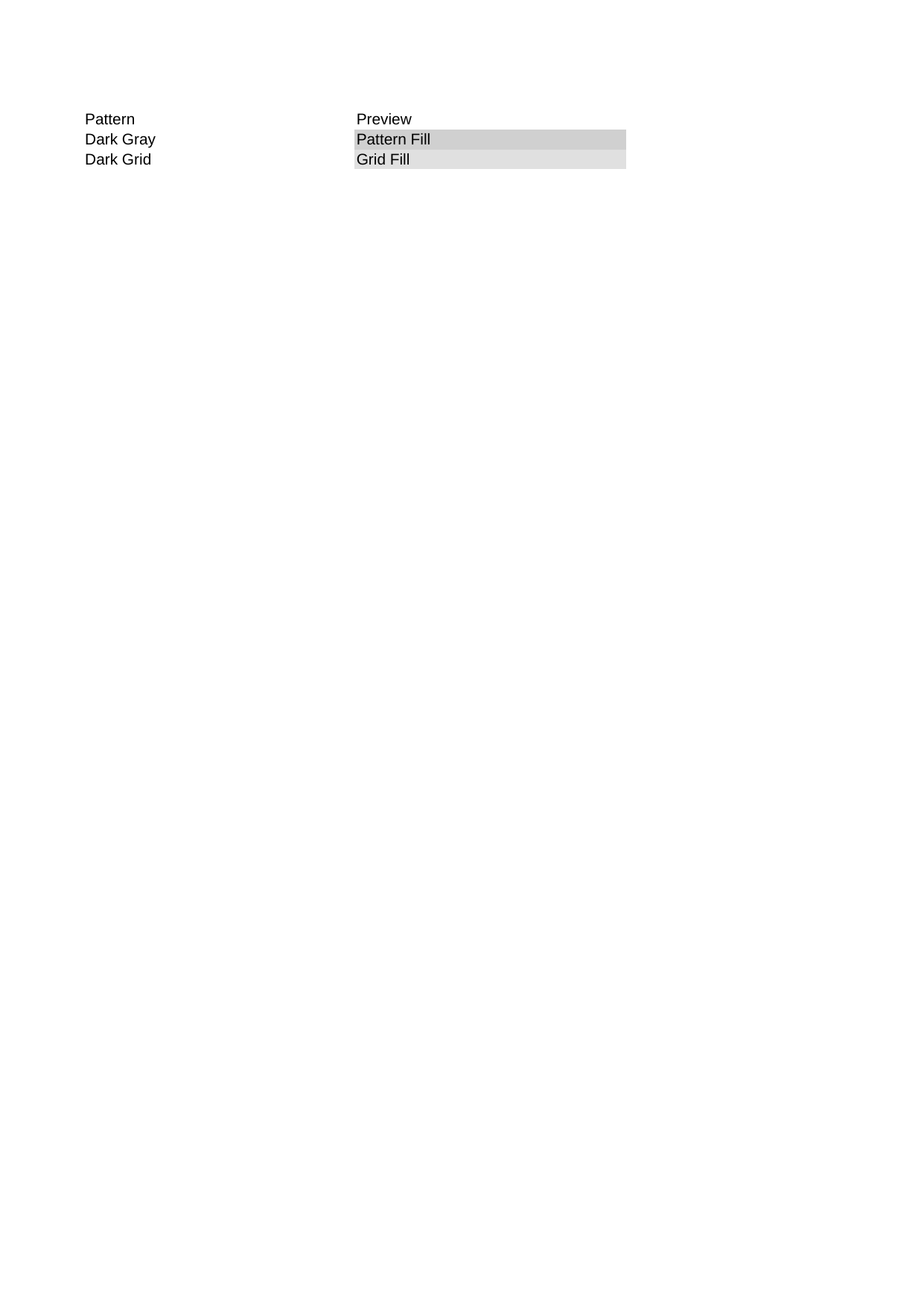 |
View Code & Detail |
| Fill Solid Colors | 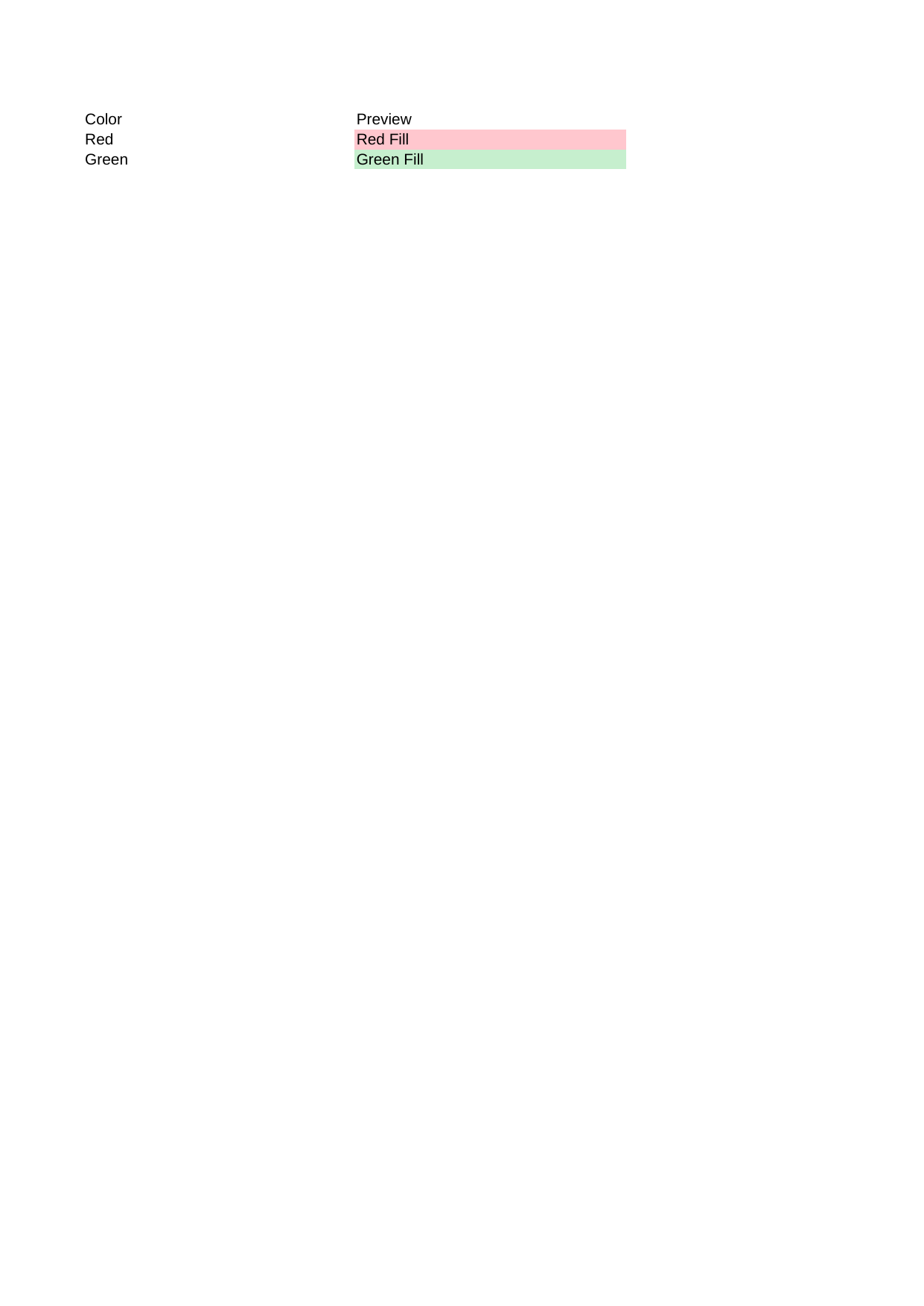 |
View Code & Detail |
| Fonts |  |
View Code & Detail |
| Interactive Autofilter |  |
View Code & Detail |
| Interactive Comments |  |
View Code & Detail |
| Interactive Validation Custom | 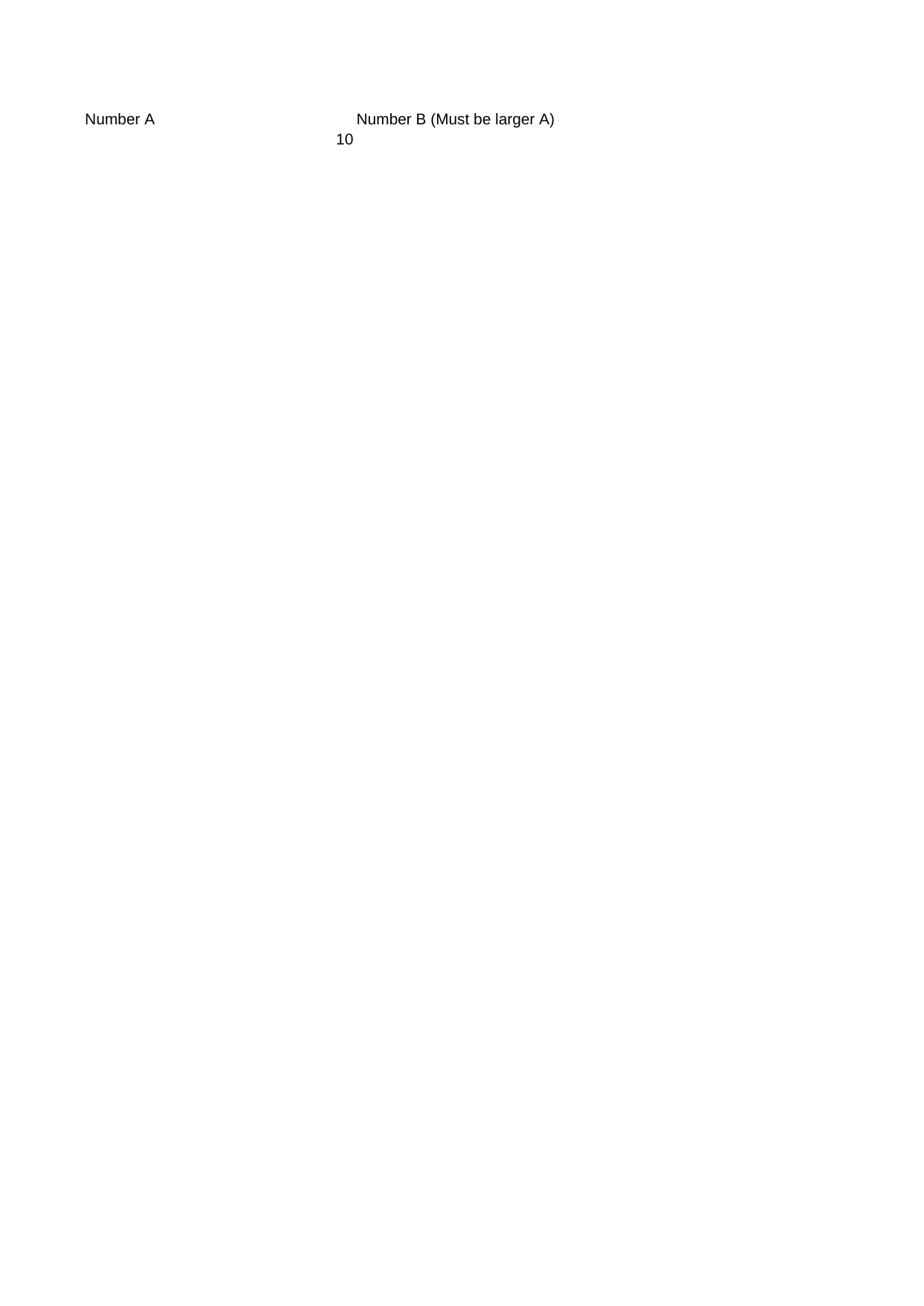 |
View Code & Detail |
| Interactive Validation Date |  |
View Code & Detail |
| Interactive Validation List |  |
View Code & Detail |
| Interactive Validation Range |  |
View Code & Detail |
| Interactive Validation Text Length |  |
View Code & Detail |
| Interactive Validation Time |  |
View Code & Detail |
| Japanese Text |  |
View Code & Detail |
| Merge Freeze | 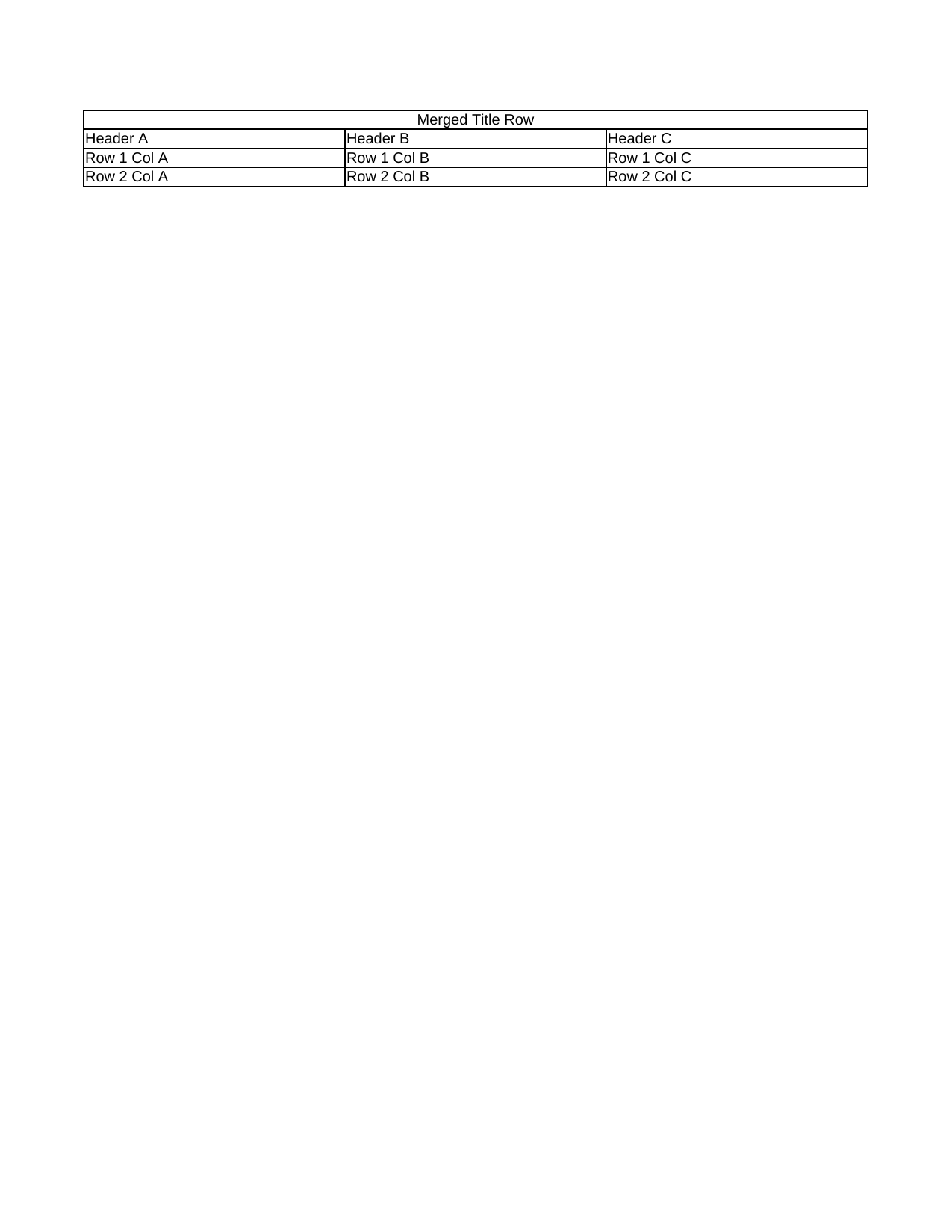 |
View Code & Detail |
| Page Grid Lines Print |  |
View Code & Detail |
| Page Header Footer | 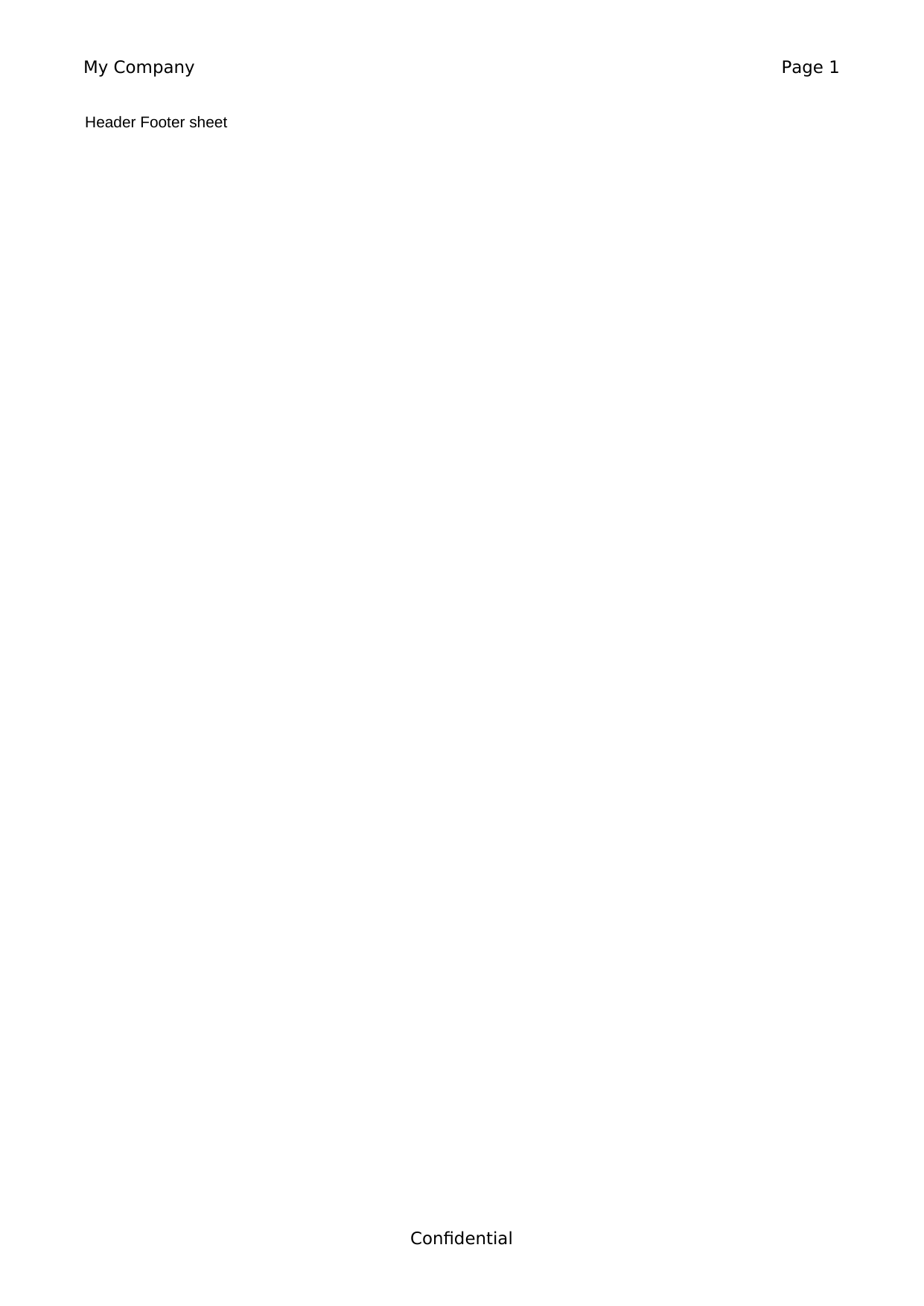 |
View Code & Detail |
| Page Headings Print | 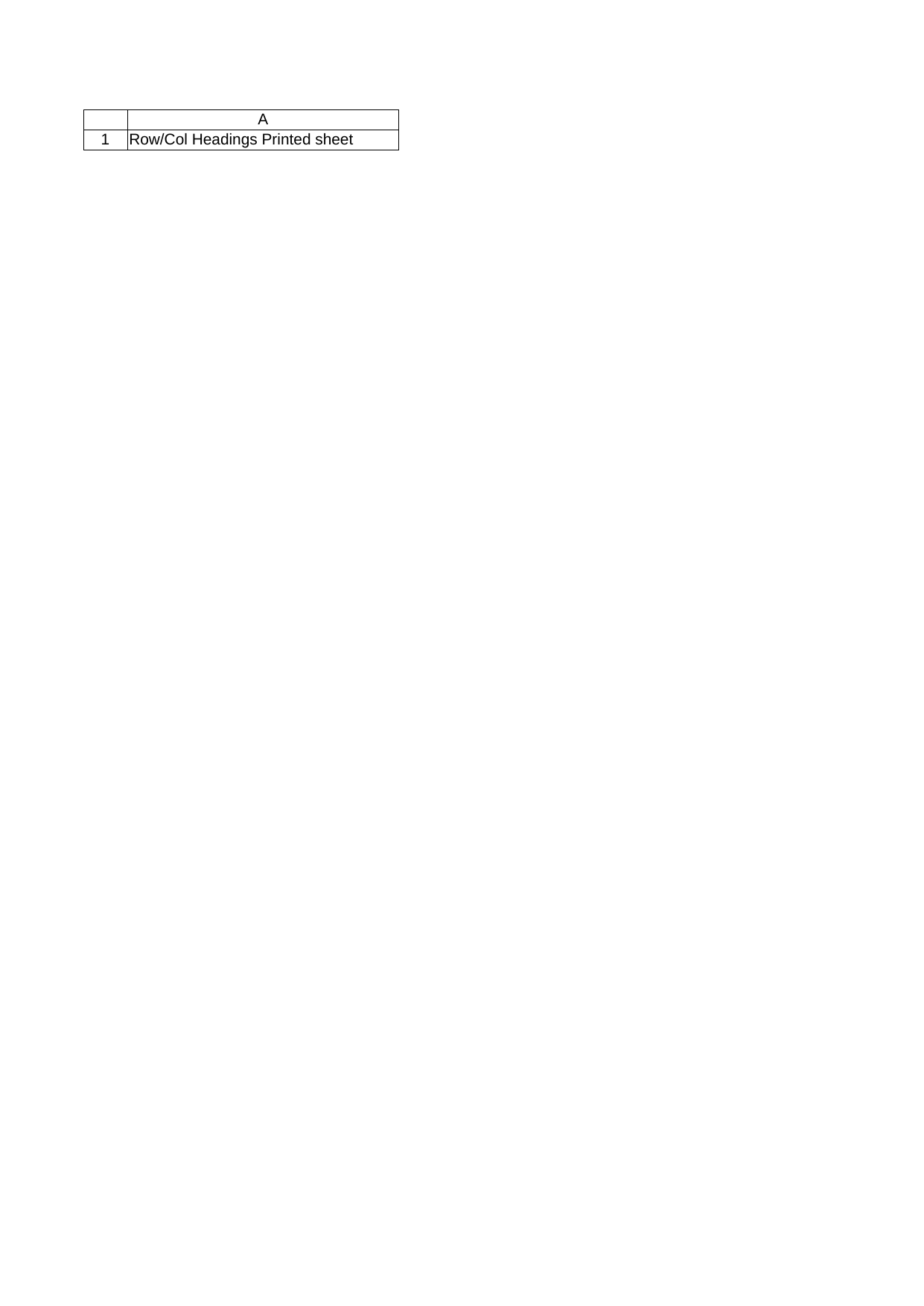 |
View Code & Detail |
| Page Margins Narrow |  |
View Code & Detail |
| Page Margins Wide |  |
View Code & Detail |
| Page Orientation Landscape |  |
View Code & Detail |
| Page Paper Size A3 |  |
View Code & Detail |
| Pivot Table | 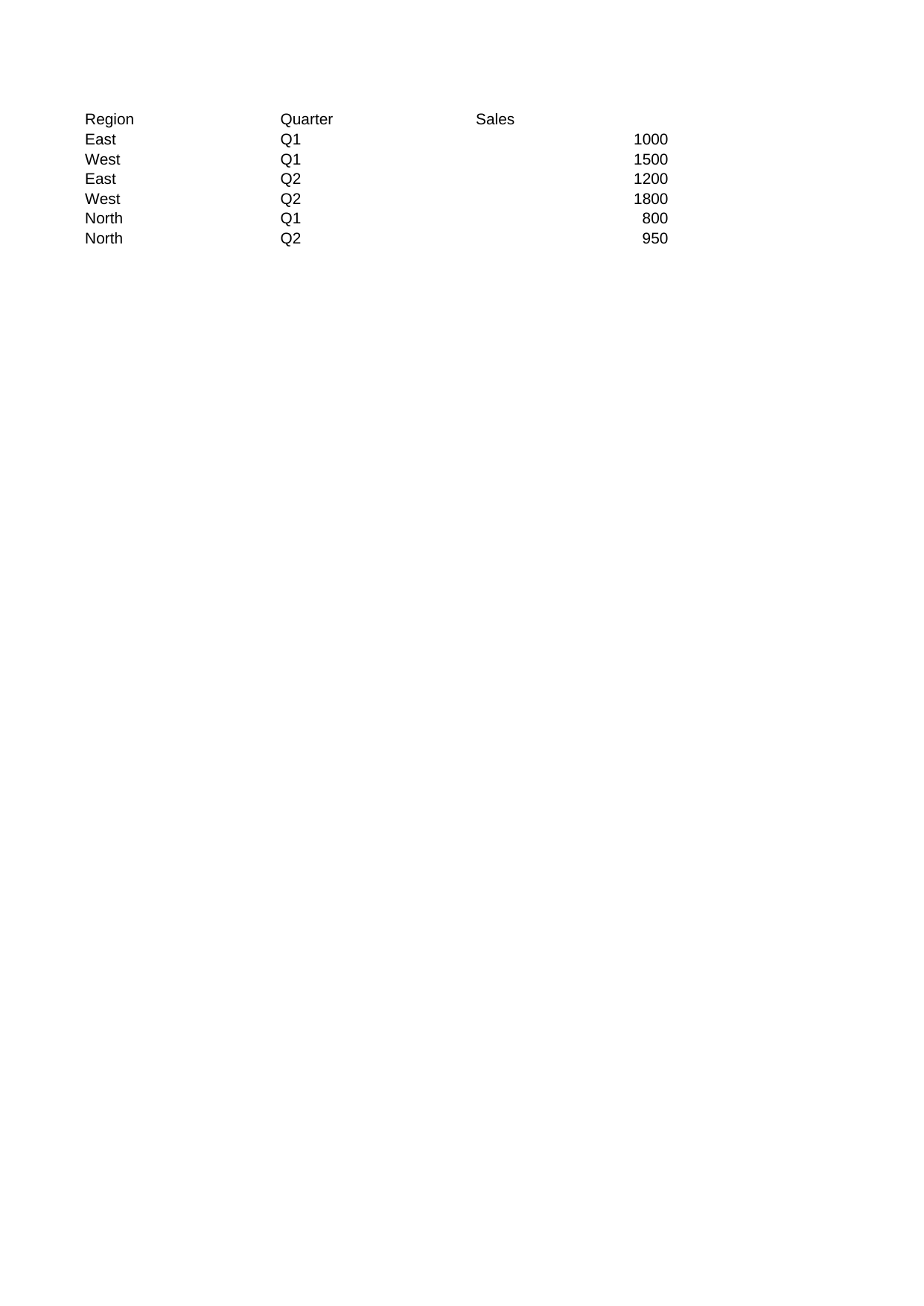 |
View Code & Detail |
| Row Grouping | 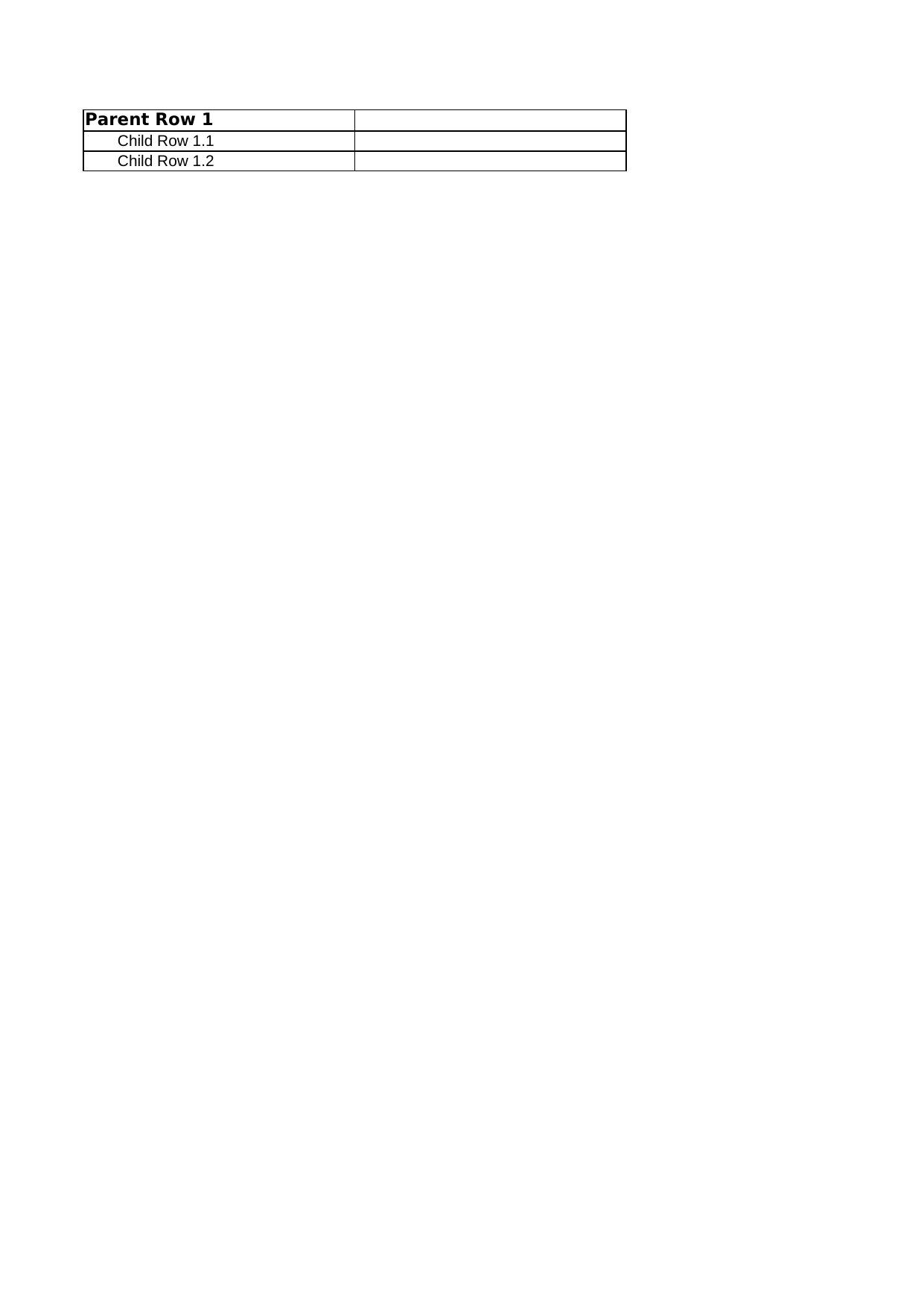 |
View Code & Detail |
| Row Height Tall | 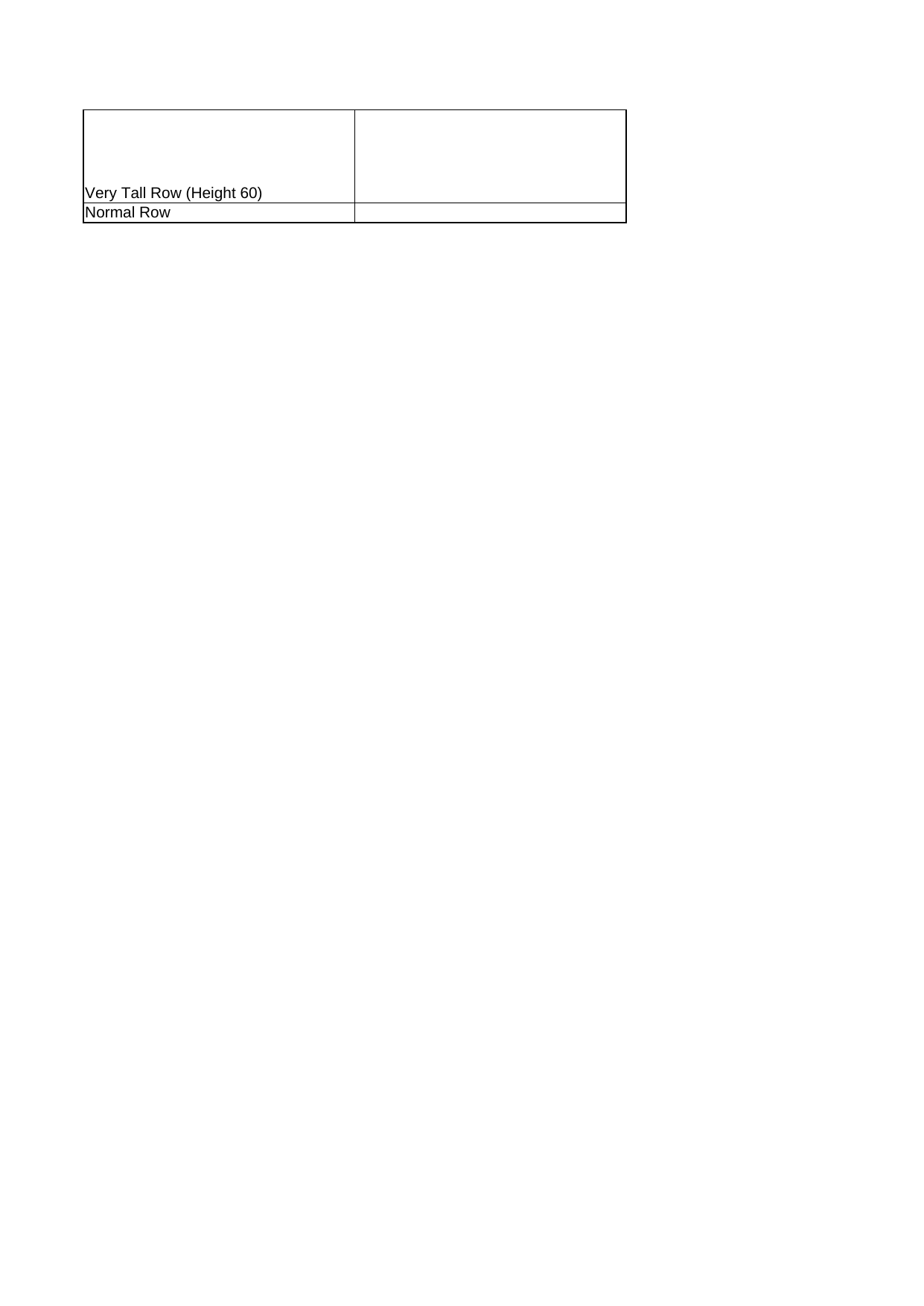 |
View Code & Detail |
| Row Heights | 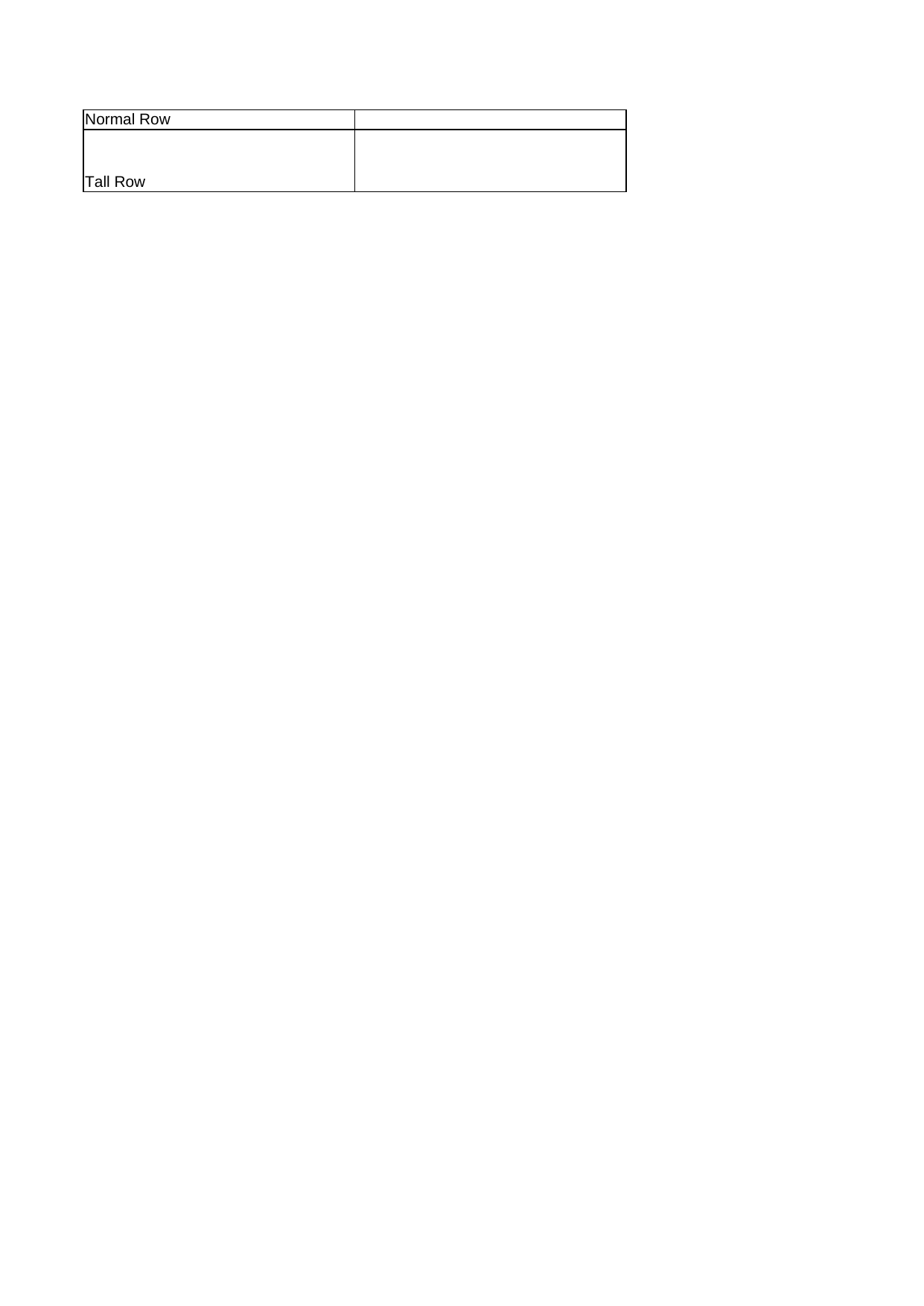 |
View Code & Detail |
| Sheet Tab Colors |  |
View Code & Detail |
| Sparkline Column |  |
View Code & Detail |
| Sparkline Line |  |
View Code & Detail |
| Styles Fonts Fills | 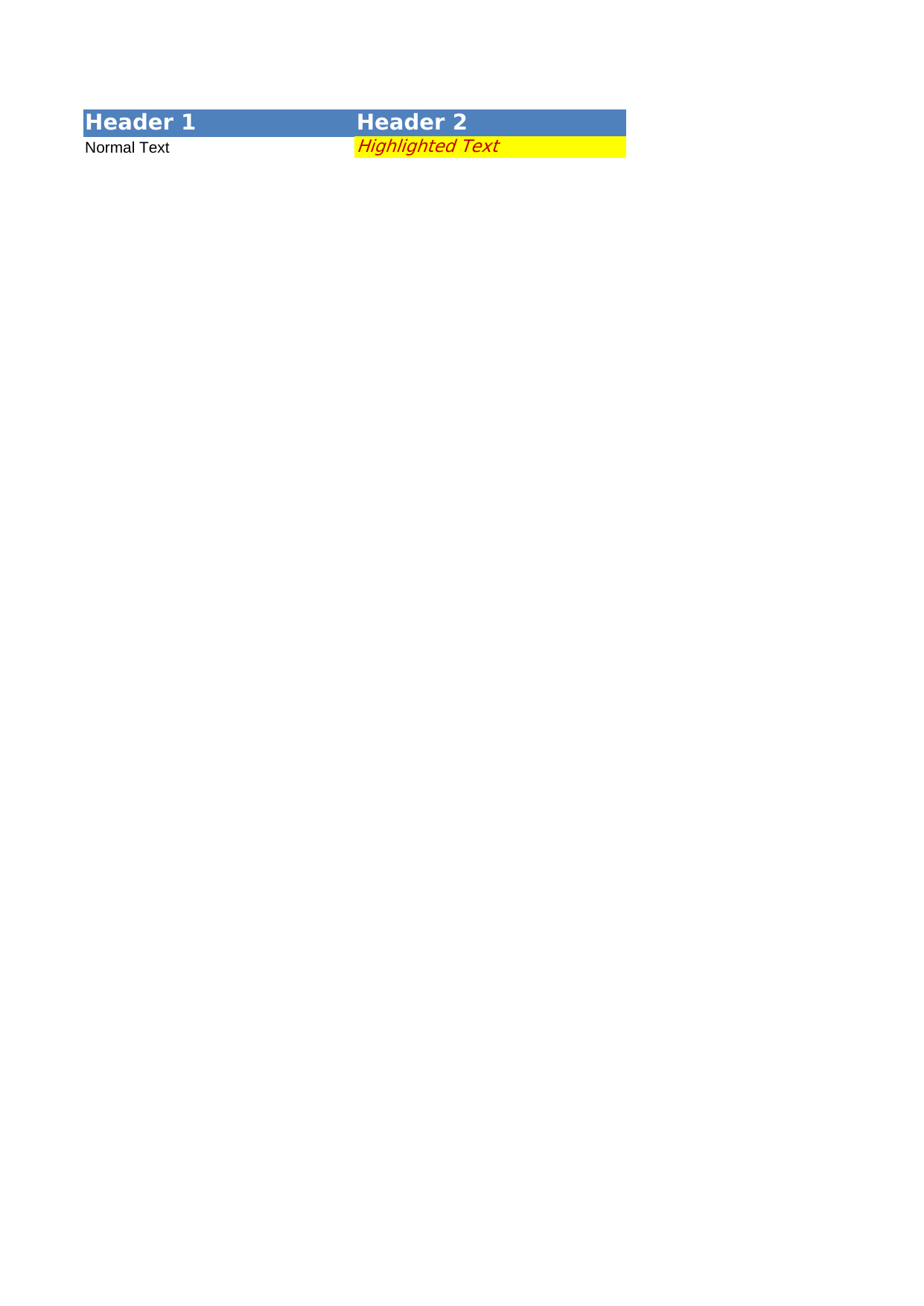 |
View Code & Detail |
| Table Styles | 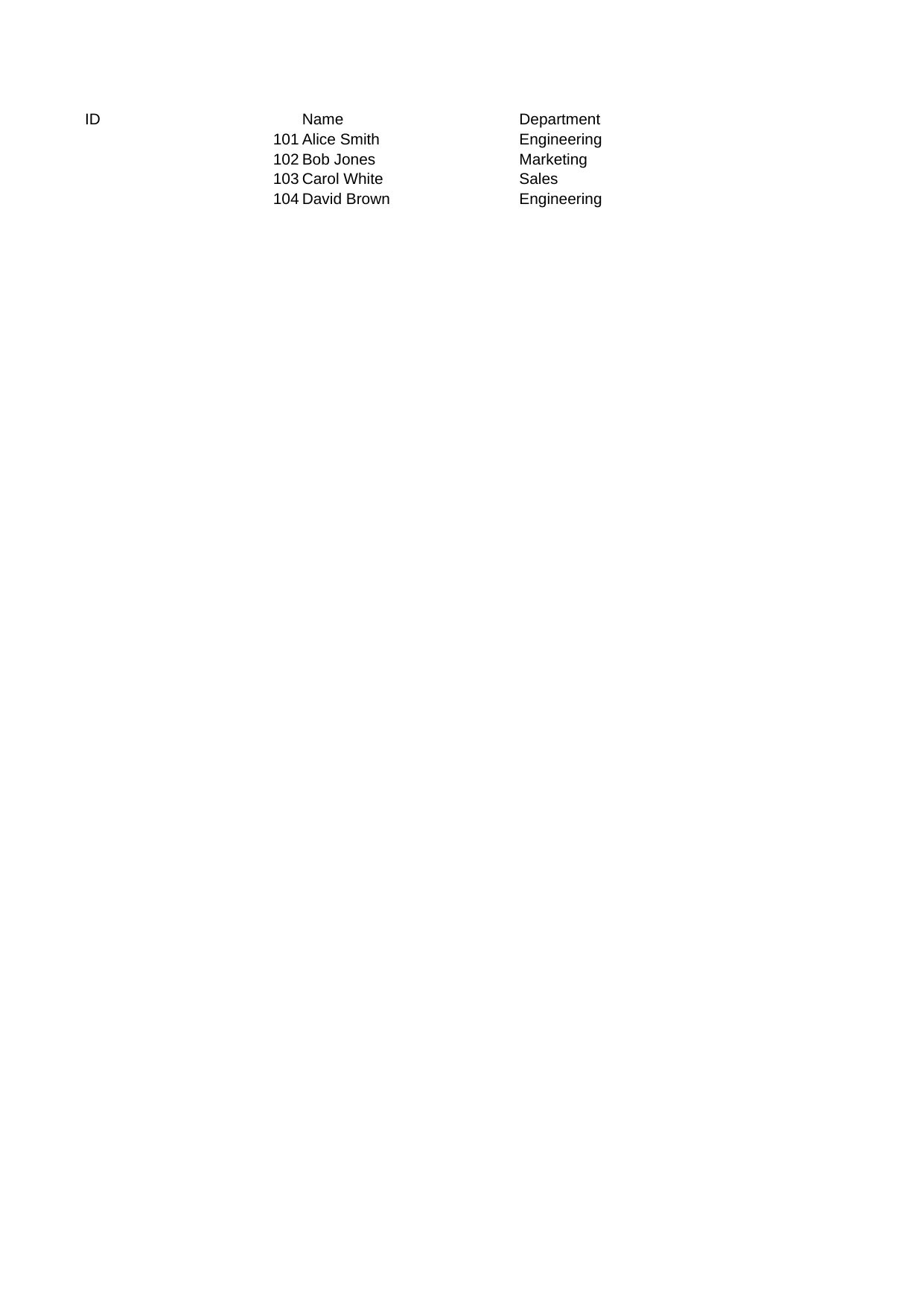 |
View Code & Detail |
| View Show Grid Lines |  |
View Code & Detail |
| View Zoom Scale |  |
View Code & Detail |
| Workbook Three Sheets |  |
View Code & Detail |
Align Horizontal
Demonstrates horizontal text alignment (left, center, right).
Rendered Output (LibreOffice Calc)
DSL Code
# frozen_string_literal: true

require "xlsxrb"
output_path = ARGV[0] || "align_horizontal.xlsx"
Xlsxrb.write(output_path) do |wb|
  wb.style("left") { |s| s.align_horizontal("left") }
  wb.style("center") { |s| s.align_horizontal("center") }
  wb.style("right") { |s| s.align_horizontal("right") }
  wb.sheet("Alignment") do |s|
    s.print_options(:grid_lines, true)
    s.column(0, width: 20)
    s.column(1, width: 20)
    s.column(2, width: 20)
    s.row(%w[Left Center Right], styles: { 0 => "left", 1 => "center", 2 => "right" })
  end
end

# 2. Read the generated sheet and print the parsed alignments
puts "=== Read Alignment (Xlsxrb.read) ==="
workbook = Xlsxrb.read(output_path).load
sheet = workbook.sheets.first
row = sheet.rows.first

row.cells.each do |c|
  xf = workbook.styles[:cell_xfs][c.style_index] if c.style_index
  align_h = xf&.dig(:alignment, :horizontal)
  puts "Cell #{c.ref} ('#{c.value}'): align_horizontal = #{align_h.inspect}"
end
Console Output
=== Read Alignment (Xlsxrb.read) ===
Cell A1 ('Left'): align_horizontal = "left"
Cell B1 ('Center'): align_horizontal = "center"
Cell C1 ('Right'): align_horizontal = "right"
Align Horizontal Fill
Demonstrates horizontal fill alignment (repeats value to fill cell width).
Rendered Output (LibreOffice Calc)
DSL Code
# frozen_string_literal: true

require "xlsxrb"
output_path = ARGV[0] || "align_horizontal_fill.xlsx"
Xlsxrb.write(output_path) do |wb|
  wb.style("fill_align") { |s| s.align_horizontal("fill") }
  wb.sheet("Alignment") do |s|
    s.column(0, width: 30)
    s.row(["X "], styles: { 0 => "fill_align" })
  end
end

# 2. Read the generated sheet and print the parsed alignments
puts "=== Read Validation ==="
workbook = Xlsxrb.read(output_path).load
sheet = workbook.sheets.first
row = sheet.rows.first
row.cells.each do |c|
  xf = workbook.styles[:cell_xfs][c.style_index] if c.style_index
  align_h = xf&.dig(:alignment, :horizontal)
  align_v = xf&.dig(:alignment, :vertical)
  wrap = xf&.dig(:alignment, :wrap_text)
  indent = xf&.dig(:alignment, :indent)
  rot = xf&.dig(:alignment, :text_rotation)
  shrink = xf&.dig(:alignment, :shrink_to_fit)
  puts "Cell #{c.ref} ('#{c.value}'): align_h=#{align_h.inspect}, align_v=#{align_v.inspect}, wrap=#{wrap.inspect}, indent=#{indent.inspect}, rotation=#{rot.inspect}, shrink=#{shrink.inspect}"
end
Console Output
=== Read Validation ===
Cell A1 ('X '): align_h="fill", align_v=nil, wrap=nil, indent=nil, rotation=nil, shrink=nil
Align Horizontal Justify
Demonstrates horizontal justify text alignment.
Rendered Output (LibreOffice Calc)
DSL Code
# frozen_string_literal: true

require "xlsxrb"
output_path = ARGV[0] || "align_horizontal_justify.xlsx"
Xlsxrb.write(output_path) do |wb|
  wb.style("justify_align") do |s|
    s.align_horizontal("justify")
    s.wrap_text(true)
  end
  wb.sheet("Alignment") do |s|
    s.column(0, width: 25)
    s.row(["Justified alignment wraps and distributes text evenly."], styles: { 0 => "justify_align" })
  end
end

# 2. Read the generated sheet and print the parsed alignments
puts "=== Read Validation ==="
workbook = Xlsxrb.read(output_path).load
sheet = workbook.sheets.first
row = sheet.rows.first
row.cells.each do |c|
  xf = workbook.styles[:cell_xfs][c.style_index] if c.style_index
  align_h = xf&.dig(:alignment, :horizontal)
  align_v = xf&.dig(:alignment, :vertical)
  wrap = xf&.dig(:alignment, :wrap_text)
  indent = xf&.dig(:alignment, :indent)
  rot = xf&.dig(:alignment, :text_rotation)
  shrink = xf&.dig(:alignment, :shrink_to_fit)
  puts "Cell #{c.ref} ('#{c.value}'): align_h=#{align_h.inspect}, align_v=#{align_v.inspect}, wrap=#{wrap.inspect}, indent=#{indent.inspect}, rotation=#{rot.inspect}, shrink=#{shrink.inspect}"
end
Console Output
=== Read Validation ===
Cell A1 ('Justified alignment wraps and distributes text evenly.'): align_h="justify", align_v=nil, wrap=true, indent=nil, rotation=nil, shrink=nil
Align Indent
Demonstrates text indentation inside cells.
Rendered Output (LibreOffice Calc)
DSL Code
# frozen_string_literal: true

require "xlsxrb"
output_path = ARGV[0] || "align_indent.xlsx"
Xlsxrb.write(output_path) do |wb|
  wb.style("indent_1") { |s| s.align_horizontal("left").indent(1) }
  wb.style("indent_3") { |s| s.align_horizontal("left").indent(3) }
  wb.sheet("Indent") do |s|
    s.column(0, width: 25)
    s.column(1, width: 25)
    s.print_options(:grid_lines, true)
    s.row(["No Indent"])
    s.row(["Indent 1"], styles: { 0 => "indent_1" })
    s.row(["Indent 3"], styles: { 0 => "indent_3" })
  end
end

# 2. Read the generated sheet and print the parsed alignments
puts "=== Read Validation ==="
workbook = Xlsxrb.read(output_path).load
sheet = workbook.sheets.first
row = sheet.rows.first
row.cells.each do |c|
  xf = workbook.styles[:cell_xfs][c.style_index] if c.style_index
  align_h = xf&.dig(:alignment, :horizontal)
  align_v = xf&.dig(:alignment, :vertical)
  wrap = xf&.dig(:alignment, :wrap_text)
  indent = xf&.dig(:alignment, :indent)
  rot = xf&.dig(:alignment, :text_rotation)
  shrink = xf&.dig(:alignment, :shrink_to_fit)
  puts "Cell #{c.ref} ('#{c.value}'): align_h=#{align_h.inspect}, align_v=#{align_v.inspect}, wrap=#{wrap.inspect}, indent=#{indent.inspect}, rotation=#{rot.inspect}, shrink=#{shrink.inspect}"
end
Console Output
=== Read Validation ===
Cell A1 ('No Indent'): align_h=nil, align_v=nil, wrap=nil, indent=nil, rotation=nil, shrink=nil
Align Text Rotation
Demonstrates text rotated by specific angles (45, 90 degrees).
Rendered Output (LibreOffice Calc)
DSL Code
# frozen_string_literal: true

require "xlsxrb"
output_path = ARGV[0] || "align_text_rotation.xlsx"
Xlsxrb.write(output_path) do |wb|
  wb.style("rot_45") { |s| s.text_rotation(45) }
  wb.style("rot_90") { |s| s.text_rotation(90) }
  wb.sheet("Rotation") do |s|
    s.column(0, width: 25)
    s.column(1, width: 25)
    s.print_options(:grid_lines, true)
    s.row(["Rotated 45", "Rotated 90"], styles: { 0 => "rot_45", 1 => "rot_90" }, height: 50)
  end
end

# 2. Read the generated sheet and print the parsed alignments
puts "=== Read Validation ==="
workbook = Xlsxrb.read(output_path).load
sheet = workbook.sheets.first
row = sheet.rows.first
row.cells.each do |c|
  xf = workbook.styles[:cell_xfs][c.style_index] if c.style_index
  align_h = xf&.dig(:alignment, :horizontal)
  align_v = xf&.dig(:alignment, :vertical)
  wrap = xf&.dig(:alignment, :wrap_text)
  indent = xf&.dig(:alignment, :indent)
  rot = xf&.dig(:alignment, :text_rotation)
  shrink = xf&.dig(:alignment, :shrink_to_fit)
  puts "Cell #{c.ref} ('#{c.value}'): align_h=#{align_h.inspect}, align_v=#{align_v.inspect}, wrap=#{wrap.inspect}, indent=#{indent.inspect}, rotation=#{rot.inspect}, shrink=#{shrink.inspect}"
end
Console Output
=== Read Validation ===
Cell A1 ('Rotated 45'): align_h=nil, align_v=nil, wrap=nil, indent=nil, rotation=45, shrink=nil
Cell B1 ('Rotated 90'): align_h=nil, align_v=nil, wrap=nil, indent=nil, rotation=90, shrink=nil
Align Text Wrap
Demonstrates auto-wrapping multi-line text inside narrow cells.
Rendered Output (LibreOffice Calc)
DSL Code
# frozen_string_literal: true

require "xlsxrb"
output_path = ARGV[0] || "align_text_wrap.xlsx"
Xlsxrb.write(output_path) do |wb|
  wb.style("wrap", &:wrap_text)
  wb.sheet("Text Wrap") do |s|
    s.print_options(:grid_lines, true)
    s.column(0, width: 15)
    s.row(["This is a long sentence that wraps inside the cell."], styles: { 0 => "wrap" })
  end
end

# 2. Read the generated sheet and print the parsed alignments
puts "=== Read Validation ==="
workbook = Xlsxrb.read(output_path).load
sheet = workbook.sheets.first
row = sheet.rows.first
row.cells.each do |c|
  xf = workbook.styles[:cell_xfs][c.style_index] if c.style_index
  align_h = xf&.dig(:alignment, :horizontal)
  align_v = xf&.dig(:alignment, :vertical)
  wrap = xf&.dig(:alignment, :wrap_text)
  indent = xf&.dig(:alignment, :indent)
  rot = xf&.dig(:alignment, :text_rotation)
  shrink = xf&.dig(:alignment, :shrink_to_fit)
  puts "Cell #{c.ref} ('#{c.value}'): align_h=#{align_h.inspect}, align_v=#{align_v.inspect}, wrap=#{wrap.inspect}, indent=#{indent.inspect}, rotation=#{rot.inspect}, shrink=#{shrink.inspect}"
end
Console Output
=== Read Validation ===
Cell A1 ('This is a long sentence that wraps inside the cell.'): align_h=nil, align_v=nil, wrap=true, indent=nil, rotation=nil, shrink=nil
Align Vertical
Demonstrates vertical text alignment (top, center, bottom).
Rendered Output (LibreOffice Calc)
DSL Code
# frozen_string_literal: true

require "xlsxrb"
output_path = ARGV[0] || "align_vertical.xlsx"
Xlsxrb.write(output_path) do |wb|
  wb.style("top") { |s| s.align_vertical("top") }
  wb.style("center") { |s| s.align_vertical("center") }
  wb.style("bottom") { |s| s.align_vertical("bottom") }
  wb.sheet("Vertical Alignment") do |s|
    s.column(0, width: 25)
    s.column(1, width: 25)
    s.print_options(:grid_lines, true)
    s.row(%w[Top Center Bottom], styles: { 0 => "top", 1 => "center", 2 => "bottom" }, height: 40)
  end
end

# 2. Read the generated sheet and print the parsed alignments
puts "=== Read Validation ==="
workbook = Xlsxrb.read(output_path).load
sheet = workbook.sheets.first
row = sheet.rows.first
row.cells.each do |c|
  xf = workbook.styles[:cell_xfs][c.style_index] if c.style_index
  align_h = xf&.dig(:alignment, :horizontal)
  align_v = xf&.dig(:alignment, :vertical)
  wrap = xf&.dig(:alignment, :wrap_text)
  indent = xf&.dig(:alignment, :indent)
  rot = xf&.dig(:alignment, :text_rotation)
  shrink = xf&.dig(:alignment, :shrink_to_fit)
  puts "Cell #{c.ref} ('#{c.value}'): align_h=#{align_h.inspect}, align_v=#{align_v.inspect}, wrap=#{wrap.inspect}, indent=#{indent.inspect}, rotation=#{rot.inspect}, shrink=#{shrink.inspect}"
end
Console Output
=== Read Validation ===
Cell A1 ('Top'): align_h=nil, align_v="top", wrap=nil, indent=nil, rotation=nil, shrink=nil
Cell B1 ('Center'): align_h=nil, align_v="center", wrap=nil, indent=nil, rotation=nil, shrink=nil
Cell C1 ('Bottom'): align_h=nil, align_v="bottom", wrap=nil, indent=nil, rotation=nil, shrink=nil
Basic Data
Demonstrates simple tabular data writing with basic Ruby types (Strings, Numbers, Dates, Booleans).
Rendered Output (LibreOffice Calc)
DSL Code
# frozen_string_literal: true

require "xlsxrb"
require "date"

output_path = ARGV[0] || "basic_data.xlsx"

Xlsxrb.write(output_path) do |wb|
  wb.style("currency") { |style| style.number_format("$#,##0.00") }
  wb.style("date") { |style| style.number_format("yyyy-mm-dd") }
  wb.sheet("Basic Data") do |sheet|
    sheet.sheet_properties(:fit_to_page, true)
    sheet.page_setup(fit_to_width: 1, fit_to_height: 1)
    sheet.column(0, width: 25)
    sheet.column(1, width: 25)
    sheet.row(%w[Product Qty Price Date Active])
    sheet.row(["Gadget A", 10, 99.99, Date.new(2026, 1, 15), true], styles: { 2 => "currency", 3 => "date" })
    sheet.row(["Widget B", 5, 49.50, Date.new(2026, 2, 20), false], styles: { 2 => "currency", 3 => "date" })
  end
end

# 2. Read the generated sheet and print parsed cell values and Ruby classes
puts "=== Read Validation ==="
workbook = Xlsxrb.read(output_path).load
sheet = workbook.sheets.first
sheet.rows.each do |row|
  row_cells = row.cells.map do |c|
    "#{c.ref}: #{c.value.inspect} (#{c.value.class})"
  end
  puts "Row #{row.index}: #{row_cells.join(", ")}"
end
Console Output
=== Read Validation ===
Row 0: A1: "Product" (String), B1: "Qty" (String), C1: "Price" (String), D1: "Date" (String), E1: "Active" (String)
Row 1: A2: "Gadget A" (String), B2: 10 (Integer), C2: 99.99 (Float), D2: 46037 (Integer), E2: true (TrueClass)
Row 2: A3: "Widget B" (String), B3: 5 (Integer), C3: 49.5 (Float), D3: 46073 (Integer), E3: false (FalseClass)
Borders
Demonstrates border styles (thin, medium, thick, hair, dashed, medium dashed, dotted, double, dash-dot, medium dash-dot, dash-dot-dot, slanted, and diagonal cross borders) applied to cell ranges.
Rendered Output (LibreOffice Calc)
DSL Code
# frozen_string_literal: true

require "xlsxrb"

output_path = ARGV[0] || "borders.xlsx"

Xlsxrb.write(output_path) do |wb|
  wb.style("thin") { |s| s.border_all(style: "thin", color: "FF000000") }
  wb.style("medium") { |s| s.border_all(style: "medium", color: "FF000000") }
  wb.style("thick") { |s| s.border_all(style: "thick", color: "FF000000") }
  wb.style("hair") { |s| s.border_all(style: "hair", color: "FF000000") }
  wb.style("dashed") { |s| s.border_all(style: "dashed", color: "FF000000") }
  wb.style("medium_dashed") { |s| s.border_all(style: "mediumDashed", color: "FF000000") }
  wb.style("dotted") { |s| s.border_all(style: "dotted", color: "FF000000") }
  wb.style("double") { |s| s.border_all(style: "double", color: "FF000000") }
  wb.style("dash_dot") { |s| s.border_all(style: "dashDot", color: "FF000000") }
  wb.style("medium_dash_dot") { |s| s.border_all(style: "mediumDashDot", color: "FF000000") }
  wb.style("dash_dot_dot") { |s| s.border_all(style: "dashDotDot", color: "FF000000") }
  wb.style("slanted") { |s| s.border_all(style: "slantedDashDot", color: "FF000000") }
  wb.style("diagonal") { |s| s.border_diagonal(style: "thin", color: "FF000000", up: true, down: true) }

  wb.sheet("Borders") do |s|
    s.column(0, width: 25)
    s.column(1, width: 25)
    s.print_options(:grid_lines, true)

    s.row(["Border Style", "Cell Preview"])
    s.row(["Thin", "Thin Border"], styles: { 1 => "thin" })
    s.row(["Medium", "Medium Border"], styles: { 1 => "medium" })
    s.row(["Thick", "Thick Border"], styles: { 1 => "thick" })
    s.row(["Hair", "Hair Border"], styles: { 1 => "hair" })
    s.row(["Dashed", "Dashed Border"], styles: { 1 => "dashed" })
    s.row(["Medium Dashed", "Medium Dashed"], styles: { 1 => "medium_dashed" })
    s.row(["Dotted", "Dotted Border"], styles: { 1 => "dotted" })
    s.row(["Double", "Double Border"], styles: { 1 => "double" })
    s.row(["Dash-Dot", "Dash-Dot Border"], styles: { 1 => "dash_dot" })
    s.row(["Medium Dash-Dot", "Medium Dash-Dot"], styles: { 1 => "medium_dash_dot" })
    s.row(%w[Dash-Dot-Dot Dash-Dot-Dot], styles: { 1 => "dash_dot_dot" })
    s.row(["Slanted Dash-Dot", "Slanted Border"], styles: { 1 => "slanted" })
    s.row(["Diagonal (Cross)", "Diagonal Border"], styles: { 1 => "diagonal" })
  end
end

# Read check
puts "=== Read Validation ==="
workbook = Xlsxrb.read(output_path).load
sheet = workbook.sheets.first
sheet.rows.each do |row|
  row_cells = row.cells.map do |c|
    xf = workbook.styles[:cell_xfs][c.style_index] if c.style_index
    border_id = xf ? xf[:border_id] : 0
    "#{c.ref}: #{c.value.inspect} (border_id: #{border_id})"
  end
  puts "Row #{row.index}: #{row_cells.join(", ")}"
end
Console Output
=== Read Validation ===
Row 0: A1: "Border Style" (border_id: 0), B1: "Cell Preview" (border_id: 0)
Row 1: A2: "Thin" (border_id: 0), B2: "Thin Border" (border_id: 1)
Row 2: A3: "Medium" (border_id: 0), B3: "Medium Border" (border_id: 2)
Row 3: A4: "Thick" (border_id: 0), B4: "Thick Border" (border_id: 3)
Row 4: A5: "Hair" (border_id: 0), B5: "Hair Border" (border_id: 4)
Row 5: A6: "Dashed" (border_id: 0), B6: "Dashed Border" (border_id: 5)
Row 6: A7: "Medium Dashed" (border_id: 0), B7: "Medium Dashed" (border_id: 6)
Row 7: A8: "Dotted" (border_id: 0), B8: "Dotted Border" (border_id: 7)
Row 8: A9: "Double" (border_id: 0), B9: "Double Border" (border_id: 8)
Row 9: A10: "Dash-Dot" (border_id: 0), B10: "Dash-Dot Border" (border_id: 9)
Row 10: A11: "Medium Dash-Dot" (border_id: 0), B11: "Medium Dash-Dot" (border_id: 10)
Row 11: A12: "Dash-Dot-Dot" (border_id: 0), B12: "Dash-Dot-Dot" (border_id: 11)
Row 12: A13: "Slanted Dash-Dot" (border_id: 0), B13: "Slanted Border" (border_id: 12)
Row 13: A14: "Diagonal (Cross)" (border_id: 0), B14: "Diagonal Border" (border_id: 13)
Cell Booleans
Demonstrates boolean values serialized and rendered.
Rendered Output (LibreOffice Calc)
DSL Code
# frozen_string_literal: true

require "xlsxrb"
output_path = ARGV[0] || "cell_booleans.xlsx"
Xlsxrb.write(output_path) do |wb|
  wb.sheet("Booleans") do |s|
    s.column(0, width: 25)
    s.column(1, width: 25)
    s.row(["Label", "Boolean Value"])
    s.row(["Is Active", true])
    s.row(["Is Pending", false])
  end
end

# 2. Read the generated sheet and print parsed cell values and Ruby classes
puts "=== Read Validation ==="
workbook = Xlsxrb.read(output_path).load
sheet = workbook.sheets.first
sheet.rows.each do |row|
  row_cells = row.cells.map do |c|
    "#{c.ref}: #{c.value.inspect} (#{c.value.class})"
  end
  puts "Row #{row.index}: #{row_cells.join(", ")}"
end
Console Output
=== Read Validation ===
Row 0: A1: "Label" (String), B1: "Boolean Value" (String)
Row 1: A2: "Is Active" (String), B2: true (TrueClass)
Row 2: A3: "Is Pending" (String), B3: false (FalseClass)
Cell Dates
Demonstrates dates serialized natively and formatted with standard or custom format strings.
Rendered Output (LibreOffice Calc)
DSL Code
# frozen_string_literal: true

require "xlsxrb"
require "date"
output_path = ARGV[0] || "cell_dates.xlsx"
Xlsxrb.write(output_path) do |wb|
  wb.style("custom_date") { |s| s.num_fmt("yyyy-mm-dd") }
  wb.sheet("Dates") do |s|
    s.column(0, width: 25)
    s.column(1, width: 25)
    s.row(["Format", "Date Value"])
    s.row(["Default Date", Date.new(2026, 7, 1)])
    s.row(["Formatted Date", Date.new(2026, 12, 25)], styles: { 1 => "custom_date" })
  end
end

# 2. Read the generated sheet and print parsed cell values and Ruby classes
puts "=== Read Validation ==="
workbook = Xlsxrb.read(output_path).load
sheet = workbook.sheets.first
sheet.rows.each do |row|
  row_cells = row.cells.map do |c|
    "#{c.ref}: #{c.value.inspect} (#{c.value.class})"
  end
  puts "Row #{row.index}: #{row_cells.join(", ")}"
end
Console Output
=== Read Validation ===
Row 0: A1: "Format" (String), B1: "Date Value" (String)
Row 1: A2: "Default Date" (String), B2: 46204 (Integer)
Row 2: A3: "Formatted Date" (String), B3: 46381 (Integer)
Cell Formulas
Demonstrates standard spreadsheet calculations and formulas (SUM, AVERAGE).
Rendered Output (LibreOffice Calc)
DSL Code
# frozen_string_literal: true

require "xlsxrb"
output_path = ARGV[0] || "cell_formulas.xlsx"
Xlsxrb.write(output_path) do |wb|
  wb.sheet("Formulas") do |s|
    s.column(0, width: 25)
    s.column(1, width: 25)
    s.row(%w[Item Value])
    s.row(["A", 10])
    s.row(["B", 20])
    s.row(["SUM", Xlsxrb::Elements::Formula.new(expression: "SUM(B2:B3)", cached_value: 30)])
    s.row(["AVERAGE", Xlsxrb::Elements::Formula.new(expression: "AVERAGE(B2:B3)", cached_value: 15)])
  end
end

# 2. Read the generated sheet and print parsed cell values and Ruby classes
puts "=== Read Validation ==="
workbook = Xlsxrb.read(output_path).load
sheet = workbook.sheets.first
sheet.rows.each do |row|
  row_cells = row.cells.map do |c|
    "#{c.ref}: #{c.value.inspect} (#{c.value.class})"
  end
  puts "Row #{row.index}: #{row_cells.join(", ")}"
end
Console Output
=== Read Validation ===
Row 0: A1: "Item" (String), B1: "Value" (String)
Row 1: A2: "A" (String), B2: 10 (Integer)
Row 2: A3: "B" (String), B3: 20 (Integer)
Row 3: A4: "SUM" (String), B4: 30 (Integer)
Row 4: A5: "AVERAGE" (String), B5: 15 (Integer)
Cell Num Currency Jpy
Demonstrates Yen Currency format code formatting.
Rendered Output (LibreOffice Calc)
DSL Code
# frozen_string_literal: true

require "xlsxrb"
output_path = ARGV[0] || "cell_num_currency_jpy.xlsx"
Xlsxrb.write(output_path) do |wb|
  wb.style("jpy") { |s| s.num_fmt("¥#,##0;[Red]¥-#,##0") }
  wb.sheet("JPY Currency") do |s|
    s.column(0, width: 25)
    s.column(1, width: 25)
    s.row(%w[Format Value])
    s.row(["Positive Yen", 12_500], styles: { 1 => "jpy" })
    s.row(["Negative Yen", -8000], styles: { 1 => "jpy" })
  end
end

# 2. Read the generated sheet and print parsed cell numbers and format codes
puts "=== Read Validation ==="
workbook = Xlsxrb.read(output_path).load
sheet = workbook.sheets.first
sheet.rows.each do |row|
  row_cells = row.cells.map do |c|
    xf = workbook.styles[:cell_xfs][c.style_index] if c.style_index
    num_fmt = xf ? workbook.styles[:num_fmts][xf[:num_fmt_id]] : nil
    "#{c.ref}: #{c.value.inspect} (Format ID: #{xf&.[](:num_fmt_id)}, Code: #{num_fmt.inspect})"
  end
  puts "Row #{row.index}: #{row_cells.join(", ")}"
end
Console Output
=== Read Validation ===
Row 0: A1: "Format" (Format ID: , Code: nil), B1: "Value" (Format ID: , Code: nil)
Row 1: A2: "Positive Yen" (Format ID: , Code: nil), B2: 12500 (Format ID: 166, Code: "¥#,##0;[Red]¥-#,##0")
Row 2: A3: "Negative Yen" (Format ID: , Code: nil), B3: -8000 (Format ID: 166, Code: "¥#,##0;[Red]¥-#,##0")
Cell Num Custom Colors
Demonstrates custom colored formats for positive and negative numbers.
Rendered Output (LibreOffice Calc)
DSL Code
# frozen_string_literal: true

require "xlsxrb"
output_path = ARGV[0] || "cell_num_custom_colors.xlsx"
Xlsxrb.write(output_path) do |wb|
  wb.style("custom_color") { |s| s.num_fmt("[Green]#,##0;[Red]-#,##0") }
  wb.sheet("Custom Colors") do |s|
    s.column(0, width: 25)
    s.column(1, width: 25)
    s.row(%w[Format Value])
    s.row(["Positive (Green)", 5000], styles: { 1 => "custom_color" })
    s.row(["Negative (Red)", -2500], styles: { 1 => "custom_color" })
  end
end

# 2. Read the generated sheet and print parsed cell numbers and format codes
puts "=== Read Validation ==="
workbook = Xlsxrb.read(output_path).load
sheet = workbook.sheets.first
sheet.rows.each do |row|
  row_cells = row.cells.map do |c|
    xf = workbook.styles[:cell_xfs][c.style_index] if c.style_index
    num_fmt = xf ? workbook.styles[:num_fmts][xf[:num_fmt_id]] : nil
    "#{c.ref}: #{c.value.inspect} (Format ID: #{xf&.[](:num_fmt_id)}, Code: #{num_fmt.inspect})"
  end
  puts "Row #{row.index}: #{row_cells.join(", ")}"
end
Console Output
=== Read Validation ===
Row 0: A1: "Format" (Format ID: , Code: nil), B1: "Value" (Format ID: , Code: nil)
Row 1: A2: "Positive (Green)" (Format ID: , Code: nil), B2: 5000 (Format ID: 166, Code: "[Green]#,##0;[Red]-#,##0")
Row 2: A3: "Negative (Red)" (Format ID: , Code: nil), B3: -2500 (Format ID: 166, Code: "[Green]#,##0;[Red]-#,##0")
Cell Num Fractions
Demonstrates fraction number formats (# ?/?).
Rendered Output (LibreOffice Calc)
DSL Code
# frozen_string_literal: true

require "xlsxrb"
output_path = ARGV[0] || "cell_num_fractions.xlsx"
Xlsxrb.write(output_path) do |wb|
  wb.style("frac") { |s| s.num_fmt("# ?/?") }
  wb.sheet("Fractions") do |s|
    s.column(0, width: 25)
    s.column(1, width: 25)
    s.row(%w[Format Value])
    s.row(["Half", 0.5], styles: { 1 => "frac" })
    s.row(["Third", 0.3333], styles: { 1 => "frac" })
    s.row(["Quarter", 0.75], styles: { 1 => "frac" })
  end
end

# 2. Read the generated sheet and print parsed cell numbers and format codes
puts "=== Read Validation ==="
workbook = Xlsxrb.read(output_path).load
sheet = workbook.sheets.first
sheet.rows.each do |row|
  row_cells = row.cells.map do |c|
    xf = workbook.styles[:cell_xfs][c.style_index] if c.style_index
    num_fmt = xf ? workbook.styles[:num_fmts][xf[:num_fmt_id]] : nil
    "#{c.ref}: #{c.value.inspect} (Format ID: #{xf&.[](:num_fmt_id)}, Code: #{num_fmt.inspect})"
  end
  puts "Row #{row.index}: #{row_cells.join(", ")}"
end
Console Output
=== Read Validation ===
Row 0: A1: "Format" (Format ID: , Code: nil), B1: "Value" (Format ID: , Code: nil)
Row 1: A2: "Half" (Format ID: , Code: nil), B2: 0.5 (Format ID: 166, Code: "# ?/?")
Row 2: A3: "Third" (Format ID: , Code: nil), B3: 0.3333 (Format ID: 166, Code: "# ?/?")
Row 3: A4: "Quarter" (Format ID: , Code: nil), B4: 0.75 (Format ID: 166, Code: "# ?/?")
Cell Num Percent Decimals
Demonstrates percentages with two decimal places (0.00%).
Rendered Output (LibreOffice Calc)
DSL Code
# frozen_string_literal: true

require "xlsxrb"
output_path = ARGV[0] || "cell_num_percent_decimals.xlsx"
Xlsxrb.write(output_path) do |wb|
  wb.style("pct2") { |s| s.num_fmt("0.00%") }
  wb.sheet("Percents") do |s|
    s.column(0, width: 25)
    s.column(1, width: 25)
    s.row(%w[Format Value])
    s.row(["Percent with 2 Decimals", 0.12345], styles: { 1 => "pct2" })
  end
end

# 2. Read the generated sheet and print parsed cell numbers and format codes
puts "=== Read Validation ==="
workbook = Xlsxrb.read(output_path).load
sheet = workbook.sheets.first
sheet.rows.each do |row|
  row_cells = row.cells.map do |c|
    xf = workbook.styles[:cell_xfs][c.style_index] if c.style_index
    num_fmt = xf ? workbook.styles[:num_fmts][xf[:num_fmt_id]] : nil
    "#{c.ref}: #{c.value.inspect} (Format ID: #{xf&.[](:num_fmt_id)}, Code: #{num_fmt.inspect})"
  end
  puts "Row #{row.index}: #{row_cells.join(", ")}"
end
Console Output
=== Read Validation ===
Row 0: A1: "Format" (Format ID: , Code: nil), B1: "Value" (Format ID: , Code: nil)
Row 1: A2: "Percent with 2 Decimals" (Format ID: , Code: nil), B2: 0.12345 (Format ID: 166, Code: "0.00%")
Cell Num Scientific
Demonstrates scientific number formats (0.00E+00).
Rendered Output (LibreOffice Calc)
DSL Code
# frozen_string_literal: true

require "xlsxrb"
output_path = ARGV[0] || "cell_num_scientific.xlsx"
Xlsxrb.write(output_path) do |wb|
  wb.style("sci") { |s| s.num_fmt("0.00E+00") }
  wb.sheet("Scientific") do |s|
    s.column(0, width: 25)
    s.column(1, width: 25)
    s.row(%w[Format Value])
    s.row(["Scientific", 123_456_789.0], styles: { 1 => "sci" })
    s.row(["Small Scientific", 0.00001234], styles: { 1 => "sci" })
  end
end

# 2. Read the generated sheet and print parsed cell numbers and format codes
puts "=== Read Validation ==="
workbook = Xlsxrb.read(output_path).load
sheet = workbook.sheets.first
sheet.rows.each do |row|
  row_cells = row.cells.map do |c|
    xf = workbook.styles[:cell_xfs][c.style_index] if c.style_index
    num_fmt = xf ? workbook.styles[:num_fmts][xf[:num_fmt_id]] : nil
    "#{c.ref}: #{c.value.inspect} (Format ID: #{xf&.[](:num_fmt_id)}, Code: #{num_fmt.inspect})"
  end
  puts "Row #{row.index}: #{row_cells.join(", ")}"
end
Console Output
=== Read Validation ===
Row 0: A1: "Format" (Format ID: , Code: nil), B1: "Value" (Format ID: , Code: nil)
Row 1: A2: "Scientific" (Format ID: , Code: nil), B2: 123456789.0 (Format ID: 166, Code: "0.00E+00")
Row 2: A3: "Small Scientific" (Format ID: , Code: nil), B3: 1.234e-05 (Format ID: 166, Code: "0.00E+00")
Cell Numbers
Demonstrates custom formatting for integers, floating point numbers, currencies, and percentages.
Rendered Output (LibreOffice Calc)
DSL Code
# frozen_string_literal: true

require "xlsxrb"
output_path = ARGV[0] || "cell_numbers.xlsx"
Xlsxrb.write(output_path) do |wb|
  wb.style("currency") { |s| s.num_fmt("$#,##0.00") }
  wb.style("percent") { |s| s.num_fmt("0.0%") }
  wb.sheet("Numbers") do |s|
    s.column(0, width: 25)
    s.column(1, width: 25)
    s.row(%w[Format Value])
    s.row(["Integer", 12_345])
    s.row(["Float", 123.456])
    s.row(["Currency", 1234.5], styles: { 1 => "currency" })
    s.row(["Percentage", 0.85], styles: { 1 => "percent" })
  end
end

# 2. Read the generated sheet and print parsed cell values and Ruby classes
puts "=== Read Validation ==="
workbook = Xlsxrb.read(output_path).load
sheet = workbook.sheets.first
sheet.rows.each do |row|
  row_cells = row.cells.map do |c|
    "#{c.ref}: #{c.value.inspect} (#{c.value.class})"
  end
  puts "Row #{row.index}: #{row_cells.join(", ")}"
end
Console Output
=== Read Validation ===
Row 0: A1: "Format" (String), B1: "Value" (String)
Row 1: A2: "Integer" (String), B2: 12345 (Integer)
Row 2: A3: "Float" (String), B3: 123.456 (Float)
Row 3: A4: "Currency" (String), B4: 1234.5 (Float)
Row 4: A5: "Percentage" (String), B5: 0.85 (Float)
Cell Rich Text
Demonstrates Rich Text cells with multiple font weights, styles, and colors in a single cell.
Rendered Output (LibreOffice Calc)
DSL Code
# frozen_string_literal: true

require "xlsxrb"
output_path = ARGV[0] || "cell_rich_text.xlsx"
Xlsxrb.write(output_path) do |wb|
  rt = Xlsxrb.rich_text(
    { text: "Normal " },
    { text: "BOLD RED ", font: { bold: true, color: "FFC00000", sz: 16 } },
    { text: "ITALIC BLUE", font: { italic: true, color: :blue, sz: 20 } }
  )
  wb.sheet("Rich Text") do |s|
    s.column(0, width: 25)
    s.column(1, width: 25)
    s.row(%w[Format Value])
    s.row(["Rich Text Cell", rt])
  end
end

# 2. Read the generated sheet and print parsed cell values and Ruby classes
puts "=== Read Validation ==="
workbook = Xlsxrb.read(output_path).load
sheet = workbook.sheets.first
sheet.rows.each do |row|
  row_cells = row.cells.map do |c|
    "#{c.ref}: #{c.value.inspect} (#{c.value.class})"
  end
  puts "Row #{row.index}: #{row_cells.join(", ")}"
end
Console Output
=== Read Validation ===
Row 0: A1: "Format" (String), B1: "Value" (String)
Row 1: A2: "Rich Text Cell" (String), B2: "Normal BOLD RED ITALIC BLUE" (String)
Cell Times
Demonstrates timestamp values serialized natively and formatted showing hours, minutes, and seconds.
Rendered Output (LibreOffice Calc)
DSL Code
# frozen_string_literal: true

require "xlsxrb"
require "time"
output_path = ARGV[0] || "cell_times.xlsx"
Xlsxrb.write(output_path) do |wb|
  wb.style("time_fmt") { |s| s.num_fmt("hh:mm:ss") }
  wb.sheet("Times") do |s|
    s.column(0, width: 25)
    s.column(1, width: 25)
    s.row(["Format", "Time Value"])
    s.row(["DateTime", Time.new(2026, 7, 1, 12, 34, 56)])
    s.row(["Time Only", Time.new(2026, 7, 1, 9, 15, 0)], styles: { 1 => "time_fmt" })
  end
end

# 2. Read the generated sheet and print parsed cell values and Ruby classes
puts "=== Read Validation ==="
workbook = Xlsxrb.read(output_path).load
sheet = workbook.sheets.first
sheet.rows.each do |row|
  row_cells = row.cells.map do |c|
    "#{c.ref}: #{c.value.inspect} (#{c.value.class})"
  end
  puts "Row #{row.index}: #{row_cells.join(", ")}"
end
Console Output
=== Read Validation ===
Row 0: A1: "Format" (String), B1: "Time Value" (String)
Row 1: A2: "DateTime" (String), B2: 46204.52425925926 (Float)
Row 2: A3: "Time Only" (String), B3: 46204.385416666664 (Float)
Cf Begins With
Demonstrates conditional formatting highlighting cells starting with specific text.
Rendered Output (LibreOffice Calc)
DSL Code
# frozen_string_literal: true

require "xlsxrb"
output_path = ARGV[0] || "cf_begins_with.xlsx"
Xlsxrb.write(output_path) do |wb|
  wb.sheet("CF Begins") do |s|
    s.column(0, width: 25)
    s.column(1, width: 25)
    s.row(["Code"])
    s.row(["A-100"])
    s.row(["B-200"])
    s.row(["A-300"])
    s.conditional_format("A2:A4", type: "beginsWith", operator: "beginsWith", text: "A", formula: 'LEFT(A2,1)="A"', fill_color: "FFFFC7CE")
  end
end

# 2. Read the generated sheet and print cell values
puts "=== Read Validation ==="
workbook = Xlsxrb.read(output_path).load
sheet = workbook.sheets.first
sheet.rows.first(5).each do |row|
  row_cells = row.cells.map { |c| "#{c.ref}: #{c.value.inspect}" }
  puts "Row #{row.index}: #{row_cells.join(", ")}"
end
Console Output
=== Read Validation ===
Row 0: A1: "Code"
Row 1: A2: "A-100"
Row 2: A3: "B-200"
Row 3: A4: "A-300"
Cf Cell Between
Demonstrates conditional formatting highlighting cells within a range.
Rendered Output (LibreOffice Calc)
DSL Code
# frozen_string_literal: true

require "xlsxrb"
output_path = ARGV[0] || "cf_cell_between.xlsx"
Xlsxrb.write(output_path) do |wb|
  wb.style("center") { |style| style.align_horizontal("center") }
  wb.sheet("CF Between") do |s|
    s.column(0, width: 25)
    s.column(1, width: 25)
    s.row(["Values"])
    s.row([15], styles: "center")
    s.row([25], styles: "center")
    s.row([5], styles: "center")
    s.conditional_format("A2:A4", type: "cellIs", operator: "between", formulas: %w[10 20], fill_color: :green)
  end
end

# 2. Read the generated sheet and print cell values
puts "=== Read Validation ==="
workbook = Xlsxrb.read(output_path).load
sheet = workbook.sheets.first
sheet.rows.first(5).each do |row|
  row_cells = row.cells.map { |c| "#{c.ref}: #{c.value.inspect}" }
  puts "Row #{row.index}: #{row_cells.join(", ")}"
end
Console Output
=== Read Validation ===
Row 0: A1: "Values"
Row 1: A2: 15
Row 2: A3: 25
Row 3: A4: 5
Cf Cell Equal To
Demonstrates conditional formatting highlighting cells equal to a target value.
Rendered Output (LibreOffice Calc)
DSL Code
# frozen_string_literal: true

require "xlsxrb"
output_path = ARGV[0] || "cf_cell_equal_to.xlsx"
Xlsxrb.write(output_path) do |wb|
  wb.style("center") { |style| style.align_horizontal("center") }
  wb.sheet("CF Equal") do |s|
    s.column(0, width: 25)
    s.column(1, width: 25)
    s.row(["Values"])
    s.row([10], styles: "center")
    s.row([20], styles: "center")
    s.row([10], styles: "center")
    s.conditional_format("A2:A4", type: "cellIs", operator: "equal", formula: "10", fill_color: "FFFFC7CE")
  end
end

# 2. Read the generated sheet and print cell values
puts "=== Read Validation ==="
workbook = Xlsxrb.read(output_path).load
sheet = workbook.sheets.first
sheet.rows.first(5).each do |row|
  row_cells = row.cells.map { |c| "#{c.ref}: #{c.value.inspect}" }
  puts "Row #{row.index}: #{row_cells.join(", ")}"
end
Console Output
=== Read Validation ===
Row 0: A1: "Values"
Row 1: A2: 10
Row 2: A3: 20
Row 3: A4: 10
Cf Cell Greater Equal
Demonstrates conditional formatting highlighting cells greater than or equal to a threshold.
Rendered Output (LibreOffice Calc)
DSL Code
# frozen_string_literal: true

require "xlsxrb"
output_path = ARGV[0] || "cf_cell_greater_equal.xlsx"
Xlsxrb.write(output_path) do |wb|
  wb.style("center") { |style| style.align_horizontal("center") }
  wb.sheet("CF Greater Equal") do |s|
    s.column(0, width: 25)
    s.column(1, width: 25)
    s.row(["Values"])
    s.row([10], styles: "center")
    s.row([50], styles: "center")
    s.row([100], styles: "center")
    s.conditional_format("A2:A4", type: "cellIs", operator: "greaterThanOrEqual", formula: "50", fill_color: "FFFFC7CE")
  end
end

# 2. Read the generated sheet and print cell values
puts "=== Read Validation ==="
workbook = Xlsxrb.read(output_path).load
sheet = workbook.sheets.first
sheet.rows.first(5).each do |row|
  row_cells = row.cells.map { |c| "#{c.ref}: #{c.value.inspect}" }
  puts "Row #{row.index}: #{row_cells.join(", ")}"
end
Console Output
=== Read Validation ===
Row 0: A1: "Values"
Row 1: A2: 10
Row 2: A3: 50
Row 3: A4: 100
Cf Cell Greater Than
Demonstrates conditional formatting highlighting cells greater than a threshold.
Rendered Output (LibreOffice Calc)
DSL Code
# frozen_string_literal: true

require "xlsxrb"
output_path = ARGV[0] || "cf_cell_greater_than.xlsx"
Xlsxrb.write(output_path) do |wb|
  wb.style("center") { |style| style.align_horizontal("center") }
  wb.sheet("CF Greater") do |s|
    s.column(0, width: 25)
    s.column(1, width: 25)
    s.row(["Values"])
    s.row([25], styles: "center")
    s.row([75], styles: "center")
    s.row([10], styles: "center")
    s.conditional_format("A2:A4", type: "cellIs", operator: "greaterThan", formula: "50", fill_color: "FFFFC7CE")
  end
end

# 2. Read the generated sheet and print cell values
puts "=== Read Validation ==="
workbook = Xlsxrb.read(output_path).load
sheet = workbook.sheets.first
sheet.rows.first(5).each do |row|
  row_cells = row.cells.map { |c| "#{c.ref}: #{c.value.inspect}" }
  puts "Row #{row.index}: #{row_cells.join(", ")}"
end
Console Output
=== Read Validation ===
Row 0: A1: "Values"
Row 1: A2: 25
Row 2: A3: 75
Row 3: A4: 10
Cf Cell Less Than
Demonstrates conditional formatting highlighting cells less than a threshold.
Rendered Output (LibreOffice Calc)
DSL Code
# frozen_string_literal: true

require "xlsxrb"
output_path = ARGV[0] || "cf_cell_less_than.xlsx"
Xlsxrb.write(output_path) do |wb|
  wb.style("center") { |style| style.align_horizontal("center") }
  wb.sheet("CF Less") do |s|
    s.column(0, width: 25)
    s.column(1, width: 25)
    s.row(["Values"])
    s.row([25], styles: "center")
    s.row([75], styles: "center")
    s.row([10], styles: "center")
    s.conditional_format("A2:A4", type: "cellIs", operator: "lessThan", formula: "20", fill_color: "FFFFC7CE")
  end
end

# 2. Read the generated sheet and print cell values
puts "=== Read Validation ==="
workbook = Xlsxrb.read(output_path).load
sheet = workbook.sheets.first
sheet.rows.first(5).each do |row|
  row_cells = row.cells.map { |c| "#{c.ref}: #{c.value.inspect}" }
  puts "Row #{row.index}: #{row_cells.join(", ")}"
end
Console Output
=== Read Validation ===
Row 0: A1: "Values"
Row 1: A2: 25
Row 2: A3: 75
Row 3: A4: 10
Cf Color Scale
Demonstrates color scale/heatmap conditional formatting.
Rendered Output (LibreOffice Calc)
DSL Code
# frozen_string_literal: true

require "xlsxrb"
output_path = ARGV[0] || "cf_color_scale.xlsx"
Xlsxrb.write(output_path) do |wb|
  wb.style("center") { |style| style.align_horizontal("center") }
  wb.sheet("Colors") do |s|
    s.column(0, width: 25)
    s.column(1, width: 25)
    s.row([10], styles: "center")
    s.row([50], styles: "center")
    s.row([90], styles: "center")
    s.conditional_format("A1:A3", type: :colorScale, priority: 1)
  end
end

# 2. Read the generated sheet and print cell values
puts "=== Read Validation ==="
workbook = Xlsxrb.read(output_path).load
sheet = workbook.sheets.first
sheet.rows.first(5).each do |row|
  row_cells = row.cells.map { |c| "#{c.ref}: #{c.value.inspect}" }
  puts "Row #{row.index}: #{row_cells.join(", ")}"
end
Console Output
=== Read Validation ===
Row 0: A1: 10
Row 1: A2: 50
Row 2: A3: 90
Cf Contains Text
Demonstrates conditional formatting highlighting cells containing specific text.
Rendered Output (LibreOffice Calc)
DSL Code
# frozen_string_literal: true

require "xlsxrb"
output_path = ARGV[0] || "cf_contains_text.xlsx"
Xlsxrb.write(output_path) do |wb|
  wb.sheet("CF Contains") do |s|
    s.column(0, width: 25)
    s.column(1, width: 25)
    s.row(["Status"])
    s.row(["Error"])
    s.row(["Success"])
    s.row(["Pending"])
    s.conditional_format("A2:A4", type: "containsText", operator: "containsText", text: "Error", formula: 'NOT(ISERROR(SEARCH("Error",A2)))', fill_color: :red)
  end
end

# 2. Read the generated sheet and print cell values
puts "=== Read Validation ==="
workbook = Xlsxrb.read(output_path).load
sheet = workbook.sheets.first
sheet.rows.first(5).each do |row|
  row_cells = row.cells.map { |c| "#{c.ref}: #{c.value.inspect}" }
  puts "Row #{row.index}: #{row_cells.join(", ")}"
end
Console Output
=== Read Validation ===
Row 0: A1: "Status"
Row 1: A2: "Error"
Row 2: A3: "Success"
Row 3: A4: "Pending"
Cf Data Bar
Demonstrates data bar visual conditional formatting indicators.
Rendered Output (LibreOffice Calc)
DSL Code
# frozen_string_literal: true

require "xlsxrb"
output_path = ARGV[0] || "cf_data_bar.xlsx"
Xlsxrb.write(output_path) do |wb|
  wb.style("center") { |style| style.align_horizontal("center") }
  wb.sheet("Data Bars") do |s|
    s.column(0, width: 25)
    s.column(1, width: 25)
    s.row([20], styles: "center")
    s.row([60], styles: "center")
    s.row([100], styles: "center")
    s.conditional_format("A1:A3", type: :dataBar, priority: 1, color: "FF0070C0")
  end
end

# 2. Read the generated sheet and print cell values
puts "=== Read Validation ==="
workbook = Xlsxrb.read(output_path).load
sheet = workbook.sheets.first
sheet.rows.first(5).each do |row|
  row_cells = row.cells.map { |c| "#{c.ref}: #{c.value.inspect}" }
  puts "Row #{row.index}: #{row_cells.join(", ")}"
end
Console Output
=== Read Validation ===
Row 0: A1: 20
Row 1: A2: 60
Row 2: A3: 100
Cf Ends With
Demonstrates conditional formatting highlighting cells ending with specific text.
Rendered Output (LibreOffice Calc)
DSL Code
# frozen_string_literal: true

require "xlsxrb"
output_path = ARGV[0] || "cf_ends_with.xlsx"
Xlsxrb.write(output_path) do |wb|
  wb.sheet("CF Ends") do |s|
    s.column(0, width: 25)
    s.column(1, width: 25)
    s.row(["Code"])
    s.row(["100-Z"])
    s.row(["200-Y"])
    s.row(["300-Z"])
    s.conditional_format("A2:A4", type: "endsWith", operator: "endsWith", text: "Z", formula: 'RIGHT(A2,1)="Z"', fill_color: "FFFFC7CE")
  end
end

# 2. Read the generated sheet and print cell values
puts "=== Read Validation ==="
workbook = Xlsxrb.read(output_path).load
sheet = workbook.sheets.first
sheet.rows.first(5).each do |row|
  row_cells = row.cells.map { |c| "#{c.ref}: #{c.value.inspect}" }
  puts "Row #{row.index}: #{row_cells.join(", ")}"
end
Console Output
=== Read Validation ===
Row 0: A1: "Code"
Row 1: A2: "100-Z"
Row 2: A3: "200-Y"
Row 3: A4: "300-Z"
Cf Expression Formula
Demonstrates conditional formatting using a custom formula expression.
Rendered Output (LibreOffice Calc)
DSL Code
# frozen_string_literal: true

require "xlsxrb"
output_path = ARGV[0] || "cf_expression_formula.xlsx"
Xlsxrb.write(output_path) do |wb|
  wb.style("center") { |style| style.align_horizontal("center") }
  wb.sheet("CF Expression") do |s|
    s.column(0, width: 25)
    s.column(1, width: 25)
    s.row(["Values"])
    s.row([10], styles: "center")
    s.row([20], styles: "center")
    s.row([30], styles: "center")
    s.row([100], styles: "center") # Average is 40. 100 is above average.
    s.conditional_format("A2:A5", type: "expression", formula: "A2>AVERAGE($A$2:$A$5)", fill_color: "FFFFC7CE")
  end
end

# 2. Read the generated sheet and print cell values
puts "=== Read Validation ==="
workbook = Xlsxrb.read(output_path).load
sheet = workbook.sheets.first
sheet.rows.first(5).each do |row|
  row_cells = row.cells.map { |c| "#{c.ref}: #{c.value.inspect}" }
  puts "Row #{row.index}: #{row_cells.join(", ")}"
end
Console Output
=== Read Validation ===
Row 0: A1: "Values"
Row 1: A2: 10
Row 2: A3: 20
Row 3: A4: 30
Row 4: A5: 100
Cf Icon Set
Demonstrates icon set indicators (red/yellow/green arrows).
Rendered Output (LibreOffice Calc)
DSL Code
# frozen_string_literal: true

require "xlsxrb"
output_path = ARGV[0] || "cf_icon_set.xlsx"
Xlsxrb.write(output_path) do |wb|
  wb.style("center") { |style| style.align_horizontal("center") }
  wb.sheet("Icons") do |s|
    s.column(0, width: 25)
    s.column(1, width: 25)
    s.row([25], styles: "center")
    s.row([50], styles: "center")
    s.row([75], styles: "center")
    s.conditional_format("A1:A3", type: :iconSet, icon_style: "3Arrows", priority: 1)
  end
end

# 2. Read the generated sheet and print cell values
puts "=== Read Validation ==="
workbook = Xlsxrb.read(output_path).load
sheet = workbook.sheets.first
sheet.rows.first(5).each do |row|
  row_cells = row.cells.map { |c| "#{c.ref}: #{c.value.inspect}" }
  puts "Row #{row.index}: #{row_cells.join(", ")}"
end
Console Output
=== Read Validation ===
Row 0: A1: 25
Row 1: A2: 50
Row 2: A3: 75
Chart Area
Demonstrates embedding a standard 2D Area Chart.
Rendered Output (LibreOffice Calc)
DSL Code
# frozen_string_literal: true

require "xlsxrb"
output_path = ARGV[0] || "chart_area.xlsx"
Xlsxrb.write(output_path) do |wb|
  wb.sheet("Data") do |s|
    s.sheet_properties(:fit_to_page, true)
    s.page_setup(fit_to_width: 1, fit_to_height: 1)
    s.column(0, width: 25)
    s.column(1, width: 25)
    s.row(%w[Day Value])
    s.row(["Mon", 10])
    s.row(["Tue", 15])
    s.chart(
      type: :area,
      title: "Daily Area",
      from_col: 3, from_row: 0, to_col: 8, to_row: 12,
      series: [{ cat_ref: "Data!$A$2:$A$3", val_ref: "Data!$B$2:$B$3", fill_color: "4F81BD" }]
    )
  end
end

# 2. Read the generated sheet and print the chart count
puts "=== Read Validation ==="
workbook = Xlsxrb.read(output_path).load
sheet = workbook.sheets.first
puts "Sheet '#{sheet.name}' has #{sheet.charts.size} chart(s)"
Console Output
=== Read Validation ===
Sheet 'Data' has 0 chart(s)
Chart Area Stacked
Demonstrates embedding a stacked 2D Area Chart.
Rendered Output (LibreOffice Calc)
DSL Code
# frozen_string_literal: true

require "xlsxrb"
output_path = ARGV[0] || "chart_area_stacked.xlsx"
Xlsxrb.write(output_path) do |wb|
  wb.sheet("Data") do |s|
    s.column(0, width: 25)
    s.column(1, width: 25)
    s.row(["Year", "Sales A", "Sales B"])
    s.row([2024, 100, 150])
    s.row([2025, 120, 180])
    s.row([2026, 140, 210])
    s.sheet_properties(:fit_to_page, true)
    s.page_setup(fit_to_width: 1, fit_to_height: 1)
    s.chart(
      type: :area,
      grouping: :stacked,
      title: "Stacked Area Chart",
      from_col: 0, from_row: 5, to_col: 6, to_row: 17,
      series: [
        { cat_ref: "'Data'!$A$2:$A$4", val_ref: "'Data'!$B$2:$B$4", name: "'Data'!$B$1", fill_color: "4F81BD" },
        { cat_ref: "'Data'!$A$2:$A$4", val_ref: "'Data'!$C$2:$C$4", name: "'Data'!$C$1", fill_color: "C0504D" }
      ]
    )
  end
end

# 2. Read the generated sheet and print the chart count
puts "=== Read Validation ==="
workbook = Xlsxrb.read(output_path).load
sheet = workbook.sheets.first
puts "Sheet '#{sheet.name}' has #{sheet.charts.size} chart(s)"
Console Output
=== Read Validation ===
Sheet 'Data' has 0 chart(s)
Chart Bar
Demonstrates embedding a standard 2D Bar Chart referencing worksheet cell ranges.
Rendered Output (LibreOffice Calc)
DSL Code
# frozen_string_literal: true

require "xlsxrb"

output_path = ARGV[0] || "chart_bar.xlsx"

Xlsxrb.write(output_path) do |wb|
  wb.sheet("Sales Data") do |s|
    s.sheet_properties(:fit_to_page, true)
    s.page_setup(fit_to_width: 1, fit_to_height: 1)
    s.column(0, width: 25)
    s.column(1, width: 25)
    s.row(%w[Month Value])
    s.row(["Jan", 100])
    s.row(["Feb", 200])

    s.chart(
      type: :bar,
      title: "Monthly Sales",
      from_col: 3,
      from_row: 0,
      to_col: 8,
      to_row: 12,
      series: [
        { cat_ref: "'Sales Data'!$A$2:$A$3", val_ref: "'Sales Data'!$B$2:$B$3", fill_color: "4F81BD" }
      ]
    )
  end
end

# 2. Read the generated sheet and print the chart count
puts "=== Read Validation ==="
workbook = Xlsxrb.read(output_path).load
sheet = workbook.sheets.first
puts "Sheet '#{sheet.name}' has #{sheet.charts.size} chart(s)"
Console Output
=== Read Validation ===
Sheet 'Sales Data' has 0 chart(s)
Chart Bar Percent Stacked
Demonstrates embedding a 100% stacked 2D Bar Chart.
Rendered Output (LibreOffice Calc)
DSL Code
# frozen_string_literal: true

require "xlsxrb"
output_path = ARGV[0] || "chart_bar_percent_stacked.xlsx"
Xlsxrb.write(output_path) do |wb|
  wb.sheet("Data") do |s|
    s.column(0, width: 25)
    s.column(1, width: 25)
    s.row(["Year", "Sales A", "Sales B"])
    s.row([2024, 100, 150])
    s.row([2025, 120, 180])
    s.row([2026, 140, 210])
    s.sheet_properties(:fit_to_page, true)
    s.page_setup(fit_to_width: 1, fit_to_height: 1)
    s.chart(
      type: :bar,
      grouping: :percentStacked,
      title: "100% Stacked Bar Chart",
      from_col: 0, from_row: 5, to_col: 6, to_row: 17,
      series: [
        { cat_ref: "'Data'!$A$2:$A$4", val_ref: "'Data'!$B$2:$B$4", name: "'Data'!$B$1", fill_color: "4F81BD" },
        { cat_ref: "'Data'!$A$2:$A$4", val_ref: "'Data'!$C$2:$C$4", name: "'Data'!$C$1", fill_color: "C0504D" }
      ]
    )
  end
end

# 2. Read the generated sheet and print the chart count
puts "=== Read Validation ==="
workbook = Xlsxrb.read(output_path).load
sheet = workbook.sheets.first
puts "Sheet '#{sheet.name}' has #{sheet.charts.size} chart(s)"
Console Output
=== Read Validation ===
Sheet 'Data' has 0 chart(s)
Chart Bar Stacked
Demonstrates embedding a stacked 2D Bar Chart.
Rendered Output (LibreOffice Calc)
DSL Code
# frozen_string_literal: true

require "xlsxrb"
output_path = ARGV[0] || "chart_bar_stacked.xlsx"
Xlsxrb.write(output_path) do |wb|
  wb.sheet("Data") do |s|
    s.column(0, width: 25)
    s.column(1, width: 25)
    s.row(["Year", "Sales A", "Sales B"])
    s.row([2024, 100, 150])
    s.row([2025, 120, 180])
    s.row([2026, 140, 210])
    s.sheet_properties(:fit_to_page, true)
    s.page_setup(fit_to_width: 1, fit_to_height: 1)
    s.chart(
      type: :bar,
      grouping: :stacked,
      title: "Stacked Bar Chart",
      from_col: 0, from_row: 5, to_col: 6, to_row: 17,
      series: [
        { cat_ref: "'Data'!$A$2:$A$4", val_ref: "'Data'!$B$2:$B$4", name: "'Data'!$B$1", fill_color: "4F81BD" },
        { cat_ref: "'Data'!$A$2:$A$4", val_ref: "'Data'!$C$2:$C$4", name: "'Data'!$C$1", fill_color: "C0504D" }
      ]
    )
  end
end

# 2. Read the generated sheet and print the chart count
puts "=== Read Validation ==="
workbook = Xlsxrb.read(output_path).load
sheet = workbook.sheets.first
puts "Sheet '#{sheet.name}' has #{sheet.charts.size} chart(s)"
Console Output
=== Read Validation ===
Sheet 'Data' has 0 chart(s)
Chart Doughnut
Demonstrates embedding a standard 2D Doughnut Chart.
Rendered Output (LibreOffice Calc)
DSL Code
# frozen_string_literal: true

require "xlsxrb"
output_path = ARGV[0] || "chart_doughnut.xlsx"
Xlsxrb.write(output_path) do |wb|
  wb.sheet("Data") do |s|
    s.sheet_properties(:fit_to_page, true)
    s.page_setup(fit_to_width: 1, fit_to_height: 1)
    s.column(0, width: 25)
    s.column(1, width: 25)
    s.row(%w[Label Percent])
    s.row(["A", 40])
    s.row(["B", 60])
    s.chart(
      type: :doughnut,
      title: "Ratio",
      from_col: 3, from_row: 0, to_col: 8, to_row: 12,
      series: [{
        cat_ref: "Data!$A$2:$A$3",
        val_ref: "Data!$B$2:$B$3",
        data_points: [
          { idx: 0, fill_color: "4F81BD" },
          { idx: 1, fill_color: "C0504D" }
        ]
      }]
    )
  end
end

# 2. Read the generated sheet and print the chart count
puts "=== Read Validation ==="
workbook = Xlsxrb.read(output_path).load
sheet = workbook.sheets.first
puts "Sheet '#{sheet.name}' has #{sheet.charts.size} chart(s)"
Console Output
=== Read Validation ===
Sheet 'Data' has 0 chart(s)
Chart Line
Demonstrates embedding a standard 2D Line Chart.
Rendered Output (LibreOffice Calc)
DSL Code
# frozen_string_literal: true

require "xlsxrb"
output_path = ARGV[0] || "chart_line.xlsx"
Xlsxrb.write(output_path) do |wb|
  wb.sheet("Data") do |s|
    s.sheet_properties(:fit_to_page, true)
    s.page_setup(fit_to_width: 1, fit_to_height: 1)
    s.column(0, width: 25)
    s.column(1, width: 25)
    s.row(%w[Day Value])
    s.row(["Mon", 10])
    s.row(["Tue", 15])
    s.row(["Wed", 12])
    s.chart(
      type: :line,
      title: "Daily Value",
      from_col: 3, from_row: 0, to_col: 8, to_row: 12,
      series: [{ cat_ref: "Data!$A$2:$A$4", val_ref: "Data!$B$2:$B$4", line_color: "4F81BD", line_width: 2.0 }]
    )
  end
end

# 2. Read the generated sheet and print the chart count
puts "=== Read Validation ==="
workbook = Xlsxrb.read(output_path).load
sheet = workbook.sheets.first
puts "Sheet '#{sheet.name}' has #{sheet.charts.size} chart(s)"
Console Output
=== Read Validation ===
Sheet 'Data' has 0 chart(s)
Chart Line Stacked
Demonstrates embedding a stacked 2D Line Chart.
Rendered Output (LibreOffice Calc)
DSL Code
# frozen_string_literal: true

require "xlsxrb"
output_path = ARGV[0] || "chart_line_stacked.xlsx"
Xlsxrb.write(output_path) do |wb|
  wb.sheet("Data") do |s|
    s.column(0, width: 25)
    s.column(1, width: 25)
    s.row(["Year", "Sales A", "Sales B"])
    s.row([2024, 100, 150])
    s.row([2025, 120, 180])
    s.row([2026, 140, 210])
    s.sheet_properties(:fit_to_page, true)
    s.page_setup(fit_to_width: 1, fit_to_height: 1)
    s.chart(
      type: :line,
      grouping: :stacked,
      title: "Stacked Line Chart",
      from_col: 0, from_row: 5, to_col: 6, to_row: 17,
      series: [
        { cat_ref: "'Data'!$A$2:$A$4", val_ref: "'Data'!$B$2:$B$4", name: "'Data'!$B$1", line_color: "4F81BD", line_width: 2.0 },
        { cat_ref: "'Data'!$A$2:$A$4", val_ref: "'Data'!$C$2:$C$4", name: "'Data'!$C$1", line_color: "C0504D", line_width: 2.0 }
      ]
    )
  end
end

# 2. Read the generated sheet and print the chart count
puts "=== Read Validation ==="
workbook = Xlsxrb.read(output_path).load
sheet = workbook.sheets.first
puts "Sheet '#{sheet.name}' has #{sheet.charts.size} chart(s)"
Console Output
=== Read Validation ===
Sheet 'Data' has 0 chart(s)
Chart Pie
Demonstrates embedding a standard 2D Pie Chart.
Rendered Output (LibreOffice Calc)
DSL Code
# frozen_string_literal: true

require "xlsxrb"
output_path = ARGV[0] || "chart_pie.xlsx"
Xlsxrb.write(output_path) do |wb|
  wb.sheet("Data") do |s|
    s.sheet_properties(:fit_to_page, true)
    s.page_setup(fit_to_width: 1, fit_to_height: 1)
    s.column(0, width: 25)
    s.column(1, width: 25)
    s.row(%w[Label Percent])
    s.row(["Yes", 70])
    s.row(["No", 30])
    s.chart(
      type: :pie,
      title: "Responses",
      from_col: 3, from_row: 0, to_col: 8, to_row: 12,
      series: [{
        cat_ref: "Data!$A$2:$A$3",
        val_ref: "Data!$B$2:$B$3",
        data_points: [
          { idx: 0, fill_color: "4F81BD" },
          { idx: 1, fill_color: "C0504D" }
        ]
      }]
    )
  end
end

# 2. Read the generated sheet and print the chart count
puts "=== Read Validation ==="
workbook = Xlsxrb.read(output_path).load
sheet = workbook.sheets.first
puts "Sheet '#{sheet.name}' has #{sheet.charts.size} chart(s)"
Console Output
=== Read Validation ===
Sheet 'Data' has 0 chart(s)
Chart Radar
Demonstrates embedding a standard 2D Radar Chart.
Rendered Output (LibreOffice Calc)
DSL Code
# frozen_string_literal: true

require "xlsxrb"
output_path = ARGV[0] || "chart_radar.xlsx"
Xlsxrb.write(output_path) do |wb|
  wb.sheet("Data") do |s|
    s.sheet_properties(:fit_to_page, true)
    s.page_setup(fit_to_width: 1, fit_to_height: 1)
    s.column(0, width: 25)
    s.column(1, width: 25)
    s.row(%w[Stat Value])
    s.row(["Atk", 80])
    s.row(["Def", 60])
    s.chart(
      type: :radar,
      title: "Stats",
      from_col: 3, from_row: 0, to_col: 8, to_row: 12,
      series: [{ cat_ref: "Data!$A$2:$A$3", val_ref: "Data!$B$2:$B$3", line_color: "4F81BD", line_width: 2.0 }]
    )
  end
end

# 2. Read the generated sheet and print the chart count
puts "=== Read Validation ==="
workbook = Xlsxrb.read(output_path).load
sheet = workbook.sheets.first
puts "Sheet '#{sheet.name}' has #{sheet.charts.size} chart(s)"
Console Output
=== Read Validation ===
Sheet 'Data' has 0 chart(s)
Chart Scatter
Demonstrates embedding a standard 2D Scatter Plot.
Rendered Output (LibreOffice Calc)
DSL Code
# frozen_string_literal: true

require "xlsxrb"
output_path = ARGV[0] || "chart_scatter.xlsx"
Xlsxrb.write(output_path) do |wb|
  wb.sheet("Data") do |s|
    s.sheet_properties(:fit_to_page, true)
    s.page_setup(fit_to_width: 1, fit_to_height: 1)
    s.column(0, width: 25)
    s.column(1, width: 25)
    s.row(%w[X Y])
    s.row([1, 10])
    s.row([2, 15])
    s.chart(
      type: :scatter,
      title: "Scatter Plot",
      from_col: 3, from_row: 0, to_col: 8, to_row: 12,
      series: [{ cat_ref: "Data!$A$2:$A$3", val_ref: "Data!$B$2:$B$3", line_color: "4F81BD", line_width: 2.0 }]
    )
  end
end

# 2. Read the generated sheet and print the chart count
puts "=== Read Validation ==="
workbook = Xlsxrb.read(output_path).load
sheet = workbook.sheets.first
puts "Sheet '#{sheet.name}' has #{sheet.charts.size} chart(s)"
Console Output
=== Read Validation ===
Sheet 'Data' has 0 chart(s)
Col Grouping
Demonstrates outline grouping for columns.
Rendered Output (LibreOffice Calc)
DSL Code
# frozen_string_literal: true

require "xlsxrb"
output_path = ARGV[0] || "col_grouping.xlsx"
Xlsxrb.write(output_path) do |wb|
  wb.style("border") { |style| style.border_all(style: "thin", color: "FF000000") }
  wb.sheet("Col Grouping") do |s|
    s.sheet_properties(:fit_to_page, true)
    s.page_setup(fit_to_width: 1, fit_to_height: 1)
    s.column(0, width: 25, outline_level: 0)
    s.column(1, width: 25, outline_level: 1)
    s.column(2, width: 25, outline_level: 1)
    s.row(["Col A", "Col B (Grouped)", "Col C (Grouped)"], styles: %w[border border border])
  end
end

# 2. Read the generated sheet and print column dimensions
puts "=== Read Validation ==="
workbook = Xlsxrb.read(output_path).load
sheet = workbook.sheets.first
sheet.columns.each do |col|
  puts "Column #{col.index}: width=#{col.width}, hidden=#{col.hidden}, outline_level=#{col.outline_level}"
end
Console Output
=== Read Validation ===
Column 0: width=25.0, hidden=false, outline_level=0
Column 1: width=25.0, hidden=false, outline_level=1
Column 2: width=25.0, hidden=false, outline_level=1
Col Width Tall
Demonstrates setting very wide column widths.
Rendered Output (LibreOffice Calc)
DSL Code
# frozen_string_literal: true

require "xlsxrb"
output_path = ARGV[0] || "col_width_tall.xlsx"
Xlsxrb.write(output_path) do |wb|
  wb.style("border") { |style| style.border_all(style: "thin", color: "FF000000") }
  wb.sheet("Col Width") do |s|
    s.column(0, width: 50)
    s.column(1, width: 10)
    s.row(["Very Wide Column (Width 50)", "Normal (10)"], styles: %w[border border])
  end
end

# 2. Read the generated sheet and print column dimensions
puts "=== Read Validation ==="
workbook = Xlsxrb.read(output_path).load
sheet = workbook.sheets.first
sheet.columns.each do |col|
  puts "Column #{col.index}: width=#{col.width}, hidden=#{col.hidden}, outline_level=#{col.outline_level}"
end
Console Output
=== Read Validation ===
Column 0: width=50.0, hidden=false, outline_level=
Column 1: width=10.0, hidden=false, outline_level=
Col Widths
Demonstrates setting custom column widths.
Rendered Output (LibreOffice Calc)
DSL Code
# frozen_string_literal: true

require "xlsxrb"
output_path = ARGV[0] || "col_widths.xlsx"
Xlsxrb.write(output_path) do |wb|
  wb.style("border") { |style| style.border_all(style: "thin", color: "FF000000") }
  wb.sheet("Widths") do |s|
    s.column(0, width: 30)
    s.column(1, width: 10)
    s.row(["Wide Column A", "Narrow B"], styles: %w[border border])
  end
end

# 2. Read the generated sheet and print column dimensions
puts "=== Read Validation ==="
workbook = Xlsxrb.read(output_path).load
sheet = workbook.sheets.first
sheet.columns.each do |col|
  puts "Column #{col.index}: width=#{col.width}, hidden=#{col.hidden}, outline_level=#{col.outline_level}"
end
Console Output
=== Read Validation ===
Column 0: width=30.0, hidden=false, outline_level=
Column 1: width=10.0, hidden=false, outline_level=
Conditional Formatting
Demonstrates adding conditional formatting rules that style cells automatically based on value ranges.
Rendered Output (LibreOffice Calc)
DSL Code
# frozen_string_literal: true

require "xlsxrb"

output_path = ARGV[0] || "conditional_formatting.xlsx"

Xlsxrb.write(output_path) do |wb|
  wb.style("center") { |style| style.align_horizontal("center") }
  wb.sheet("Scores") do |s|
    s.column(0, width: 25)
    s.column(1, width: 25)
    s.row([90, 45, 72, 88], styles: %w[center center center center])

    s.conditional_format("A1:D1",
                         type: :cell_is, operator: :greaterThan,
                         formula: "80", priority: 1,
                         fill_color: "FFFFC7CE")
  end
end

# 2. Read the generated sheet and print cell values
puts "=== Read Validation ==="
workbook = Xlsxrb.read(output_path).load
sheet = workbook.sheets.first
sheet.rows.first(5).each do |row|
  row_cells = row.cells.map { |c| "#{c.ref}: #{c.value.inspect}" }
  puts "Row #{row.index}: #{row_cells.join(", ")}"
end
Console Output
=== Read Validation ===
Row 0: A1: 90, B1: 45, C1: 72, D1: 88
Drawing Shapes
Visual demonstration for Drawing Shapes.
Rendered Output (LibreOffice Calc)
DSL Code
# frozen_string_literal: true

require "xlsxrb"

output_path = ARGV[0] || "drawing_shapes.xlsx"

Xlsxrb.write(output_path) do |wb|
  wb.sheet("Shapes") do |sheet|
    sheet.column(0..4, width: 12)
    sheet.row(["Diagram with shapes and annotations"])
    sheet.row([])
    sheet.shape(preset: "rect", text: "Start", from_col: 0, from_row: 2, to_col: 1, to_row: 4)
    sheet.shape(preset: "rightArrow", text: "Next", from_col: 1, from_row: 3, to_col: 2, to_row: 4)
    sheet.shape(preset: "roundRect", text: "Processing", from_col: 2, from_row: 2, to_col: 4, to_row: 4)
  end
end

puts "=== Read Validation ==="
workbook = Xlsxrb.read(output_path).load
sheet = workbook.sheets.first
sheet.rows.each do |row|
  row_cells = row.cells.map { |c| "#{c.ref}: #{c.value.inspect}" }
  puts "Row #{row.index}: #{row_cells.join(", ")}"
end
Console Output
=== Read Validation ===
Row 0: A1: "Diagram with shapes and annotations"
Row 1:
Embedded Images
Demonstrates embedding raster PNG images in cell ranges.
Rendered Output (LibreOffice Calc)
DSL Code
# frozen_string_literal: true

require "xlsxrb"
output_path = ARGV[0] || "embedded_images.xlsx"

require "zlib"

def make_png(width, height, red, green, blue)
  png = "\x89PNG\r\n\x1a\n".dup.force_encoding("BINARY")
  ihdr_data = [width, height, 8, 2, 0, 0, 0].pack("N2C5")
  ihdr_chunk = "IHDR".dup.force_encoding("BINARY") + ihdr_data
  ihdr_crc = Zlib.crc32(ihdr_chunk)
  png << [ihdr_data.bytesize].pack("N") << ihdr_chunk << [ihdr_crc].pack("N")
  raw_data = Array.new(height) { "\x00".dup.force_encoding("BINARY") + ([red, green, blue].pack("C3") * width) }.join
  compressed = Zlib.deflate(raw_data)
  idat_chunk = "IDAT".dup.force_encoding("BINARY") + compressed
  idat_crc = Zlib.crc32(idat_chunk)
  png << [compressed.bytesize].pack("N") << idat_chunk << [idat_crc].pack("N")
  iend_chunk = "IEND".dup.force_encoding("BINARY")
  iend_crc = Zlib.crc32(iend_chunk)
  png << [0].pack("N") << iend_chunk << [iend_crc].pack("N")
  png
end

dummy_png = make_png(100, 100, 255, 0, 0)

Xlsxrb.write(output_path) do |wb|
  wb.style("center") { |st| st.align_horizontal(:center) }
  wb.sheet("Images") do |s|
    s.row(["Logo Target cell:", "", "", "Boundary"], styles: %w[left center center center])
    s.row(["", "", "", ""])
    s.row(["", "", "", ""])
    s.row(["", "", "", ""])
    s.row(["", "", "", "Boundary End"], styles: %w[left center center center])
    s.image(dummy_png, ext: "png", from_col: 1, from_row: 1, to_col: 3, to_row: 5)
    s.column(0, width: 20)
    s.column(1, width: 15)
    s.column(2, width: 15)
    s.column(3, width: 15)
  end
end

# 2. Read the generated sheet and print cell values + parsed embedded images details
puts "=== Read Validation ==="
reader = Xlsxrb::Ooxml::Reader.new(output_path)
workbook = Xlsxrb.read(output_path).load
sheet = workbook.sheets.first
sheet.rows.first(5).each do |row|
  row_cells = row.cells.map { |c| "#{c.ref}: #{c.value.inspect}" }
  puts "Row #{row.index}: #{row_cells.join(", ")}"
end
images = reader.images(sheet: sheet.name)
images.each_with_index do |img, idx|
  zip_path = File.expand_path(img[:target], "/xl/drawings").sub(%r{^/}, "")
  img_data = reader.send(:extract_zip_entry, zip_path)
  is_png = img_data && img_data[0..3] == "\x89PNG".b
  puts "Image ##{idx + 1}: name='#{img[:name]}', target='#{img[:target]}' -> ZIP path='#{zip_path}', size=#{img_data&.bytesize} bytes, valid_png=#{is_png}, range=Col #{img[:from_col]} Row #{img[:from_row]} to Col #{img[:to_col]} Row #{img[:to_row]}"
end
Console Output
=== Read Validation ===
Row 0: A1: "Logo Target cell:", B1: "", C1: "", D1: "Boundary"
Row 1: A2: "", B2: "", C2: "", D2: ""
Row 2: A3: "", B3: "", C3: "", D3: ""
Row 3: A4: "", B4: "", C4: "", D4: ""
Row 4: A5: "", B5: "", C5: "", D5: "Boundary End"
Image #1: name='', target='../media/image1.png' -> ZIP path='xl/media/image1.png', size=334 bytes, valid_png=true, range=Col 1 Row 1 to Col 3 Row 5
Fill Gradients
Demonstrates linear gradients inside cell backgrounds.
Rendered Output (LibreOffice Calc)
DSL Code
# frozen_string_literal: true

require "xlsxrb"
output_path = ARGV[0] || "fill_gradients.xlsx"
Xlsxrb.write(output_path) do |wb|
  wb.style("gradient") do |style|
    style.fill_gradient(type: "linear", degree: 45, stops: [
                          { position: 0, color: "FFFFFFFF" },
                          { position: 1, color: "FF4F81BD" }
                        ])
  end
  wb.sheet("Gradients") do |s|
    s.column(0, width: 25)
    s.column(1, width: 25)
    s.row(["Normal Cell", "Gradient Cell"], styles: { 1 => "gradient" })
  end
end

# 2. Read the generated sheet and print cell fill properties
puts "=== Read Validation ==="
workbook = Xlsxrb.read(output_path).load
sheet = workbook.sheets.first
row = sheet.rows.first
row.cells.each do |c|
  xf = workbook.styles[:cell_xfs][c.style_index] if c.style_index
  fill = xf ? workbook.styles[:fills][xf[:fill_id]] : nil
  puts "Cell #{c.ref} ('#{c.value}'): fill pattern = #{fill&.[](:pattern).inspect}, fg_color = #{fill&.[](:fg_color).inspect}"
end
Console Output
=== Read Validation ===
Cell A1 ('Normal Cell'): fill pattern = nil, fg_color = nil
Cell B1 ('Gradient Cell'): fill pattern = nil, fg_color = nil
Fill Patterns
Demonstrates standard pattern fills (darkGray, darkGrid) in cell backgrounds.
Rendered Output (LibreOffice Calc)
DSL Code
# frozen_string_literal: true

require "xlsxrb"
output_path = ARGV[0] || "fill_patterns.xlsx"
Xlsxrb.write(output_path) do |wb|
  wb.style("dark_gray") { |s| s.fill(pattern: "darkGray", fg_color: "FFC0C0C0", bg_color: "FFFFFFFF") }
  wb.style("grid_fill") { |s| s.fill(pattern: "darkGrid", fg_color: "FFC0C0C0", bg_color: "FFFFFFFF") }
  wb.sheet("Patterns") do |s|
    s.column(0, width: 25)
    s.column(1, width: 25)
    s.row(%w[Pattern Preview])
    s.row(["Dark Gray", "Pattern Fill"], styles: { 1 => "dark_gray" })
    s.row(["Dark Grid", "Grid Fill"], styles: { 1 => "grid_fill" })
  end
end

# 2. Read the generated sheet and print cell fill properties
puts "=== Read Validation ==="
workbook = Xlsxrb.read(output_path).load
sheet = workbook.sheets.first
row = sheet.rows.first
row.cells.each do |c|
  xf = workbook.styles[:cell_xfs][c.style_index] if c.style_index
  fill = xf ? workbook.styles[:fills][xf[:fill_id]] : nil
  puts "Cell #{c.ref} ('#{c.value}'): fill pattern = #{fill&.[](:pattern).inspect}, fg_color = #{fill&.[](:fg_color).inspect}"
end
Console Output
=== Read Validation ===
Cell A1 ('Pattern'): fill pattern = nil, fg_color = nil
Cell B1 ('Preview'): fill pattern = nil, fg_color = nil
Fill Solid Colors
Demonstrates solid cell background fill colors.
Rendered Output (LibreOffice Calc)
DSL Code
# frozen_string_literal: true

require "xlsxrb"
output_path = ARGV[0] || "fill_solid_colors.xlsx"
Xlsxrb.write(output_path) do |wb|
  wb.style("red_fill") { |s| s.fill_color("FFFFC7CE") }
  wb.style("green_fill") { |s| s.fill_color("FFC6EFCE") }
  wb.sheet("Fills") do |s|
    s.column(0, width: 25)
    s.column(1, width: 25)
    s.row(%w[Color Preview])
    s.row(["Red", "Red Fill"], styles: { 1 => "red_fill" })
    s.row(["Green", "Green Fill"], styles: { 1 => "green_fill" })
  end
end

# 2. Read the generated sheet and print cell fill properties
puts "=== Read Validation ==="
workbook = Xlsxrb.read(output_path).load
sheet = workbook.sheets.first
row = sheet.rows.first
row.cells.each do |c|
  xf = workbook.styles[:cell_xfs][c.style_index] if c.style_index
  fill = xf ? workbook.styles[:fills][xf[:fill_id]] : nil
  puts "Cell #{c.ref} ('#{c.value}'): fill pattern = #{fill&.[](:pattern).inspect}, fg_color = #{fill&.[](:fg_color).inspect}"
end
Console Output
=== Read Validation ===
Cell A1 ('Color'): fill pattern = nil, fg_color = nil
Cell B1 ('Preview'): fill pattern = nil, fg_color = nil
Fonts
Demonstrates cell fonts properties (Arial, Georgia, Courier New, Times New Roman, Tahoma, sizes 10pt/16pt/24pt, red/green/blue colors, bold/italic/underline/double underline/strike-through styles, superscript/subscript).
Rendered Output (LibreOffice Calc)
DSL Code
# frozen_string_literal: true

require "xlsxrb"

output_path = ARGV[0] || "fonts.xlsx"

Xlsxrb.write(output_path) do |wb|
  # Font Families (using nested hash options)
  wb.style("f_arial", font: { name: "Arial" })
  wb.style("f_times", font: { name: "Times New Roman" })
  wb.style("f_courier", font: { name: "Courier New" })
  wb.style("f_georgia", font: { name: "Georgia" })
  wb.style("f_tahoma", font: { name: "Tahoma" })

  # Font Sizes
  wb.style("sz_10", font: { size: 10 })
  wb.style("sz_16", font: { size: 16 })
  wb.style("sz_24", font: { size: 24 })

  # Font Colors
  wb.style("c_red", font: { color: "FFC00000" })
  wb.style("c_green", font: { color: "FF008000" })
  wb.style("c_blue", font: { color: :blue })

  # Font Styles
  wb.style("bold", font: { bold: true })
  wb.style("italic", font: { italic: true })
  wb.style("underline", font: { underline: true })
  wb.style("double_underline", font: { underline: "double" })
  wb.style("strike", font: { strike: true })

  # Vertical Alignment (Subscript / Superscript)
  wb.style("superscript", font: { vert_align: "superscript" })
  wb.style("subscript", font: { vert_align: "subscript" })

  wb.style("header", font: { bold: true, color: :white }, fill: { color: "FF4F81BD" })
  wb.style("bg_light", fill: { color: "FFDCE6F1" })

  wb.sheet("Fonts") do |s|
    s.column(0, width: 25)
    s.column(1, width: 35)

    s.row(["Font Feature", "Text Preview"], styles: "header")

    s.row(["Family: Arial", "Arial Text"], styles: %w[bg_light f_arial])
    s.row(["Family: Times New Roman", "Times New Roman"], styles: [nil, "f_times"])
    s.row(["Family: Courier New", "Courier New Text"], styles: %w[bg_light f_courier])
    s.row(["Family: Georgia", "Georgia Text"], styles: [nil, "f_georgia"])
    s.row(["Family: Tahoma", "Tahoma Text"], styles: %w[bg_light f_tahoma])

    s.row(["Size: 10pt", "10pt Font Size"], styles: [nil, "sz_10"])
    s.row(["Size: 16pt", "16pt Font Size"], styles: %w[bg_light sz_16])
    s.row(["Size: 24pt", "24pt Font Size"], styles: [nil, "sz_24"])

    s.row(["Color: Red", "Red Text"], styles: %w[bg_light c_red])
    s.row(["Color: Green", "Green Text"], styles: [nil, "c_green"])
    s.row(["Color: Blue", "Blue Text"], styles: %w[bg_light c_blue])

    s.row(["Style: Bold", "Bold Text"], styles: [nil, "bold"])
    s.row(["Style: Italic", "Italic Text"], styles: %w[bg_light italic])
    s.row(["Style: Underline", "Underline Text"], styles: [nil, "underline"])
    s.row(["Style: Double Underline", "Double Underline"], styles: %w[bg_light double_underline])
    s.row(["Style: Strike-through", "Strike-through Text"], styles: [nil, "strike"])

    s.row(["Align: Superscript", "x2 (2 is super)"], styles: %w[bg_light superscript])
    s.row(["Align: Subscript", "H2O (2 is sub)"], styles: [nil, "subscript"])
  end
end
puts "Created #{output_path}"
Console Output
Created /workspaces/xlsxrb/docs/visual/files/fonts.xlsx
Interactive Autofilter
[!TIP] Interactive Feature: This example uses interactive Excel behaviors (such as validation dropdowns, comments, or autofilters). Since the static visual preview below represents a printed page layout, please use the Live Preview to interact with it!
Demonstrates enabling auto-filter sorting headers on tables. Download the sheet to interactively filter and sort columns.
Rendered Output (LibreOffice Calc)
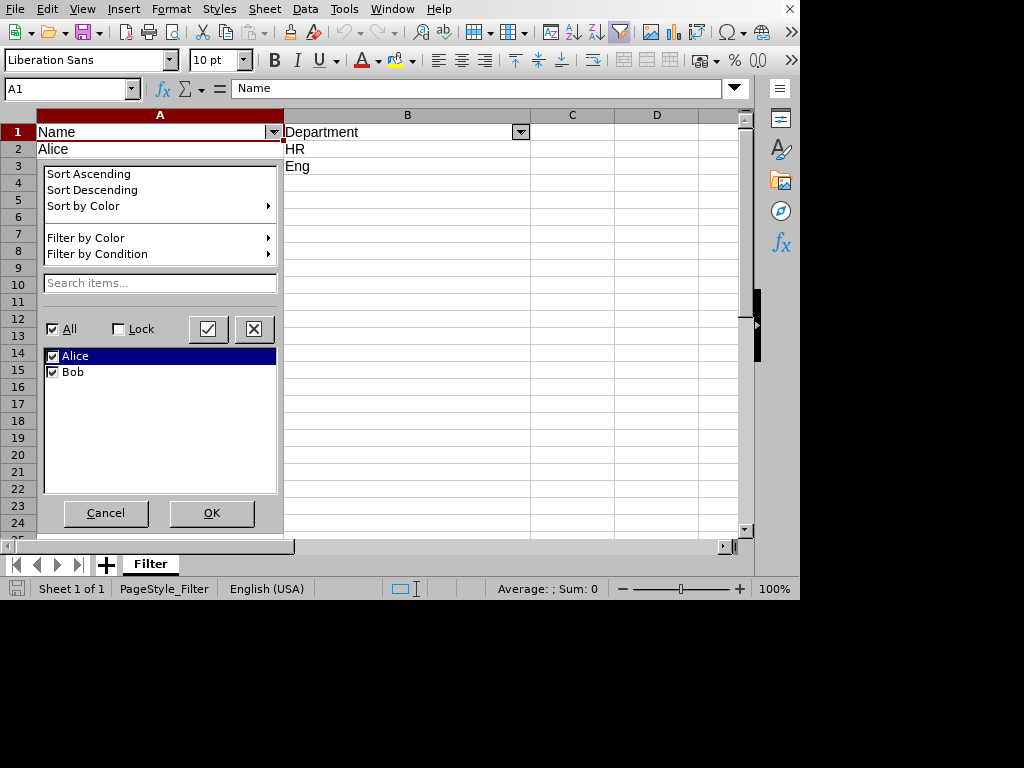
DSL Code
# frozen_string_literal: true

require "xlsxrb"
output_path = ARGV[0] || "interactive_autofilter.xlsx"
Xlsxrb.write(output_path) do |wb|
  wb.sheet("Filter") do |s|
    s.column(0, width: 25)
    s.column(1, width: 25)
    s.row(%w[Name Department])
    s.row(%w[Alice HR])
    s.row(%w[Bob Eng])
    s.auto_filter("A1:B3")
  end
  wb.defined_name("_xlnm._FilterDatabase", "Filter!$A$1:$B$3", sheet: "Filter", hidden: true)
end

# 2. Read the generated sheet and print cell values
puts "=== Read Validation ==="
workbook = Xlsxrb.read(output_path).load
sheet = workbook.sheets.first
sheet.rows.first(5).each do |row|
  row_cells = row.cells.map { |c| "#{c.ref}: #{c.value.inspect}" }
  puts "Row #{row.index}: #{row_cells.join(", ")}"
end
Console Output
=== Read Validation ===
Row 0: A1: "Name", B1: "Department"
Row 1: A2: "Alice", B2: "HR"
Row 2: A3: "Bob", B3: "Eng"
Interactive Comments
[!TIP] Interactive Feature: This example uses interactive Excel behaviors (such as validation dropdowns, comments, or autofilters). Since the static visual preview below represents a printed page layout, please use the Live Preview to interact with it!
Demonstrates cell pop-up comments. Open the sheet in Excel and hover your mouse over the cell with the red triangle to view the comment.
Rendered Output (LibreOffice Calc)
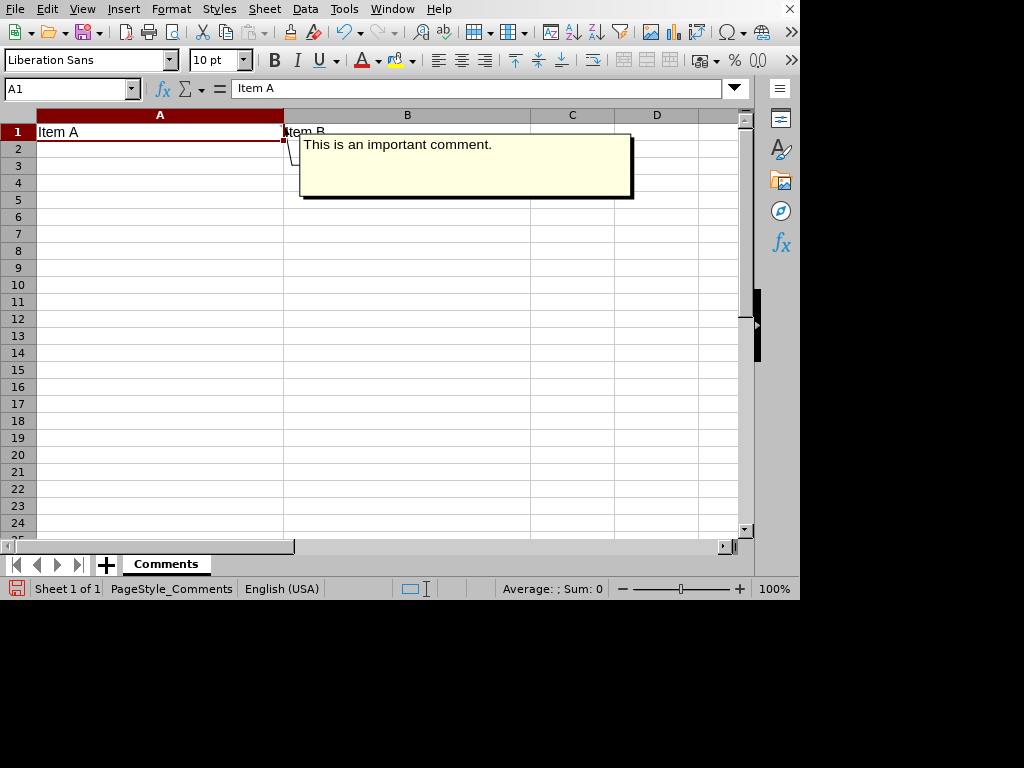
DSL Code
# frozen_string_literal: true

require "xlsxrb"
output_path = ARGV[0] || "interactive_comments.xlsx"
Xlsxrb.write(output_path) do |wb|
  wb.sheet("Comments") do |s|
    s.column(0, width: 25)
    s.column(1, width: 25)
    s.row(["Item A", "Item B"])
    s.comment("A1", "This is an important comment.", author: "System")
  end
end

# 2. Read the generated sheet and print cell values
puts "=== Read Validation ==="
workbook = Xlsxrb.read(output_path).load
sheet = workbook.sheets.first
sheet.rows.first(5).each do |row|
  row_cells = row.cells.map { |c| "#{c.ref}: #{c.value.inspect}" }
  puts "Row #{row.index}: #{row_cells.join(", ")}"
end
Console Output
=== Read Validation ===
Row 0: A1: "Item A", B1: "Item B"
Interactive Validation Custom
[!TIP] Interactive Feature: This example uses interactive Excel behaviors (such as validation dropdowns, comments, or autofilters). Since the static visual preview below represents a printed page layout, please use the Live Preview to interact with it!
Demonstrates interactive custom formula validation rules.
Rendered Output (LibreOffice Calc)
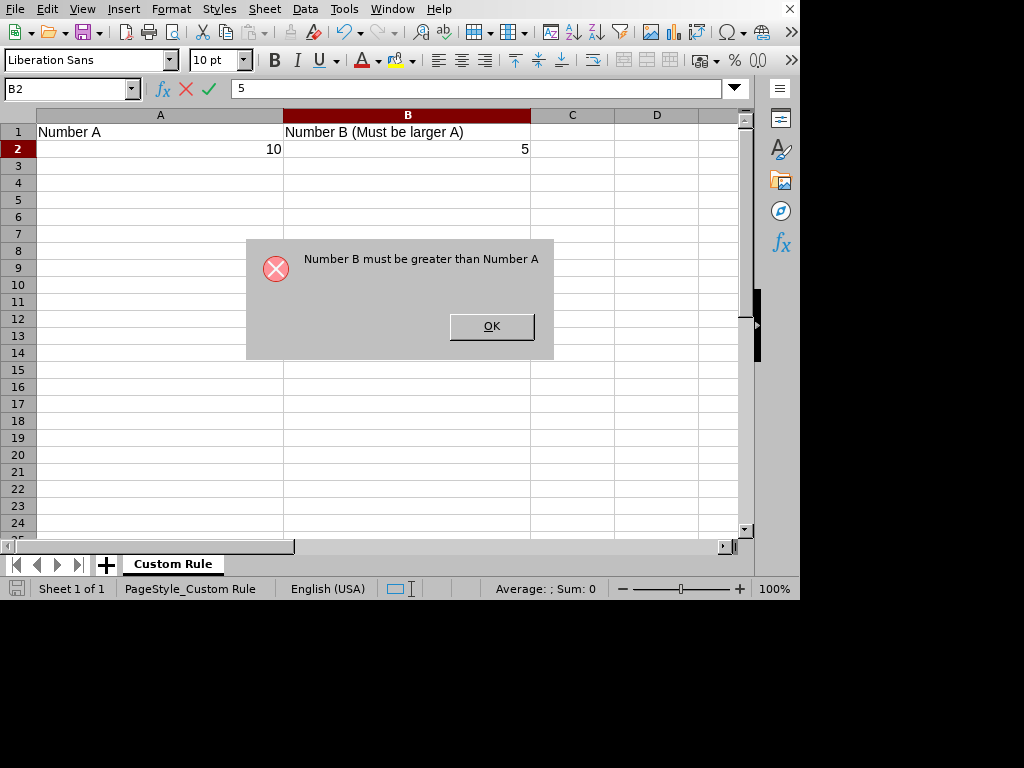
DSL Code
# frozen_string_literal: true

require "xlsxrb"
output_path = ARGV[0] || "interactive_validation_custom.xlsx"
Xlsxrb.write(output_path) do |wb|
  wb.sheet("Custom Rule") do |s|
    s.column(0, width: 25)
    s.column(1, width: 25)
    s.row(["Number A", "Number B (Must be larger A)"])
    s.row([10, ""])
    s.validate_data("B2", type: "custom", formula1: "B2>A2", show_error_message: true, error_title: "Validation Error", error: "Number B must be greater than Number A")
  end
end

# 2. Read the generated sheet and print data validations
puts "=== Read Validation ==="
reader = Xlsxrb::Ooxml::Reader.new(output_path)
workbook = Xlsxrb.read(output_path).load
sheet = workbook.sheets.first
validations = reader.data_validations(sheet: sheet.name)
validations.each do |v|
  puts "Validation range #{v[:sqref]}: type=#{v[:type]}, formula1=#{v[:formula1]}, formula2=#{v[:formula2]}"
end
Console Output
=== Read Validation ===
Validation range B2: type=custom, formula1=B2>A2, formula2=
Interactive Validation Date
[!TIP] Interactive Feature: This example uses interactive Excel behaviors (such as validation dropdowns, comments, or autofilters). Since the static visual preview below represents a printed page layout, please use the Live Preview to interact with it!
Demonstrates interactive date range constraints validation rules.
Rendered Output (LibreOffice Calc)
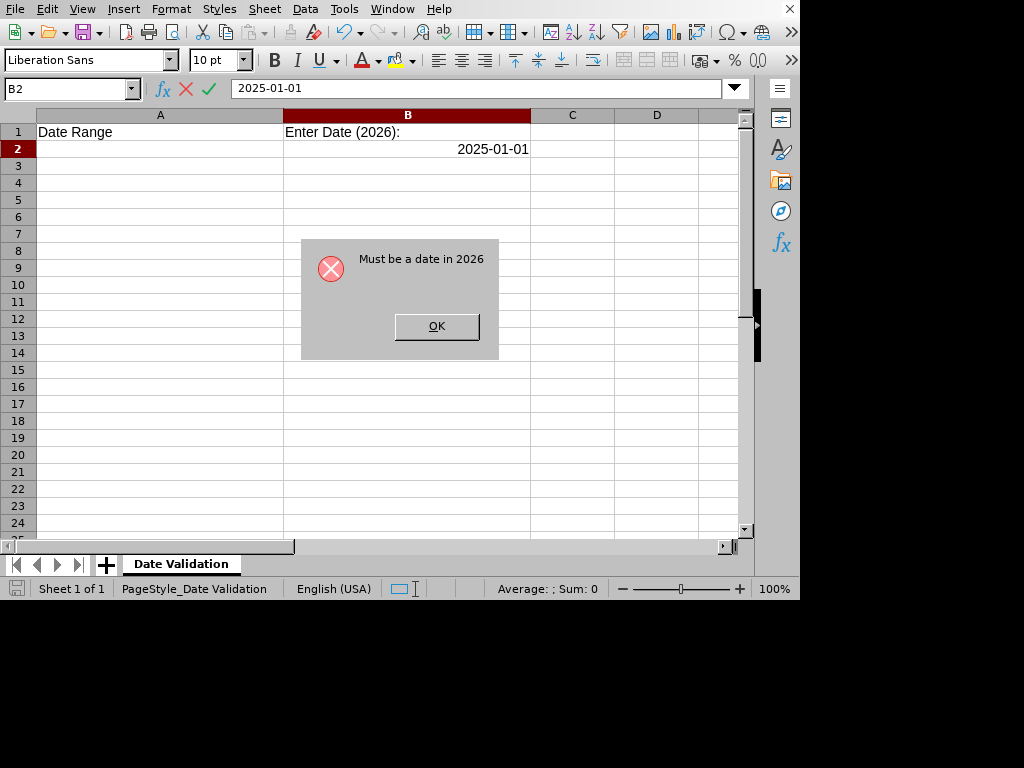
DSL Code
# frozen_string_literal: true

require "xlsxrb"
output_path = ARGV[0] || "interactive_validation_date.xlsx"
Xlsxrb.write(output_path) do |wb|
  wb.sheet("Date Validation") do |s|
    s.column(0, width: 25)
    s.column(1, width: 25)
    s.row(["Date Range", "Enter Date (2026):"])
    s.validate_data("B2", type: "date", operator: "between", formula1: "Date(2026,1,1)", formula2: "Date(2026,12,31)", show_error_message: true, error_title: "Invalid Date", error: "Must be a date in 2026")
  end
end

# 2. Read the generated sheet and print data validations
puts "=== Read Validation ==="
reader = Xlsxrb::Ooxml::Reader.new(output_path)
workbook = Xlsxrb.read(output_path).load
sheet = workbook.sheets.first
validations = reader.data_validations(sheet: sheet.name)
validations.each do |v|
  puts "Validation range #{v[:sqref]}: type=#{v[:type]}, formula1=#{v[:formula1]}, formula2=#{v[:formula2]}"
end
Console Output
=== Read Validation ===
Validation range B2: type=date, formula1=Date(2026,1,1), formula2=Date(2026,12,31)
Interactive Validation List
[!TIP] Interactive Feature: This example uses interactive Excel behaviors (such as validation dropdowns, comments, or autofilters). Since the static visual preview below represents a printed page layout, please use the Live Preview to interact with it!
Demonstrates dropdown list data validations. Open the sheet in Excel and select cell A1/A2 to see the dropdown list in action.
Rendered Output (LibreOffice Calc)
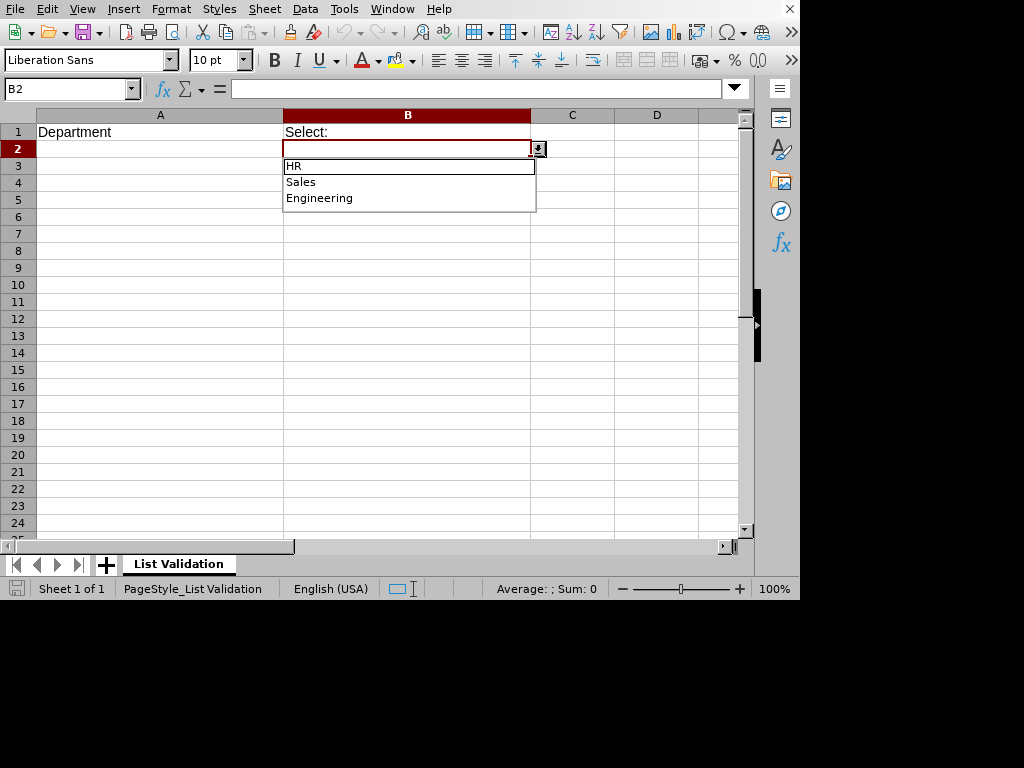
DSL Code
# frozen_string_literal: true

require "xlsxrb"
output_path = ARGV[0] || "interactive_validation_list.xlsx"
Xlsxrb.write(output_path) do |wb|
  wb.sheet("List Validation") do |s|
    s.column(0, width: 25)
    s.column(1, width: 25)
    s.row(["Department", "Select:"])
    s.validate_data("B2", in: %w[HR Sales Engineering])
  end
end

# 2. Read the generated sheet and print data validations
puts "=== Read Validation ==="
reader = Xlsxrb::Ooxml::Reader.new(output_path)
workbook = Xlsxrb.read(output_path).load
sheet = workbook.sheets.first
validations = reader.data_validations(sheet: sheet.name)
validations.each do |v|
  puts "Validation range #{v[:sqref]}: type=#{v[:type]}, formula1=#{v[:formula1]}, formula2=#{v[:formula2]}"
end
Console Output
=== Read Validation ===
Validation range B2: type=list, formula1="HR,Sales,Engineering", formula2=
Interactive Validation Range
[!TIP] Interactive Feature: This example uses interactive Excel behaviors (such as validation dropdowns, comments, or autofilters). Since the static visual preview below represents a printed page layout, please use the Live Preview to interact with it!
Demonstrates range constraints for whole number validations. Open the sheet in Excel and try entering a value outside 10-100 to trigger the warning.
Rendered Output (LibreOffice Calc)
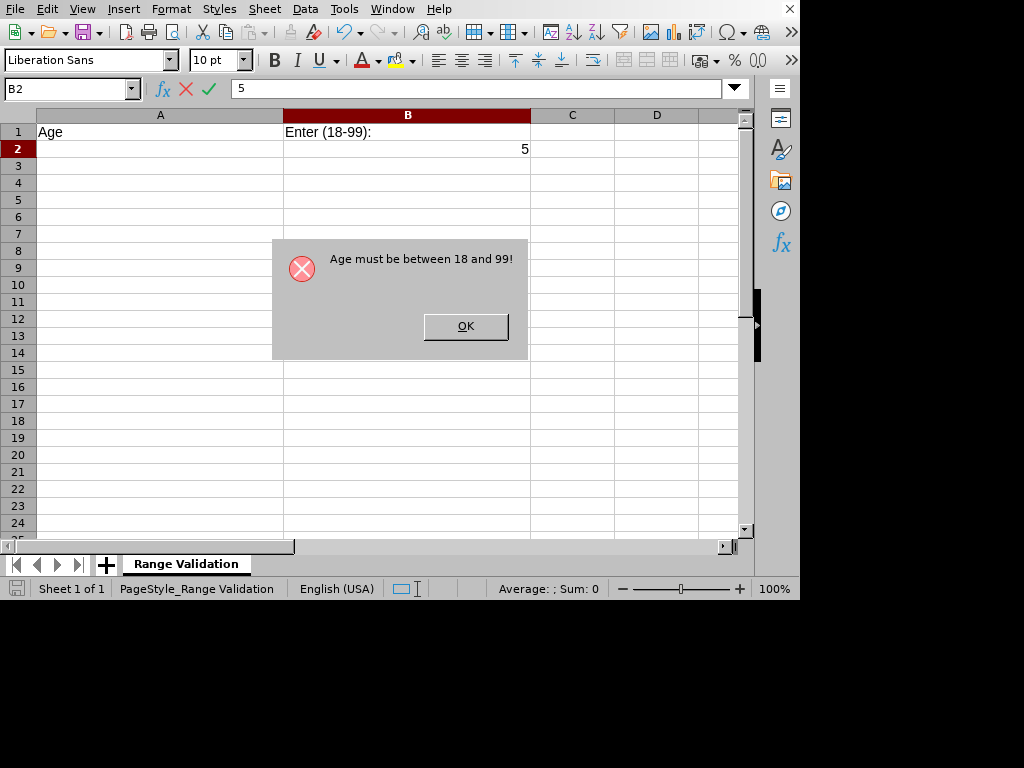
DSL Code
# frozen_string_literal: true

require "xlsxrb"
output_path = ARGV[0] || "interactive_validation_range.xlsx"
Xlsxrb.write(output_path) do |wb|
  wb.sheet("Range Validation") do |s|
    s.column(0, width: 25)
    s.column(1, width: 25)
    s.row(["Age", "Enter (18-99):"])
    s.validate_data("B2", type: "whole", operator: "between", formula1: "18", formula2: "99", show_error_message: true, error_title: "Invalid Age", error: "Age must be between 18 and 99!")
  end
end

# 2. Read the generated sheet and print data validations
puts "=== Read Validation ==="
reader = Xlsxrb::Ooxml::Reader.new(output_path)
workbook = Xlsxrb.read(output_path).load
sheet = workbook.sheets.first
validations = reader.data_validations(sheet: sheet.name)
validations.each do |v|
  puts "Validation range #{v[:sqref]}: type=#{v[:type]}, formula1=#{v[:formula1]}, formula2=#{v[:formula2]}"
end
Console Output
=== Read Validation ===
Validation range B2: type=whole, formula1=18, formula2=99
Interactive Validation Text Length
[!TIP] Interactive Feature: This example uses interactive Excel behaviors (such as validation dropdowns, comments, or autofilters). Since the static visual preview below represents a printed page layout, please use the Live Preview to interact with it!
Demonstrates interactive text length validation rules.
Rendered Output (LibreOffice Calc)
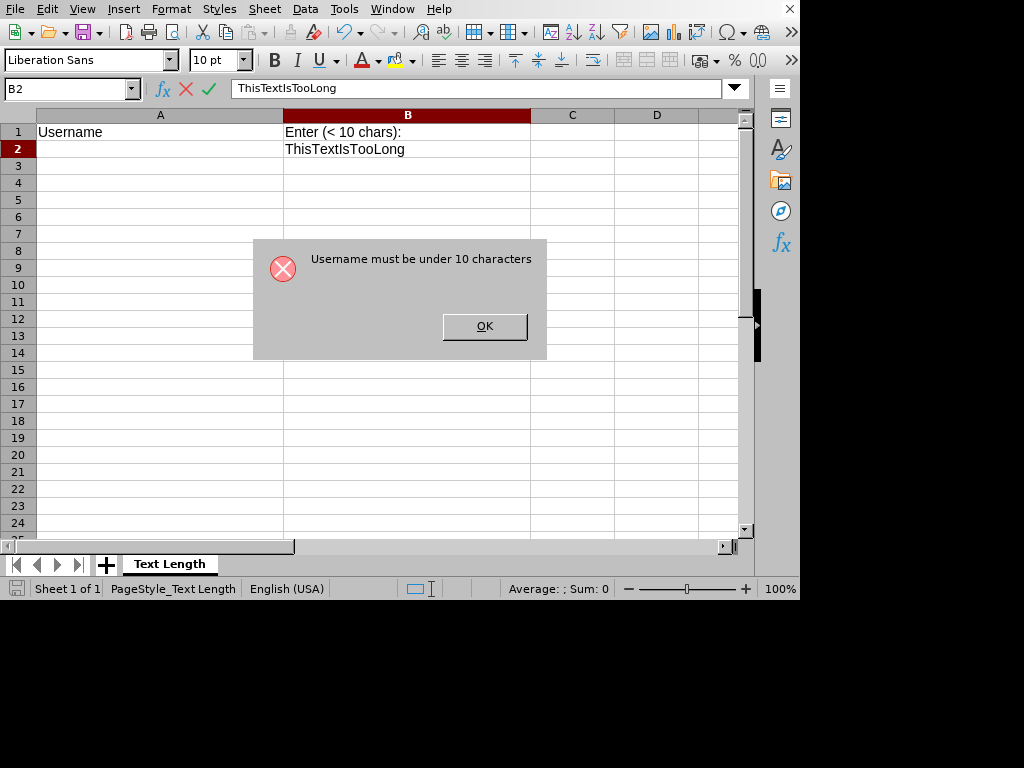
DSL Code
# frozen_string_literal: true

require "xlsxrb"
output_path = ARGV[0] || "interactive_validation_text_length.xlsx"
Xlsxrb.write(output_path) do |wb|
  wb.sheet("Text Length") do |s|
    s.column(0, width: 25)
    s.column(1, width: 25)
    s.row(["Username", "Enter (< 10 chars):"])
    s.validate_data("B2", type: "textLength", operator: "lessThan", formula1: "10", show_error_message: true, error_title: "Too Long", error: "Username must be under 10 characters")
  end
end

# 2. Read the generated sheet and print data validations
puts "=== Read Validation ==="
reader = Xlsxrb::Ooxml::Reader.new(output_path)
workbook = Xlsxrb.read(output_path).load
sheet = workbook.sheets.first
validations = reader.data_validations(sheet: sheet.name)
validations.each do |v|
  puts "Validation range #{v[:sqref]}: type=#{v[:type]}, formula1=#{v[:formula1]}, formula2=#{v[:formula2]}"
end
Console Output
=== Read Validation ===
Validation range B2: type=textLength, formula1=10, formula2=
Interactive Validation Time
[!TIP] Interactive Feature: This example uses interactive Excel behaviors (such as validation dropdowns, comments, or autofilters). Since the static visual preview below represents a printed page layout, please use the Live Preview to interact with it!
Demonstrates interactive time validation rules.
Rendered Output (LibreOffice Calc)
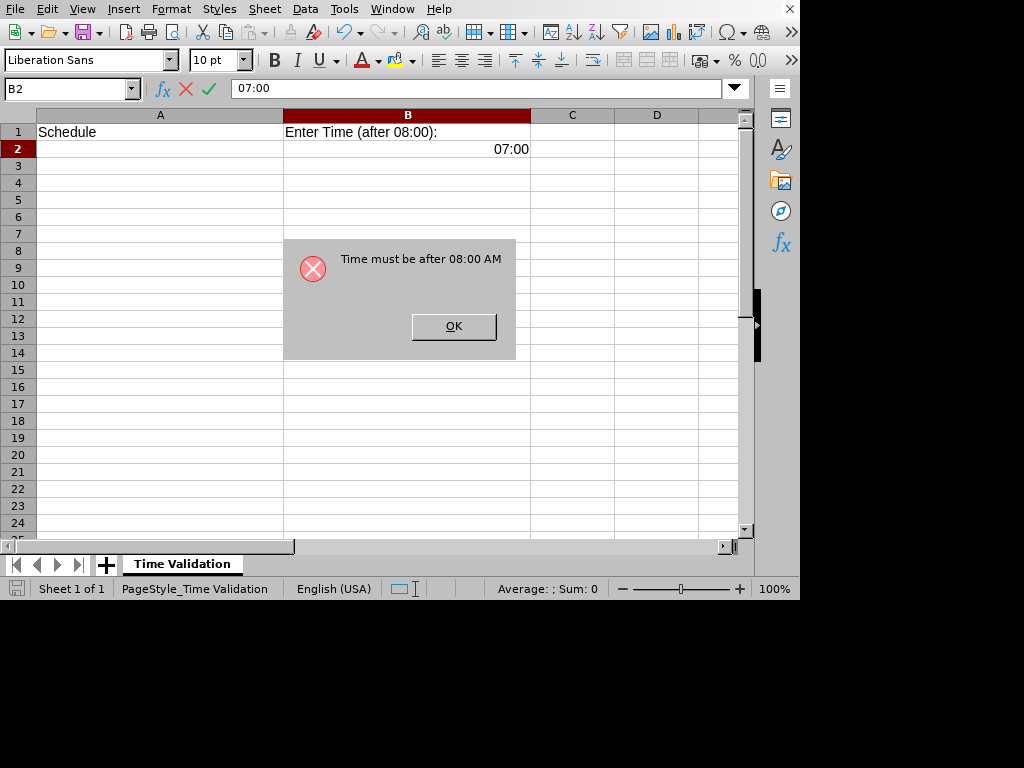
DSL Code
# frozen_string_literal: true

require "xlsxrb"
output_path = ARGV[0] || "interactive_validation_time.xlsx"
Xlsxrb.write(output_path) do |wb|
  wb.sheet("Time Validation") do |s|
    s.column(0, width: 25)
    s.column(1, width: 25)
    s.row(["Schedule", "Enter Time (after 08:00):"])
    s.validate_data("B2", type: "time", operator: "greaterThan", formula1: "0.33333", show_error_message: true, error_title: "Too Early", error: "Time must be after 08:00 AM")
  end
end

# 2. Read the generated sheet and print data validations
puts "=== Read Validation ==="
reader = Xlsxrb::Ooxml::Reader.new(output_path)
workbook = Xlsxrb.read(output_path).load
sheet = workbook.sheets.first
validations = reader.data_validations(sheet: sheet.name)
validations.each do |v|
  puts "Validation range #{v[:sqref]}: type=#{v[:type]}, formula1=#{v[:formula1]}, formula2=#{v[:formula2]}"
end
Console Output
=== Read Validation ===
Validation range B2: type=time, formula1=0.33333, formula2=
Japanese Text
Demonstrates writing multi-byte Japanese text and setting appropriate Japanese font names (e.g., Noto Sans CJK JP).
Rendered Output (LibreOffice Calc)
DSL Code
# frozen_string_literal: true

require "xlsxrb"

output_path = ARGV[0] || "japanese_text.xlsx"

Xlsxrb.write(output_path) do |wb|
  wb.style("ja_font") do |style|
    style.font_name("Noto Sans CJK JP").size(12)
  end

  wb.sheet("Japanese") do |s|
    s.column(0, width: 25)
    s.column(1, width: 25)
    s.row(%w[日本語ラベル 値], styles: { 0 => "ja_font", 1 => "ja_font" })
    s.row(["売上", 12_500], styles: { 0 => "ja_font" })
  end
end

# 2. Read the generated sheet and print parsed cell values and Ruby classes
puts "=== Read Validation ==="
workbook = Xlsxrb.read(output_path).load
sheet = workbook.sheets.first
sheet.rows.each do |row|
  row_cells = row.cells.map do |c|
    "#{c.ref}: #{c.value.inspect} (#{c.value.class})"
  end
  puts "Row #{row.index}: #{row_cells.join(", ")}"
end
Console Output
=== Read Validation ===
Row 0: A1: "日本語ラベル" (String), B1: "値" (String)
Row 1: A2: "売上" (String), B2: 12500 (Integer)
Merge Freeze
Demonstrates merging a cell range into a single cell, and freezing the top rows of a sheet.
Rendered Output (LibreOffice Calc)
DSL Code
# frozen_string_literal: true

require "xlsxrb"

output_path = ARGV[0] || "merge_freeze.xlsx"

Xlsxrb.write(output_path) do |wb|
  wb.style("title") { |style| style.border_all(style: "thin", color: "FF000000").align_horizontal("center") }
  wb.style("border") { |style| style.border_all(style: "thin", color: "FF000000") }
  wb.sheet("Merge & Freeze") do |s|
    s.sheet_properties(:fit_to_page, true)
    s.page_setup(fit_to_width: 1, fit_to_height: 1)
    s.column(0, width: 25)
    s.column(1, width: 25)
    s.column(2, width: 25)
    s.row(["Merged Title Row", nil, nil], styles: %w[title title title])
    s.row(["Header A", "Header B", "Header C"], styles: %w[border border border])
    s.row(["Row 1 Col A", "Row 1 Col B", "Row 1 Col C"], styles: %w[border border border])
    s.row(["Row 2 Col A", "Row 2 Col B", "Row 2 Col C"], styles: %w[border border border])

    s.merge(row: 0, col_start: 0, col_end: 2)
    s.freeze_pane(row: 2, col: 0)
  end
end

# 2. Read the generated sheet and print cell values
puts "=== Read Validation ==="
workbook = Xlsxrb.read(output_path).load
sheet = workbook.sheets.first
sheet.rows.first(5).each do |row|
  row_cells = row.cells.map { |c| "#{c.ref}: #{c.value.inspect}" }
  puts "Row #{row.index}: #{row_cells.join(", ")}"
end
Console Output
=== Read Validation ===
Row 0: A1: "Merged Title Row", B1: nil, C1: nil
Row 1: A2: "Header A", B2: "Header B", C2: "Header C"
Row 2: A3: "Row 1 Col A", B3: "Row 1 Col B", C3: "Row 1 Col C"
Row 3: A4: "Row 2 Col A", B4: "Row 2 Col B", C4: "Row 2 Col C"
Page Grid Lines Print
Demonstrates enabling printing of grid lines.
Rendered Output (LibreOffice Calc)
DSL Code
# frozen_string_literal: true

require "xlsxrb"
output_path = ARGV[0] || "page_grid_lines_print.xlsx"
Xlsxrb.write(output_path) do |wb|
  wb.sheet("Print Grid Lines") do |s|
    s.column(0, width: 25)
    s.column(1, width: 25)
    s.print_options(:grid_lines, true)
    s.row(["Grid Lines Printed sheet"])
  end
end

# 2. Read the generated sheet and print page setup properties
puts "=== Read Validation ==="
reader = Xlsxrb::Ooxml::Reader.new(output_path)
workbook = Xlsxrb.read(output_path).load
sheet = workbook.sheets.first
margins = reader.page_margins(sheet: sheet.name)
setup = reader.page_setup(sheet: sheet.name)
opts = reader.print_options(sheet: sheet.name)
puts "Page Margins: #{margins.inspect}"
puts "Page Setup: #{setup.inspect}"
puts "Print Options: #{opts.inspect}"
Console Output
=== Read Validation ===
Page Margins: nil
Page Setup: {}
Print Options: {grid_lines: true}
Page Header Footer
Demonstrates setting odd page headers and footers.
Rendered Output (LibreOffice Calc)
DSL Code
# frozen_string_literal: true

require "xlsxrb"
output_path = ARGV[0] || "page_header_footer.xlsx"
Xlsxrb.write(output_path) do |wb|
  wb.sheet("Header Footer") do |s|
    s.column(0, width: 25)
    s.column(1, width: 25)
    s.header_footer(odd_header: "&LMy Company&RPage &P", odd_footer: "&CConfidential")
    s.row(["Header Footer sheet"])
  end
end

# 2. Read the generated sheet and print page setup properties
puts "=== Read Validation ==="
reader = Xlsxrb::Ooxml::Reader.new(output_path)
workbook = Xlsxrb.read(output_path).load
sheet = workbook.sheets.first
margins = reader.page_margins(sheet: sheet.name)
setup = reader.page_setup(sheet: sheet.name)
opts = reader.print_options(sheet: sheet.name)
puts "Page Margins: #{margins.inspect}"
puts "Page Setup: #{setup.inspect}"
puts "Print Options: #{opts.inspect}"
Console Output
=== Read Validation ===
Page Margins: nil
Page Setup: {}
Print Options: {}
Page Headings Print
Demonstrates enabling printing of row and column headings.
Rendered Output (LibreOffice Calc)
DSL Code
# frozen_string_literal: true

require "xlsxrb"
output_path = ARGV[0] || "page_headings_print.xlsx"
Xlsxrb.write(output_path) do |wb|
  wb.sheet("Print Headings") do |s|
    s.column(0, width: 25)
    s.column(1, width: 25)
    s.print_options(:headings, true)
    s.row(["Row/Col Headings Printed sheet"])
  end
end

# 2. Read the generated sheet and print page setup properties
puts "=== Read Validation ==="
reader = Xlsxrb::Ooxml::Reader.new(output_path)
workbook = Xlsxrb.read(output_path).load
sheet = workbook.sheets.first
margins = reader.page_margins(sheet: sheet.name)
setup = reader.page_setup(sheet: sheet.name)
opts = reader.print_options(sheet: sheet.name)
puts "Page Margins: #{margins.inspect}"
puts "Page Setup: #{setup.inspect}"
puts "Print Options: #{opts.inspect}"
Console Output
=== Read Validation ===
Page Margins: nil
Page Setup: {}
Print Options: {headings: true}
Page Margins Narrow
Demonstrates setting narrow page margins.
Rendered Output (LibreOffice Calc)
DSL Code
# frozen_string_literal: true

require "xlsxrb"
output_path = ARGV[0] || "page_margins_narrow.xlsx"
Xlsxrb.write(output_path) do |wb|
  wb.sheet("Narrow Margins") do |s|
    s.column(0, width: 25)
    s.column(1, width: 25)
    s.page_margins(top: 0.25, bottom: 0.25, left: 0.25, right: 0.25, header: 0.1, footer: 0.1)
    s.row(["Narrow Margins sheet"])
  end
end

# 2. Read the generated sheet and print page setup properties
puts "=== Read Validation ==="
reader = Xlsxrb::Ooxml::Reader.new(output_path)
workbook = Xlsxrb.read(output_path).load
sheet = workbook.sheets.first
margins = reader.page_margins(sheet: sheet.name)
setup = reader.page_setup(sheet: sheet.name)
opts = reader.print_options(sheet: sheet.name)
puts "Page Margins: #{margins.inspect}"
puts "Page Setup: #{setup.inspect}"
puts "Print Options: #{opts.inspect}"
Console Output
=== Read Validation ===
Page Margins: {left: 0.25, right: 0.25, top: 0.25, bottom: 0.25, header: 0.1, footer: 0.1}
Page Setup: {}
Print Options: {}
Page Margins Wide
Demonstrates setting wide page margins.
Rendered Output (LibreOffice Calc)
DSL Code
# frozen_string_literal: true

require "xlsxrb"
output_path = ARGV[0] || "page_margins_wide.xlsx"
Xlsxrb.write(output_path) do |wb|
  wb.sheet("Wide Margins") do |s|
    s.column(0, width: 25)
    s.column(1, width: 25)
    s.page_margins(top: 1.0, bottom: 1.0, left: 1.0, right: 1.0, header: 0.5, footer: 0.5)
    s.row(["Wide Margins sheet"])
  end
end

# 2. Read the generated sheet and print page setup properties
puts "=== Read Validation ==="
reader = Xlsxrb::Ooxml::Reader.new(output_path)
workbook = Xlsxrb.read(output_path).load
sheet = workbook.sheets.first
margins = reader.page_margins(sheet: sheet.name)
setup = reader.page_setup(sheet: sheet.name)
opts = reader.print_options(sheet: sheet.name)
puts "Page Margins: #{margins.inspect}"
puts "Page Setup: #{setup.inspect}"
puts "Print Options: #{opts.inspect}"
Console Output
=== Read Validation ===
Page Margins: {left: 1.0, right: 1.0, top: 1.0, bottom: 1.0, header: 0.5, footer: 0.5}
Page Setup: {}
Print Options: {}
Page Orientation Landscape
Demonstrates landscape page setup for printing.
Rendered Output (LibreOffice Calc)
DSL Code
# frozen_string_literal: true

require "xlsxrb"
output_path = ARGV[0] || "page_orientation_landscape.xlsx"
Xlsxrb.write(output_path) do |wb|
  wb.sheet("Landscape") do |s|
    s.column(0, width: 25)
    s.column(1, width: 25)
    s.page_setup(orientation: :landscape)
    s.row(["Landscape Orientation sheet"])
  end
end

# 2. Read the generated sheet and print page setup properties
puts "=== Read Validation ==="
reader = Xlsxrb::Ooxml::Reader.new(output_path)
workbook = Xlsxrb.read(output_path).load
sheet = workbook.sheets.first
margins = reader.page_margins(sheet: sheet.name)
setup = reader.page_setup(sheet: sheet.name)
opts = reader.print_options(sheet: sheet.name)
puts "Page Margins: #{margins.inspect}"
puts "Page Setup: #{setup.inspect}"
puts "Print Options: #{opts.inspect}"
Console Output
=== Read Validation ===
Page Margins: nil
Page Setup: {orientation: "landscape"}
Print Options: {}
Page Paper Size A3
Demonstrates setting paper size to A3 (paper size 8).
Rendered Output (LibreOffice Calc)
DSL Code
# frozen_string_literal: true

require "xlsxrb"
output_path = ARGV[0] || "page_paper_size_a3.xlsx"
Xlsxrb.write(output_path) do |wb|
  wb.sheet("A3 Sheet") do |s|
    s.column(0, width: 25)
    s.column(1, width: 25)
    s.page_setup(paper_size: 8) # ISO A3 is paperSize="8"
    s.row(["ISO A3 Paper Size sheet"])
  end
end

# 2. Read the generated sheet and print page setup properties
puts "=== Read Validation ==="
reader = Xlsxrb::Ooxml::Reader.new(output_path)
workbook = Xlsxrb.read(output_path).load
sheet = workbook.sheets.first
margins = reader.page_margins(sheet: sheet.name)
setup = reader.page_setup(sheet: sheet.name)
opts = reader.print_options(sheet: sheet.name)
puts "Page Margins: #{margins.inspect}"
puts "Page Setup: #{setup.inspect}"
puts "Print Options: #{opts.inspect}"
Console Output
=== Read Validation ===
Page Margins: nil
Page Setup: {paper_size: 8}
Print Options: {}
Pivot Table
Visual demonstration for Pivot Table.
Rendered Output (LibreOffice Calc)
DSL Code
# frozen_string_literal: true

require "xlsxrb"

output_path = ARGV[0] || "pivot_table.xlsx"

Xlsxrb.write(output_path) do |wb|
  wb.sheet("SalesData") do |sheet|
    sheet.column(0..3, width: 14)
    sheet.row(%w[Region Quarter Sales Rep])
    sheet.row(["East", "Q1", 1000, "Alice"])
    sheet.row(["West", "Q1", 1500, "Bob"])
    sheet.row(["East", "Q2", 1200, "Alice"])
    sheet.row(["West", "Q2", 1800, "Bob"])
    sheet.row(["North", "Q1", 800, "Charlie"])
    sheet.row(["North", "Q2", 950, "Charlie"])

    sheet.row([])
    sheet.row([])
    # Pre-populate summary cells in the pivot table target region (A10:D15) for headless renderers
    sheet.row(["Sum of Sales", "Quarter", nil, nil])
    sheet.row(["Region", "Q1", "Q2", "Grand Total"])
    sheet.row(["East", 1000, 1200, 2200])
    sheet.row(["North", 800, 950, 1750])
    sheet.row(["West", 1500, 1800, 3300])
    sheet.row(["Grand Total", 3300, 3950, 7250])

    sheet.pivot_table(
      "SalesData!A1:D7",
      row_fields: ["Region"],
      data_fields: [{ name: "Sales", subtotal: "sum" }],
      col_fields: ["Quarter"],
      dest_ref: "A10",
      name: "RegionalSalesSummary"
    )
  end
end

puts "=== Read Validation ==="
workbook = Xlsxrb.read(output_path).load
sheet = workbook.sheets.first
sheet.rows.each do |row|
  row_cells = row.cells.map { |c| "#{c.ref}: #{c.value.inspect}" }
  puts "Row #{row.index}: #{row_cells.join(", ")}"
end
Console Output
=== Read Validation ===
Row 0: A1: "Region", B1: "Quarter", C1: "Sales", D1: "Rep"
Row 1: A2: "East", B2: "Q1", C2: 1000, D2: "Alice"
Row 2: A3: "West", B3: "Q1", C3: 1500, D3: "Bob"
Row 3: A4: "East", B4: "Q2", C4: 1200, D4: "Alice"
Row 4: A5: "West", B5: "Q2", C5: 1800, D5: "Bob"
Row 5: A6: "North", B6: "Q1", C6: 800, D6: "Charlie"
Row 6: A7: "North", B7: "Q2", C7: 950, D7: "Charlie"
Row 7:
Row 8:
Row 9: A10: "Sum of Sales", B10: "Quarter"
Row 10: A11: "Region", B11: "Q1", C11: "Q2", D11: "Grand Total"
Row 11: A12: "East", B12: 1000, C12: 1200, D12: 2200
Row 12: A13: "North", B13: 800, C13: 950, D13: 1750
Row 13: A14: "West", B14: 1500, C14: 1800, D14: 3300
Row 14: A15: "Grand Total", B15: 3300, C15: 3950, D15: 7250
Row Grouping
Demonstrates outline grouping for rows.
Rendered Output (LibreOffice Calc)
DSL Code
# frozen_string_literal: true

require "xlsxrb"
output_path = ARGV[0] || "row_grouping.xlsx"
Xlsxrb.write(output_path) do |wb|
  wb.style("parent") { |style| style.border_all(style: "thin", color: "FF000000").bold }
  wb.style("child") { |style| style.border_all(style: "thin", color: "FF000000").align_horizontal("left").indent(2) }
  wb.sheet("Row Grouping") do |s|
    s.column(0, width: 25)
    s.column(1, width: 25)
    s.row(["Parent Row 1", ""], styles: %w[parent parent])
    s.row(["Child Row 1.1", ""], outline_level: 1, styles: %w[child child])
    s.row(["Child Row 1.2", ""], outline_level: 1, styles: %w[child child])
  end
end

# 2. Read the generated sheet and print row attributes
puts "=== Read Validation ==="
workbook = Xlsxrb.read(output_path).load
sheet = workbook.sheets.first
sheet.rows.each do |row|
  puts "Row #{row.index}: height=#{row.height}, hidden=#{row.hidden}, outline_level=#{row.outline_level}"
end
Console Output
=== Read Validation ===
Row 0: height=, hidden=false, outline_level=
Row 1: height=, hidden=false, outline_level=1
Row 2: height=, hidden=false, outline_level=1
Row Height Tall
Demonstrates setting very tall row heights.
Rendered Output (LibreOffice Calc)
DSL Code
# frozen_string_literal: true

require "xlsxrb"
output_path = ARGV[0] || "row_height_tall.xlsx"
Xlsxrb.write(output_path) do |wb|
  wb.style("border") { |style| style.border_all(style: "thin", color: "FF000000") }
  wb.sheet("Row Height") do |s|
    s.column(0, width: 25)
    s.column(1, width: 25)
    s.row(["Very Tall Row (Height 60)", ""], height: 60, styles: %w[border border])
    s.row(["Normal Row", ""], styles: %w[border border])
  end
end

# 2. Read the generated sheet and print row attributes
puts "=== Read Validation ==="
workbook = Xlsxrb.read(output_path).load
sheet = workbook.sheets.first
sheet.rows.each do |row|
  puts "Row #{row.index}: height=#{row.height}, hidden=#{row.hidden}, outline_level=#{row.outline_level}"
end
Console Output
=== Read Validation ===
Row 0: height=60.0, hidden=false, outline_level=
Row 1: height=, hidden=false, outline_level=
Row Heights
Demonstrates setting custom row heights.
Rendered Output (LibreOffice Calc)
DSL Code
# frozen_string_literal: true

require "xlsxrb"
output_path = ARGV[0] || "row_heights.xlsx"
Xlsxrb.write(output_path) do |wb|
  wb.style("border") { |style| style.border_all(style: "thin", color: "FF000000") }
  wb.sheet("Heights") do |s|
    s.column(0, width: 25)
    s.column(1, width: 25)
    s.row(["Normal Row", ""], styles: %w[border border])
    s.row(["Tall Row", ""], height: 40, styles: %w[border border])
  end
end

# 2. Read the generated sheet and print row attributes
puts "=== Read Validation ==="
workbook = Xlsxrb.read(output_path).load
sheet = workbook.sheets.first
sheet.rows.each do |row|
  puts "Row #{row.index}: height=#{row.height}, hidden=#{row.hidden}, outline_level=#{row.outline_level}"
end
Console Output
=== Read Validation ===
Row 0: height=, hidden=false, outline_level=
Row 1: height=40.0, hidden=false, outline_level=
Sheet Tab Colors
Demonstrates customizing tab colors of individual worksheets.
Rendered Output (LibreOffice Calc)

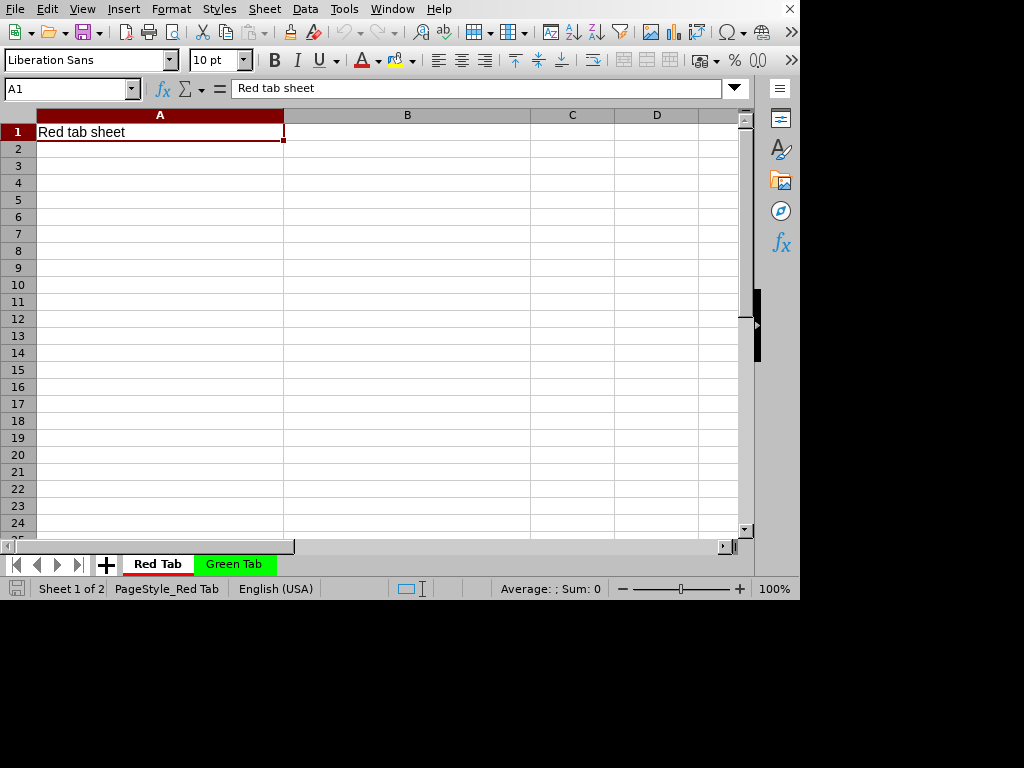
DSL Code
# frozen_string_literal: true

require "xlsxrb"
output_path = ARGV[0] || "sheet_tab_colors.xlsx"
Xlsxrb.write(output_path) do |wb|
  wb.sheet("Red Tab") do |s|
    s.column(0, width: 25)
    s.column(1, width: 25)
    s.sheet_properties(:tab_color, :red)
    s.row(["Red tab sheet"])
  end
  wb.sheet("Green Tab") do |s|
    s.sheet_properties(:tab_color, :green)
    s.row(["Green tab sheet"])
  end
end

# 2. Read the generated sheet and print sheet properties
puts "=== Read Validation ==="
reader = Xlsxrb::Ooxml::Reader.new(output_path)
workbook = Xlsxrb.read(output_path).load
workbook.sheet_names.each do |s_name|
  props = reader.sheet_properties(sheet: s_name)
  puts "Sheet: #{s_name}, tab color: #{props[:tab_color].inspect}"
end
Console Output
=== Read Validation ===
Sheet: Red Tab, tab color: "red"
Sheet: Green Tab, tab color: "green"
Sparkline Column
Demonstrates embedded column sparklines in cell ranges.
Rendered Output (LibreOffice Calc)
DSL Code
# frozen_string_literal: true

require "xlsxrb"
output_path = ARGV[0] || "sparkline_column.xlsx"
Xlsxrb.write(output_path) do |wb|
  wb.sheet("Sparkline") do |s|
    s.sheet_properties(:fit_to_page, true)
    s.page_setup(fit_to_width: 1, fit_to_height: 1)
    s.column(0, width: 25)
    s.column(1, width: 25)
    s.row([5, 12, 8, 15, nil])
    s.sparkline_group(
      type: :column,
      sparklines: [{ location_ref: "E1", data_ref: "Sparkline!A1:D1" }]
    )
  end
end

# 2. Read the generated sheet and print cell values
puts "=== Read Validation ==="
workbook = Xlsxrb.read(output_path).load
sheet = workbook.sheets.first
sheet.rows.first(3).each do |row|
  row_cells = row.cells.map { |c| "#{c.ref}: #{c.value.inspect}" }
  puts "Row #{row.index}: #{row_cells.join(", ")}"
end
Console Output
=== Read Validation ===
Row 0: A1: 5, B1: 12, C1: 8, D1: 15
Sparkline Line
Demonstrates embedded line sparklines in cell ranges.
Rendered Output (LibreOffice Calc)
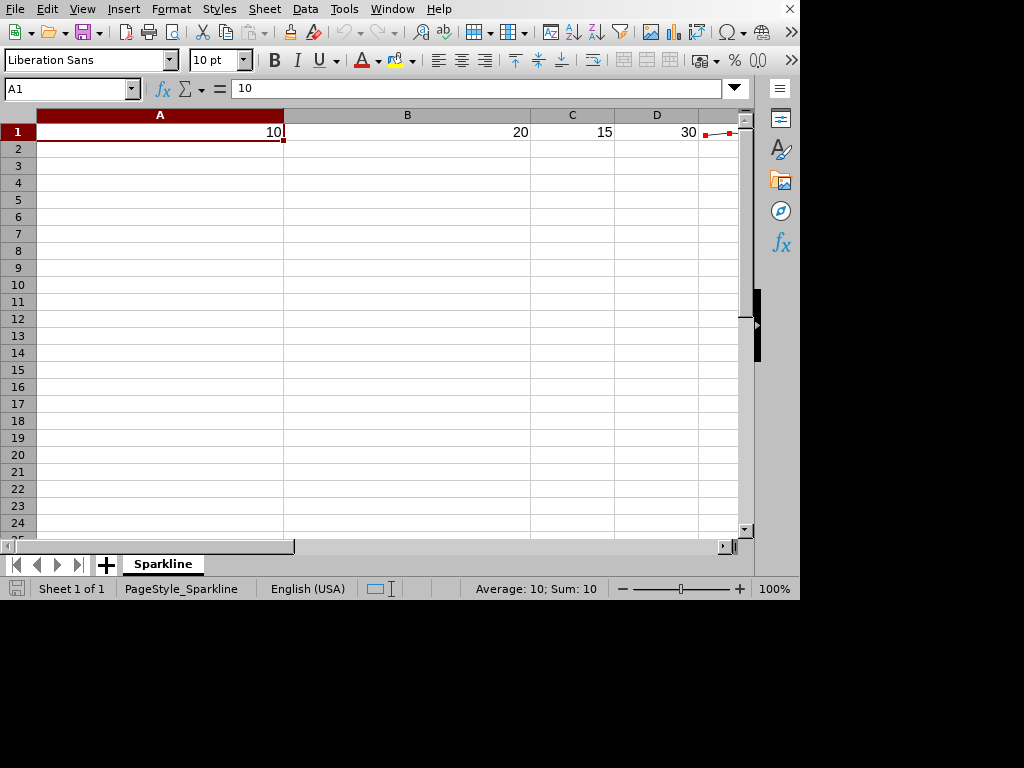
DSL Code
# frozen_string_literal: true

require "xlsxrb"
output_path = ARGV[0] || "sparkline_line.xlsx"
Xlsxrb.write(output_path) do |wb|
  wb.sheet("Sparkline") do |s|
    s.sheet_properties(:fit_to_page, true)
    s.page_setup(fit_to_width: 1, fit_to_height: 1)
    s.column(0, width: 25)
    s.column(1, width: 25)
    s.row([10, 20, 15, 30, nil])
    s.sparkline_group(
      type: :line,
      markers: true,
      color_series: "FF000000",
      color_markers: :red,
      sparklines: [{ location_ref: "E1", data_ref: "Sparkline!A1:D1" }]
    )
  end
end

# 2. Read the generated sheet and print cell values
puts "=== Read Validation ==="
workbook = Xlsxrb.read(output_path).load
sheet = workbook.sheets.first
sheet.rows.first(3).each do |row|
  row_cells = row.cells.map { |c| "#{c.ref}: #{c.value.inspect}" }
  puts "Row #{row.index}: #{row_cells.join(", ")}"
end
Console Output
=== Read Validation ===
Row 0: A1: 10, B1: 20, C1: 15, D1: 30
Styles Fonts Fills
Demonstrates cell formatting, including custom font sizing, bold/italic text, custom text colors, and background fill colors.
Rendered Output (LibreOffice Calc)
DSL Code
# frozen_string_literal: true

require "xlsxrb"

output_path = ARGV[0] || "styles_fonts_fills.xlsx"

Xlsxrb.write(output_path) do |wb|
  wb.style("header") do |style|
    style.bold.size(14).font_color("FFFFFFFF").fill_color("FF4F81BD")
  end

  wb.style("highlight") do |style|
    style.italic.font_color("FFC00000").fill_color("FFFFFF00")
  end

  wb.sheet("Styles") do |sheet|
    sheet.column(0, width: 25)
    sheet.column(1, width: 25)
    sheet.row(["Header 1", "Header 2"], styles: { 0 => "header", 1 => "header" })
    sheet.row(["Normal Text", "Highlighted Text"], styles: { 1 => "highlight" })
  end
end

# 2. Read the generated sheet and print styling details
puts "=== Read Validation ==="
workbook = Xlsxrb.read(output_path).load
sheet = workbook.sheets.first
sheet.rows.first(4).each do |row|
  row_cells = row.cells.map do |c|
    xf = workbook.styles[:cell_xfs][c.style_index] if c.style_index
    font = xf ? workbook.styles[:fonts][xf[:font_id]] : nil
    fill = xf ? workbook.styles[:fills][xf[:fill_id]] : nil
    "#{c.ref}: #{c.value.inspect} (font=#{font&.[](:name)}, fill=#{fill&.[](:fg_color)&.[](:rgb)})"
  end
  puts "Row #{row.index}: #{row_cells.join(", ")}"
end
Console Output
=== Read Validation ===
Row 0: A1: "Header 1" (font=Calibri, fill=FF4F81BD), B1: "Header 2" (font=Calibri, fill=FF4F81BD)
Row 1: A2: "Normal Text" (font=, fill=), B2: "Highlighted Text" (font=Calibri, fill=FFFFFF00)
Table Styles
Visual demonstration for Table Styles.
Rendered Output (LibreOffice Calc)
DSL Code
# frozen_string_literal: true

require "xlsxrb"

output_path = ARGV[0] || "table_styles.xlsx"

Xlsxrb.write(output_path) do |wb|
  wb.sheet("Table Example") do |sheet|
    sheet.column(0, width: 8)
    sheet.column(1, width: 16)
    sheet.column(2, width: 16)
    sheet.column(3, width: 14)
    sheet.row(%w[ID Name Department Salary])
    sheet.row([101, "Alice Smith", "Engineering", 120_000])
    sheet.row([102, "Bob Jones", "Marketing", 95_000])
    sheet.row([103, "Carol White", "Sales", 110_000])
    sheet.row([104, "David Brown", "Engineering", 130_000])

    sheet.table("A1:D5", columns: %w[ID Name Department Salary], name: "EmployeeTable", style: "TableStyleMedium9", total_row: false)
  end
end

puts "=== Read Validation ==="
workbook = Xlsxrb.read(output_path).load
sheet = workbook.sheets.first
sheet.rows.each do |row|
  row_cells = row.cells.map { |c| "#{c.ref}: #{c.value.inspect}" }
  puts "Row #{row.index}: #{row_cells.join(", ")}"
end
Console Output
=== Read Validation ===
Row 0: A1: "ID", B1: "Name", C1: "Department", D1: "Salary"
Row 1: A2: 101, B2: "Alice Smith", C2: "Engineering", D2: 120000
Row 2: A3: 102, B3: "Bob Jones", C3: "Marketing", D3: 95000
Row 3: A4: 103, B4: "Carol White", C4: "Sales", D4: 110000
Row 4: A5: 104, B5: "David Brown", C5: "Engineering", D5: 130000
View Show Grid Lines
Demonstrates disabling visible grid lines in spreadsheet view.
Rendered Output (LibreOffice Calc)
DSL Code
# frozen_string_literal: true

require "xlsxrb"
output_path = ARGV[0] || "view_show_grid_lines.xlsx"
Xlsxrb.write(output_path) do |wb|
  wb.sheet("Hide Grid Lines") do |s|
    s.column(0, width: 25)
    s.column(1, width: 25)
    s.sheet_view(:show_grid_lines, false)
    s.row(["No Grid Lines displayed"])
  end
end

# 2. Read the generated sheet and print view configurations
puts "=== Read Validation ==="
reader = Xlsxrb::Ooxml::Reader.new(output_path)
workbook = Xlsxrb.read(output_path).load
workbook.sheet_names.each do |s_name|
  view = reader.sheet_view(sheet: s_name)
  puts "Sheet '#{s_name}' views zoom scale: #{view[:zoom_scale]}%, show grid lines: #{view[:show_grid_lines]}"
end
Console Output
=== Read Validation ===
Sheet 'Hide Grid Lines' views zoom scale: %, show grid lines: false
View Zoom Scale
Demonstrates setting custom zoom scale in sheet view (e.g. 150%).
Rendered Output (LibreOffice Calc)
DSL Code
# frozen_string_literal: true

require "xlsxrb"
output_path = ARGV[0] || "view_zoom_scale.xlsx"
Xlsxrb.write(output_path) do |wb|
  wb.sheet("Zoom 150") do |s|
    s.column(0, width: 25)
    s.column(1, width: 25)
    s.sheet_view(:zoom_scale, 150)
    s.row(["Zoom scale is set to 150%"])
  end
end

# 2. Read the generated sheet and print view configurations
puts "=== Read Validation ==="
reader = Xlsxrb::Ooxml::Reader.new(output_path)
workbook = Xlsxrb.read(output_path).load
workbook.sheet_names.each do |s_name|
  view = reader.sheet_view(sheet: s_name)
  puts "Sheet '#{s_name}' views zoom scale: #{view[:zoom_scale]}%, show grid lines: #{view[:show_grid_lines]}"
end
Console Output
=== Read Validation ===
Sheet 'Zoom 150' views zoom scale: 150%, show grid lines:
Workbook Three Sheets
Demonstrates creating workbooks with multiple worksheets.
Rendered Output (LibreOffice Calc)


DSL Code
# frozen_string_literal: true

require "xlsxrb"
output_path = ARGV[0] || "workbook_three_sheets.xlsx"
Xlsxrb.write(output_path) do |wb|
  wb.sheet("First Sheet") { |s| s.row(["First Sheet Data"]) }
  wb.sheet("Second Sheet") { |s| s.row(["Second Sheet Data"]) }
  wb.sheet("Third Sheet") { |s| s.row(["Third Sheet Data"]) }
end

# 2. Read the generated sheet and print the sheets structure
puts "=== Read Validation ==="
workbook = Xlsxrb.read(output_path).load
puts "Workbook sheets: #{workbook.sheet_names.join(", ")}"
Console Output
=== Read Validation ===
Workbook sheets: First Sheet, Second Sheet, Third Sheet